


 Nothing PocketConcept product · 2026
A clamshell console, designed the way Nothing would have made it
I imagined the object, its interface and its companion app, then made them real enough to be photographed, played and controlled from a phone.
- The starting point
- The clamshell console is still a benchmark for comfort in the hand. Nothing has a strong visual language, with transparency, dots and the Glyph, but does not make a console. The exercise: imagine this product in full, from the object to its app.
- What I learned
- Tightening the brief did more for the project than all the features added before.
- My part
- Designed and directed by me, developed with Claude Code.
- Deliverable
- five campaign photos, console interface, playable, companion app connected to the console
- Role
- product design, interface design, art direction for the photos
- Context
- personal project, concept not affiliated with Nothing
- Team
- solo, designed and directed by me, developed with Claude Code
Context
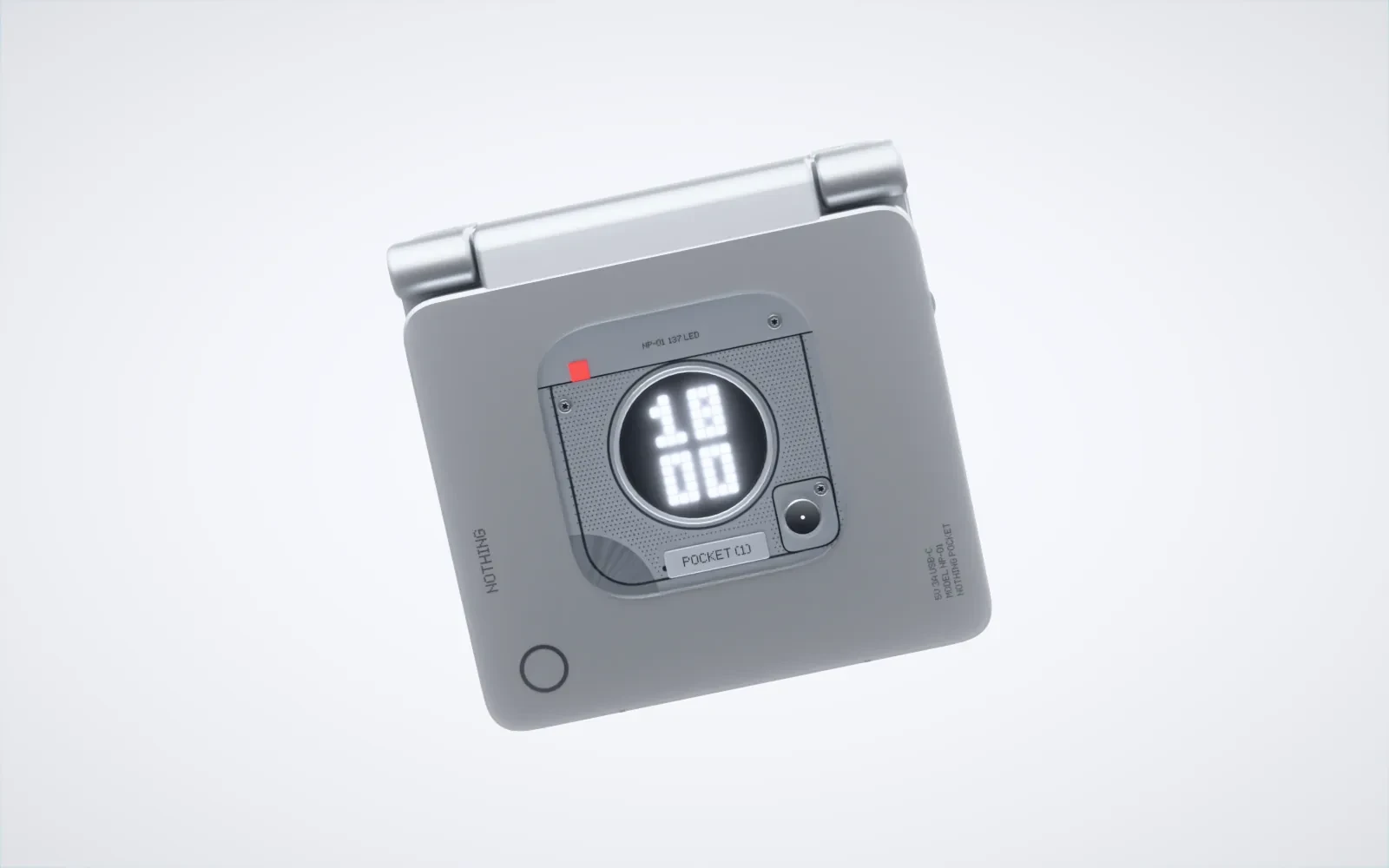
A concept only convinces if it looks real: in a photo, on its own screen, in the hand through the phone.
A cult format, a brand without a console
The starting point
Design a handheld emulation console in the exact format of the clamshell console, as if Nothing had designed it. After a very rich first version, I picked the project up again with a tighter brief: fewer things, but each one at the level of a real launch.
The tighter brief
- Five campaign photos, in a single bright studio setting
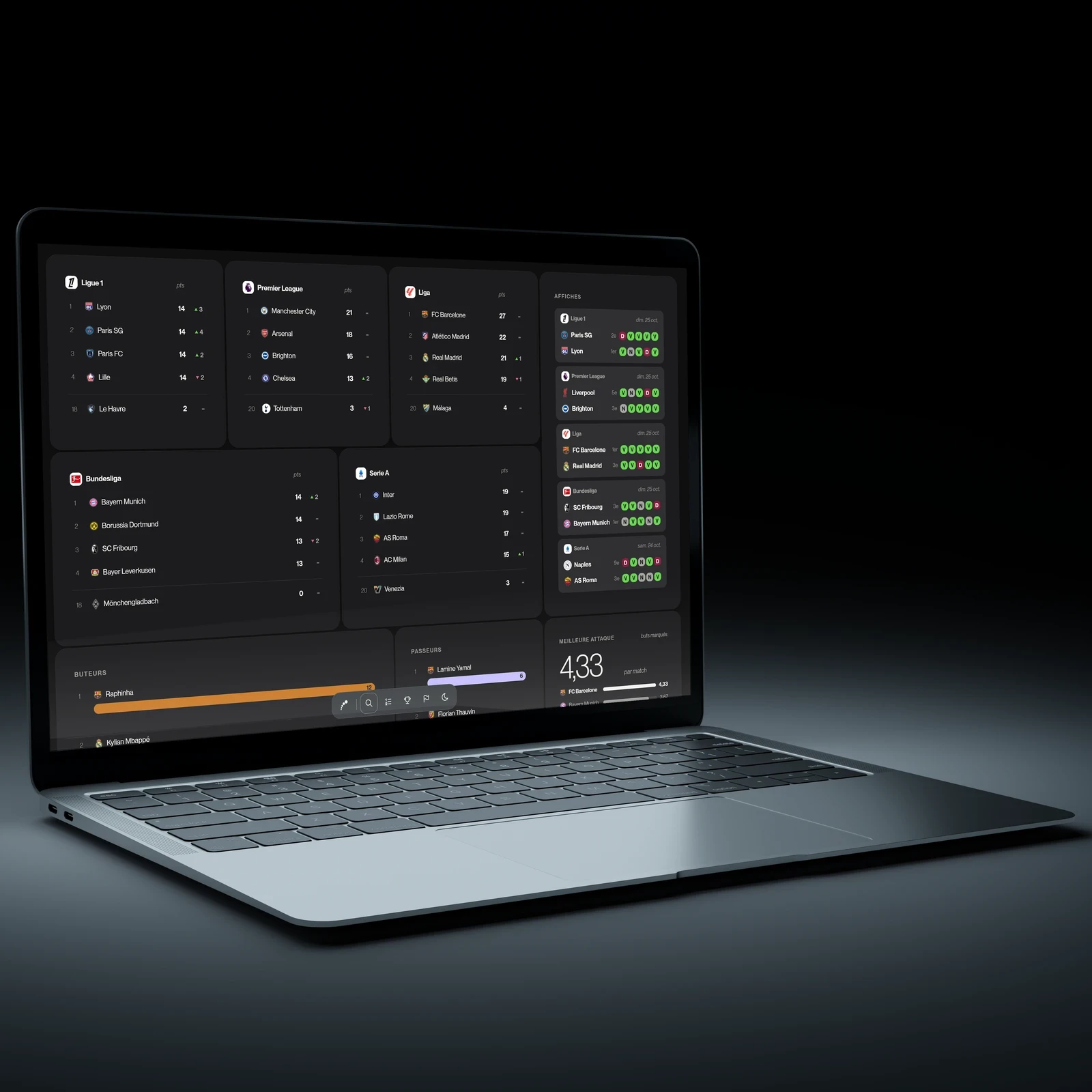
- The console interface, redone like the real Nothing interfaces
- A companion app, modelled on Nothing X
- Build only what is written, as simply as possible
What had to be balanced
- The objectA well-known format, in aluminium, to make credible in photos.
- The brandIts visual language, without passing the concept off as a real launch.
- UseA console you switch on, browse and control from your phone.
How do you turn a cult format into a credible Nothing product, from the photo to the companion app?
Exploration
A redesign is justified by real problems, seen in screenshots, not by taste.
What Nothing does well, and what I would fix
I took apart the nine screens of the Nothing X app and the Nothing OS 5.0 widget board, to keep their language and fix what gets in the way.
What I keep
- Pure blackThe product is the only lit object; charcoal cards, no borders or shadows.
- Three shapes, three coloursCircle, rounded square, pill; white, black, and a rare red.
- The dotsNumbers, gauges and chevrons drawn in round dots.
What I fix in Nothing X
- State is confused with actionA setting that is already on shows “Turn on”: a tile always shows a state, never a verbKept
- The product takes up half the screenA more compact render that shows the real state of the console: lid, Glyph, game in progressKept
- Tiles that do not matchA single kind of tile, “opens a screen”, recognisable by its dotted chevronKept
- Reproducing everythingNine screens and four models: three screens are enough to show the link with the consoleDropped
Approach
A single world: the console all in aluminium, photos in a bright studio, an interface and an app in black, with red kept for “Play” and active choices.
Design
Every choice was presented to me as concrete options or previews before it was kept.
Three deliverables, one console
The console is drawn only once: the same model is used for the photos, the playable demo and the app. Every photo and every screen was shown to me as a preview, compared with the references, then corrected before being approved.
From reference to image
Five campaign photosA bright studio, one composition rule per photo
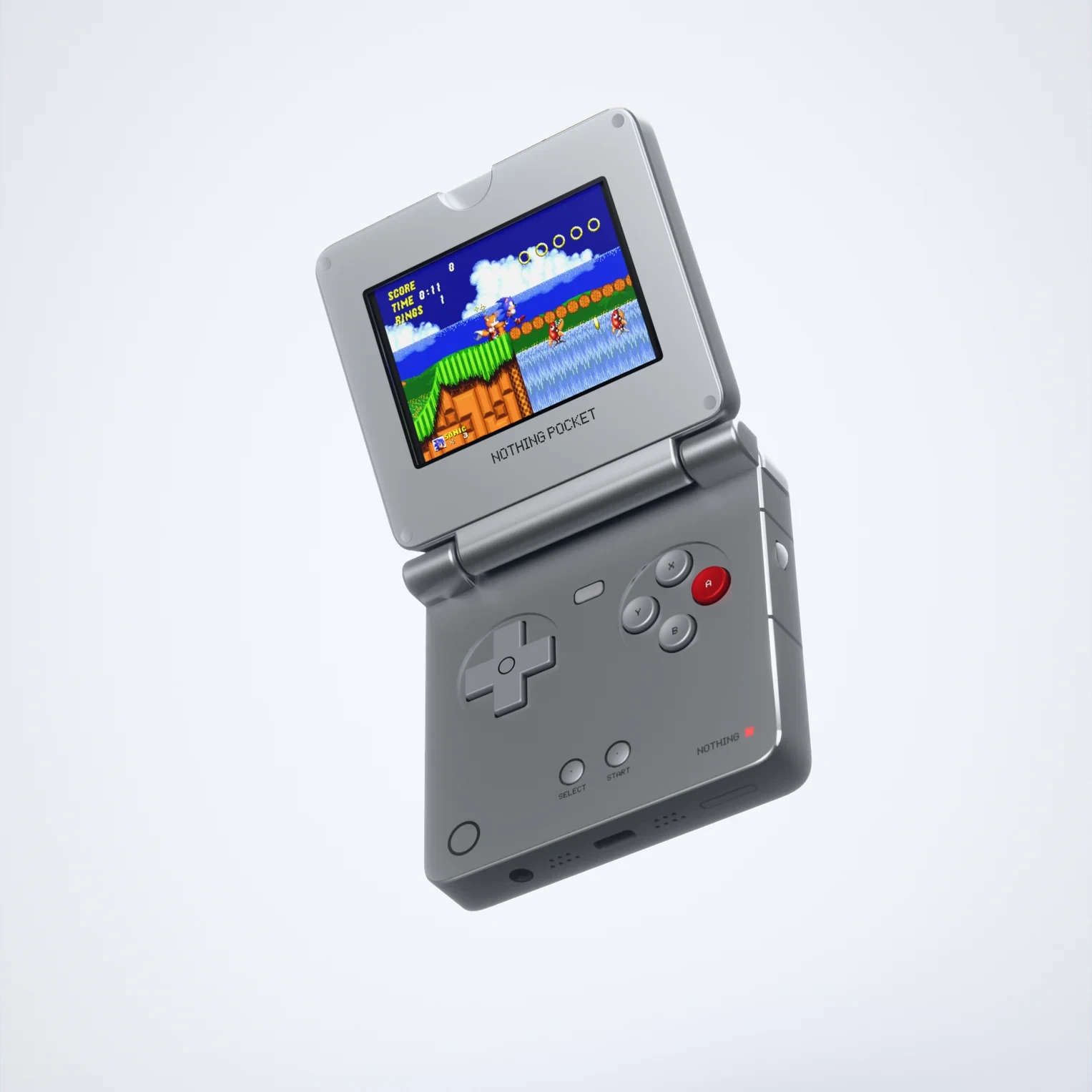
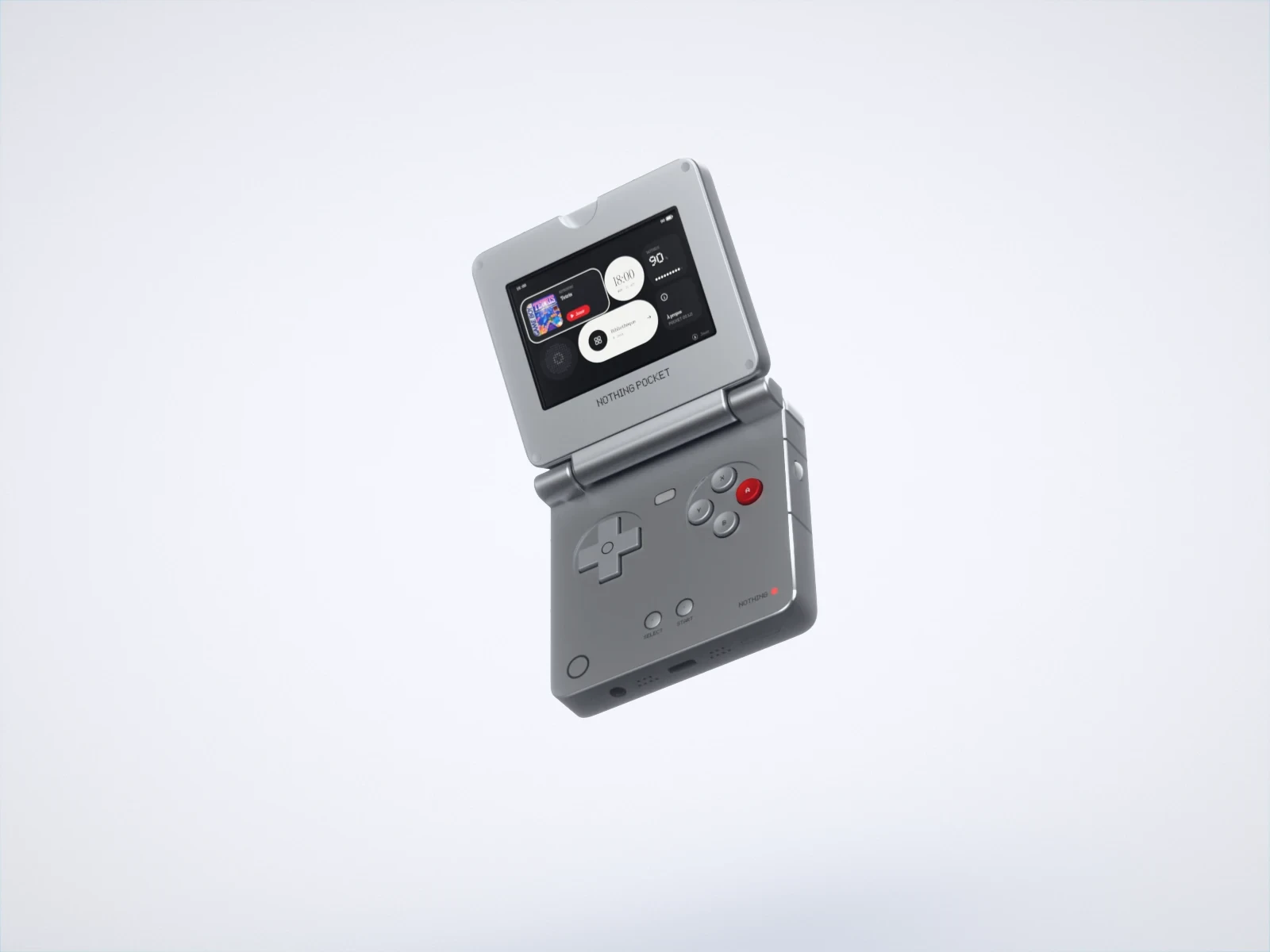 The hero shotThe console on a diagonal, its home screen lit.
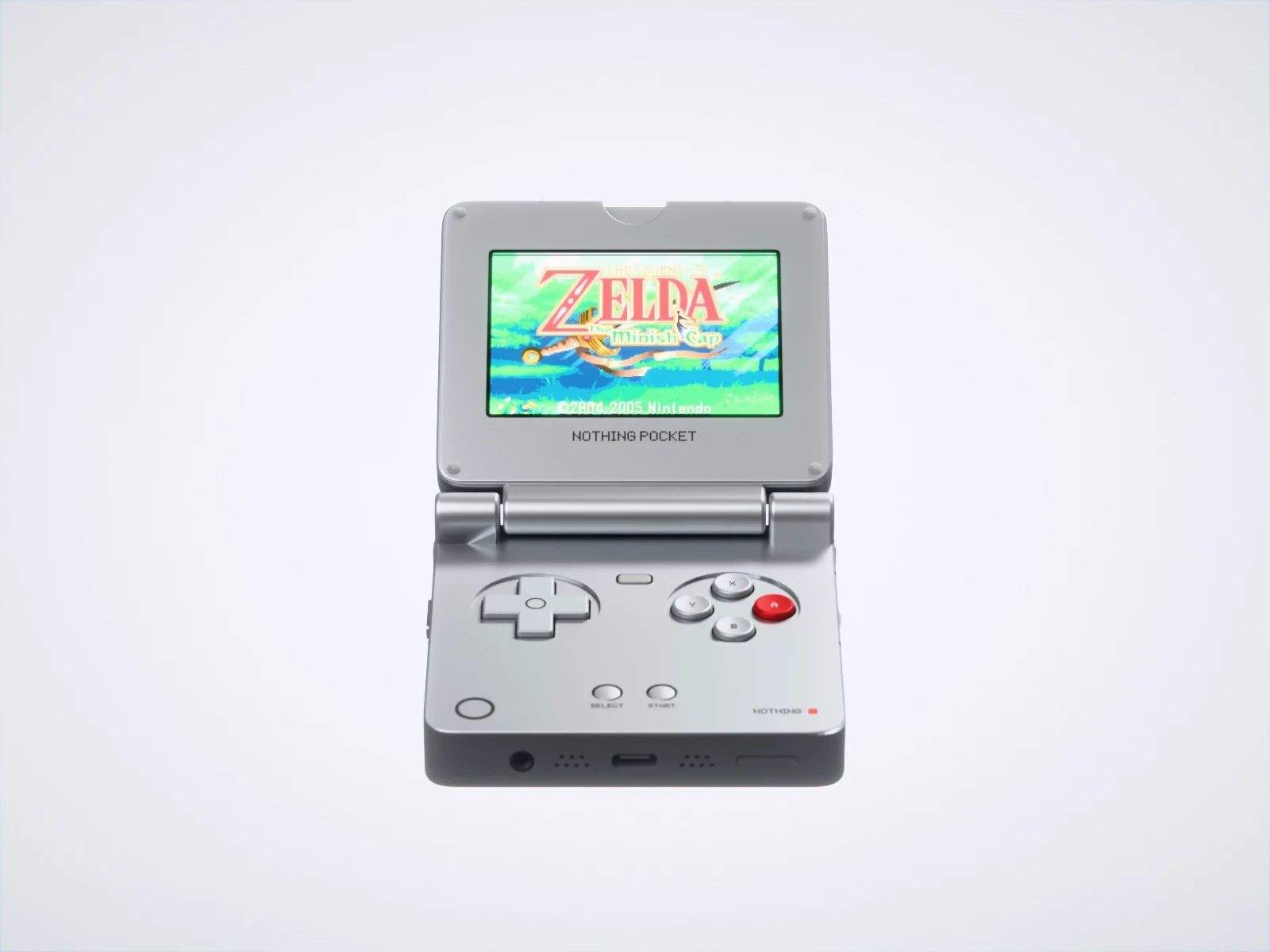 In gameFront-on, a real game on screen: The Minish Cap, which fills the whole 3:2 screen.
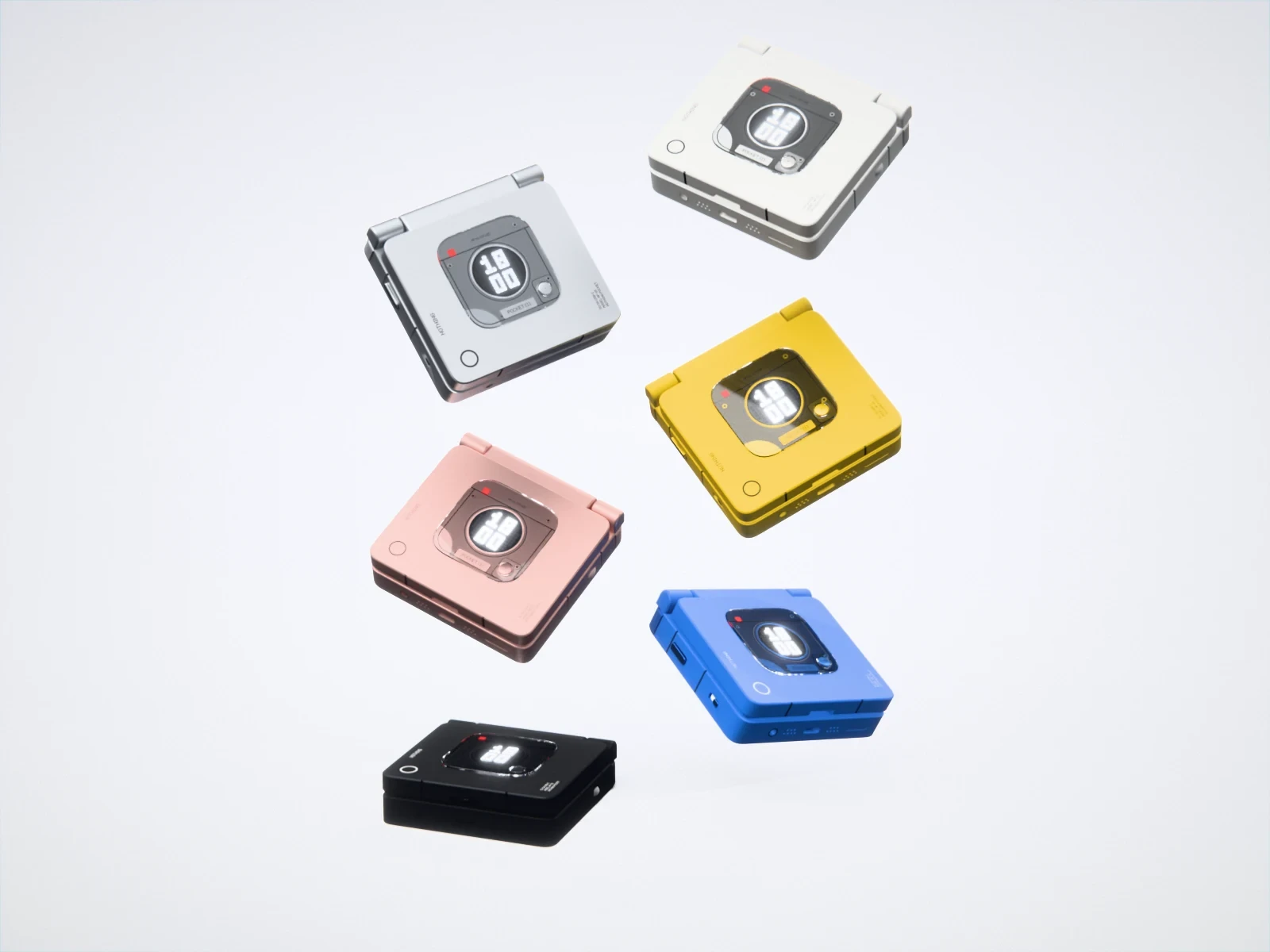 The colourwaysSix closed consoles, each turned a different way, the black one resting on the floor.
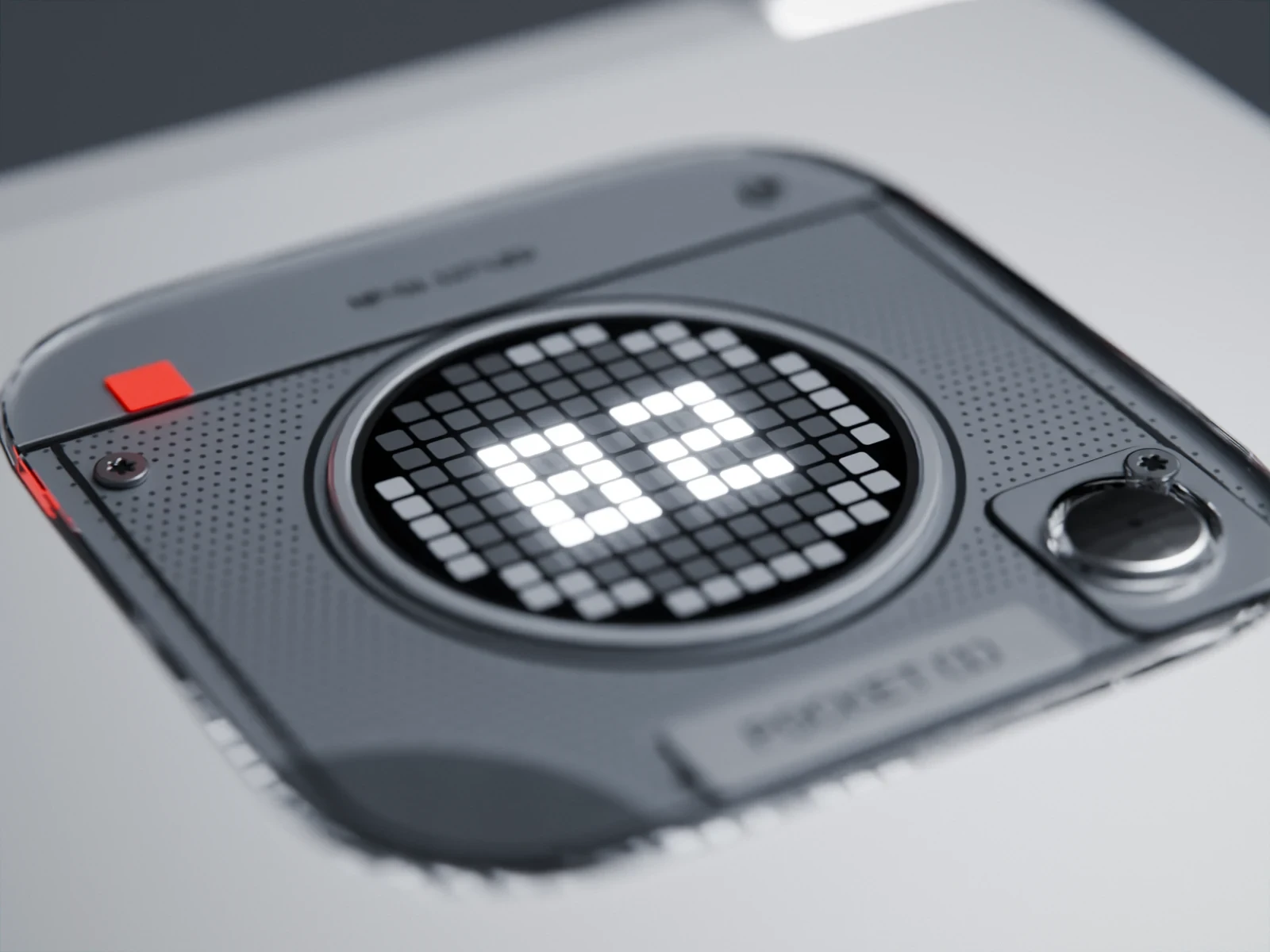 The GlyphShot flush with the lid, the battery in dots, the island sharp.
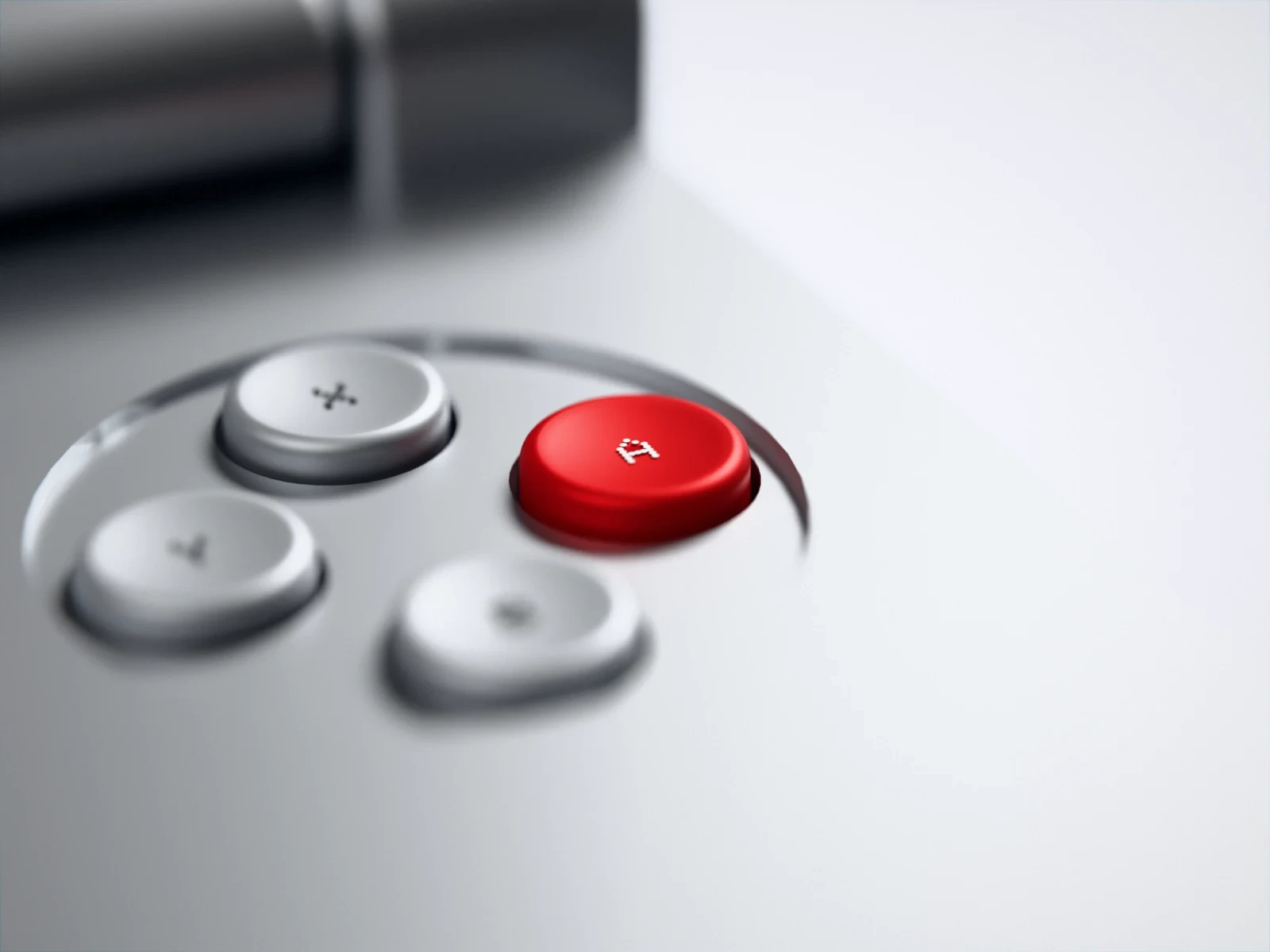 The detailThe diamond of buttons, the red A the only touch of colour.
The photos are rendered by scripts: running a render again gives exactly the same image.
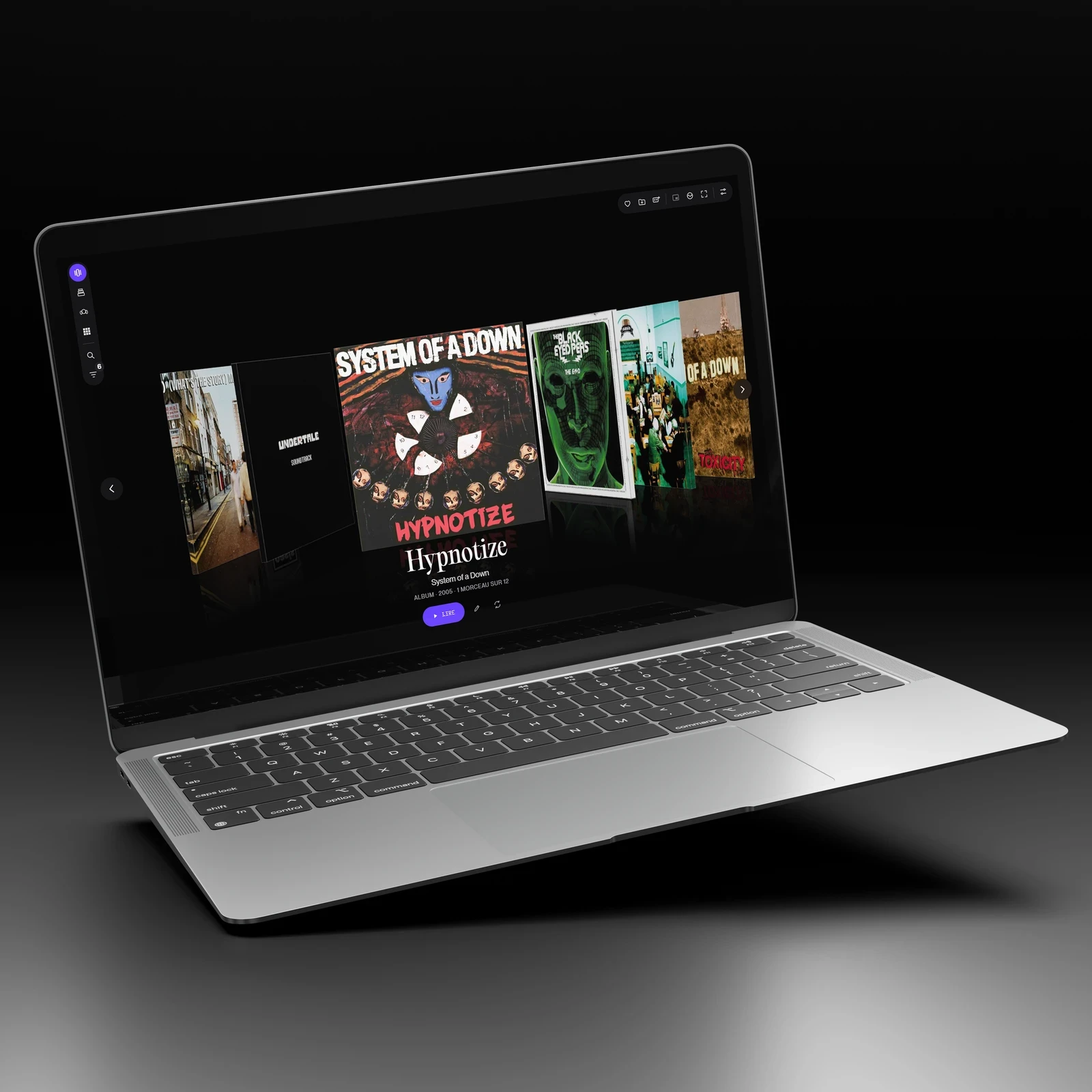
The console interfaceNothing OS 5.0 in a gaming version, driven by the D-pad
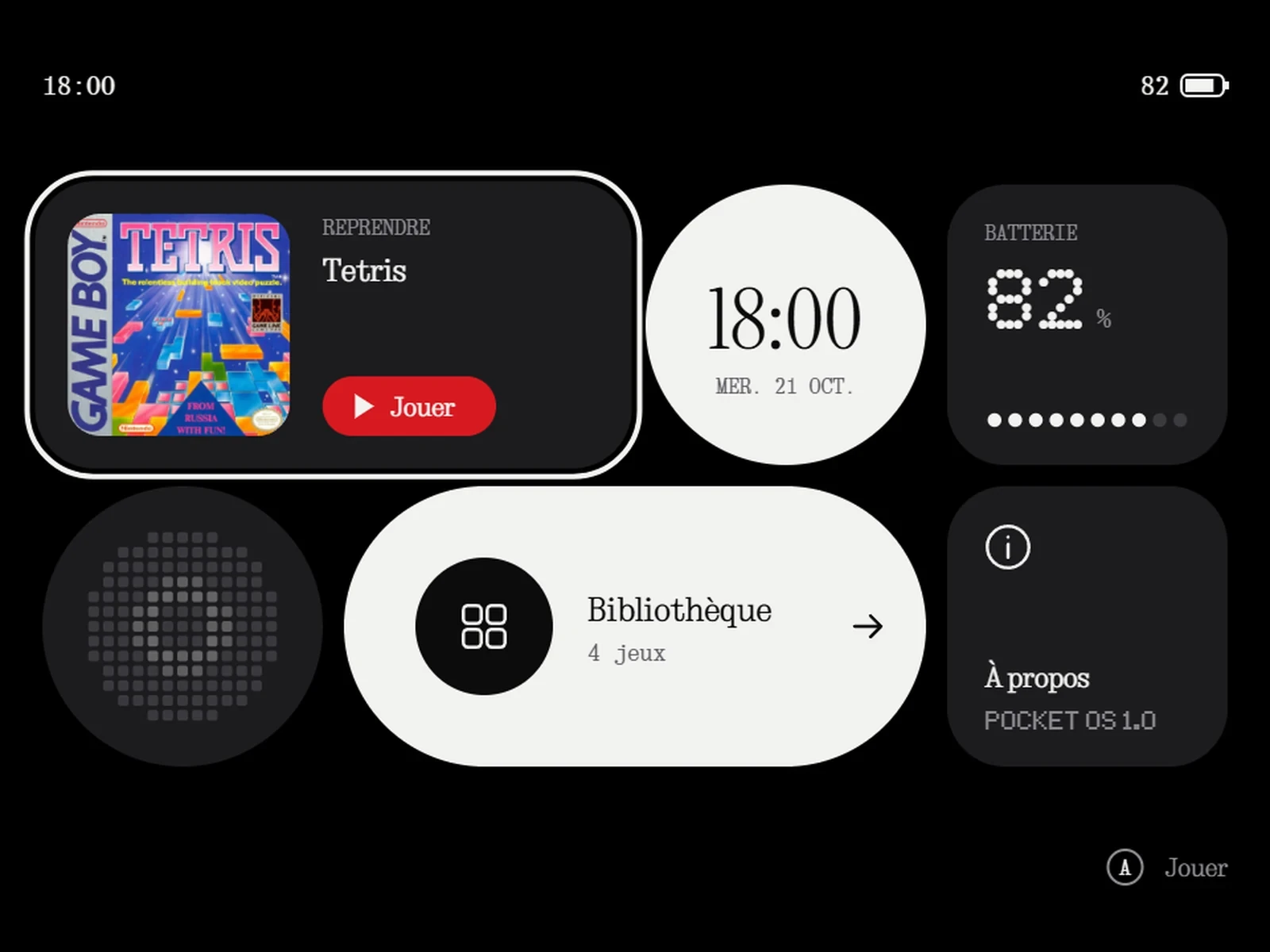 HomeThe essentials before opening anything: the game to resume, the time, the battery. Shown here being browsed with the D-pad.
 The libraryFour games, the selected one in colour, its credit below.
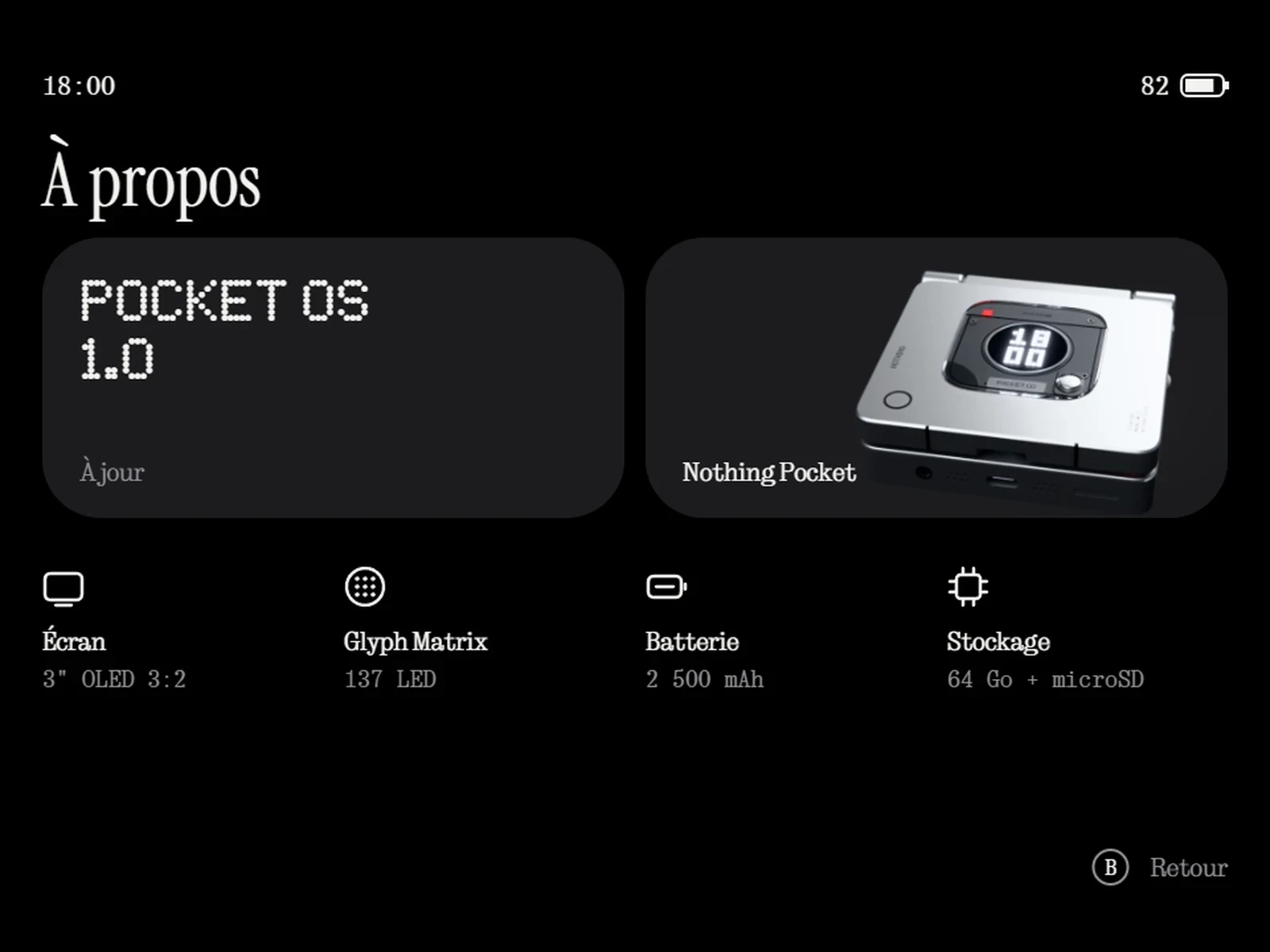
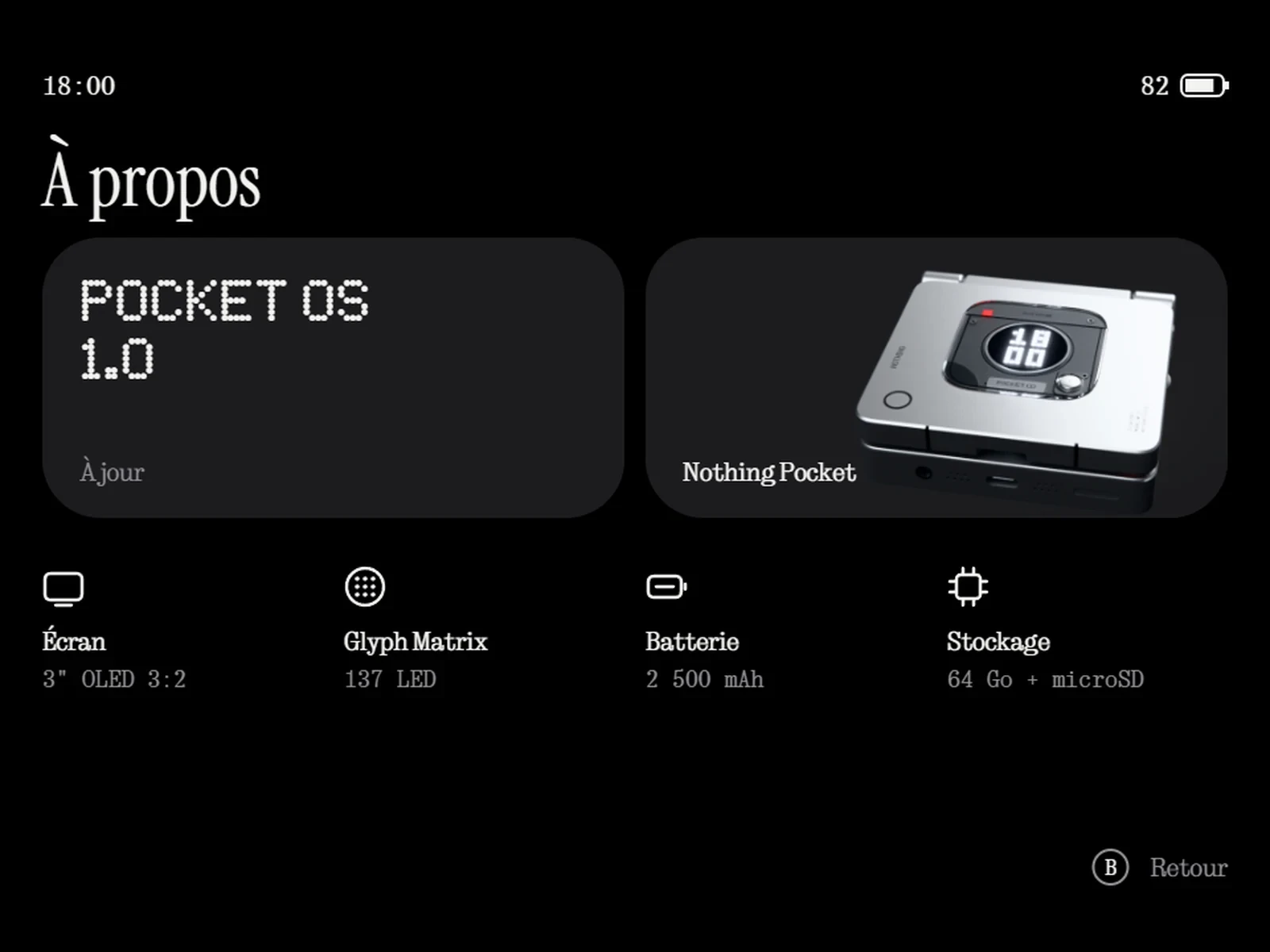 AboutThe system version in dots, the console in a card.
No cursor: the selected tile lifts and a white outline slides from one tile to the next.
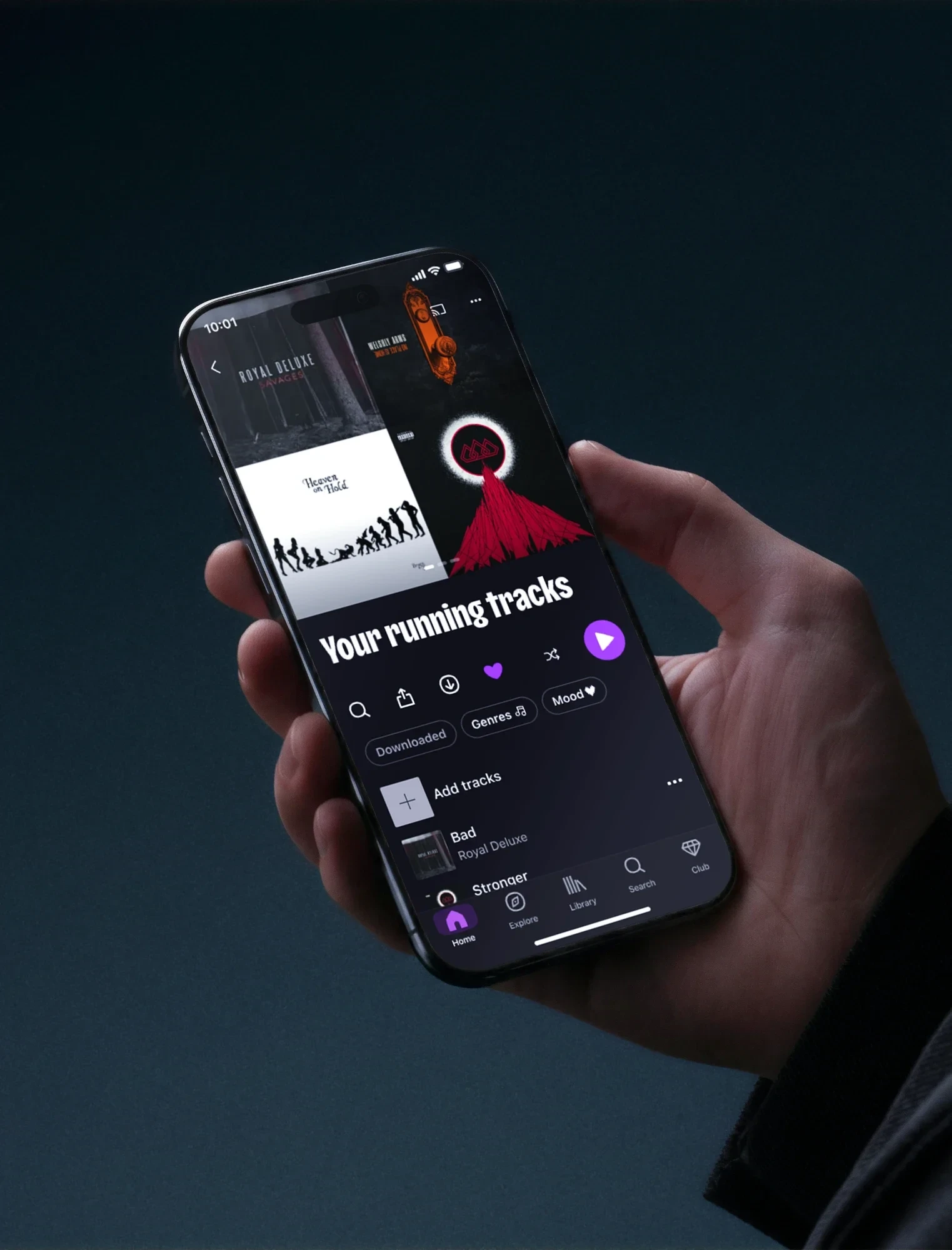
The companion appNothing X applied to the console
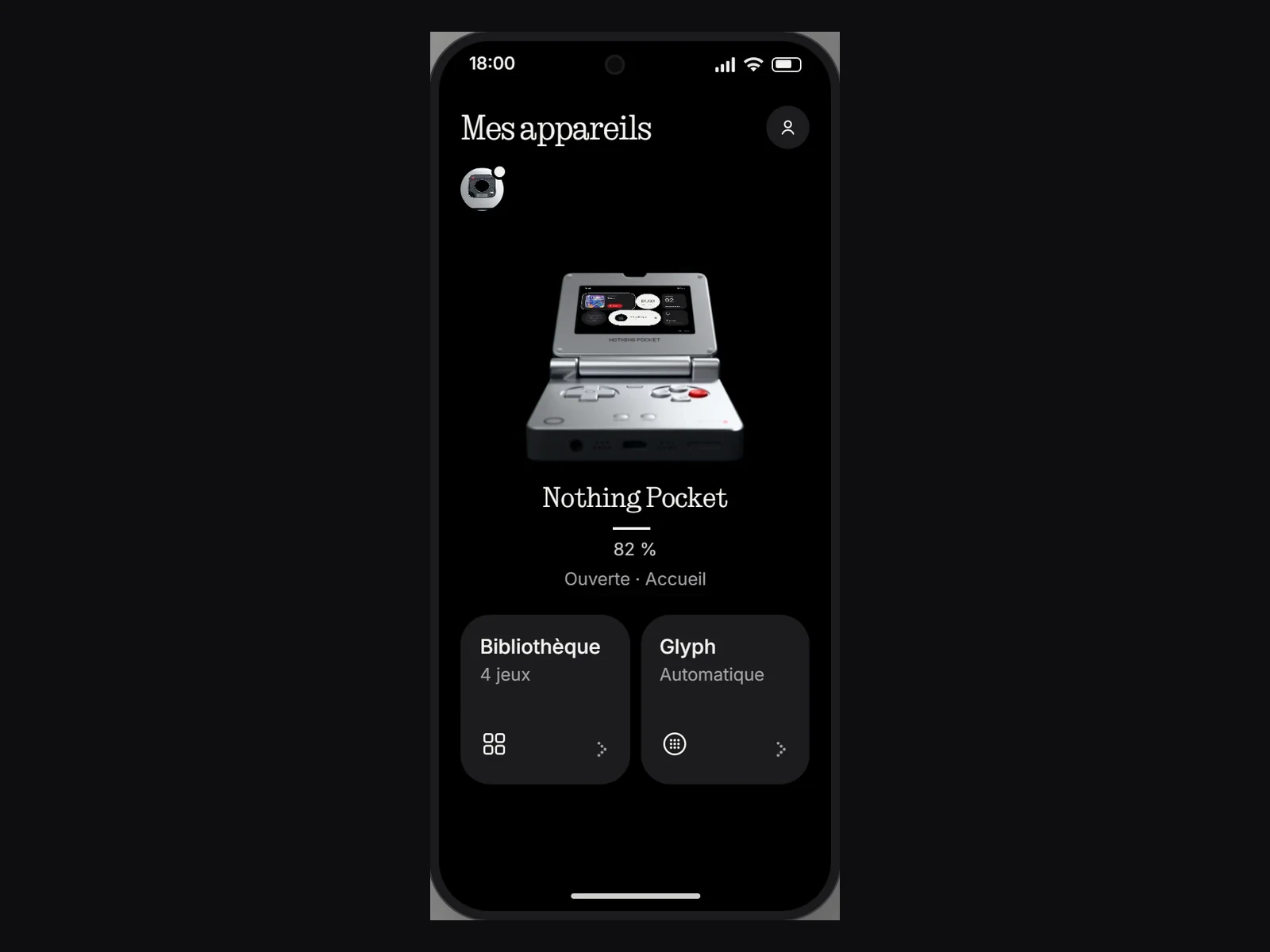 The real stateClosed, its Glyph live; open, its screen live.
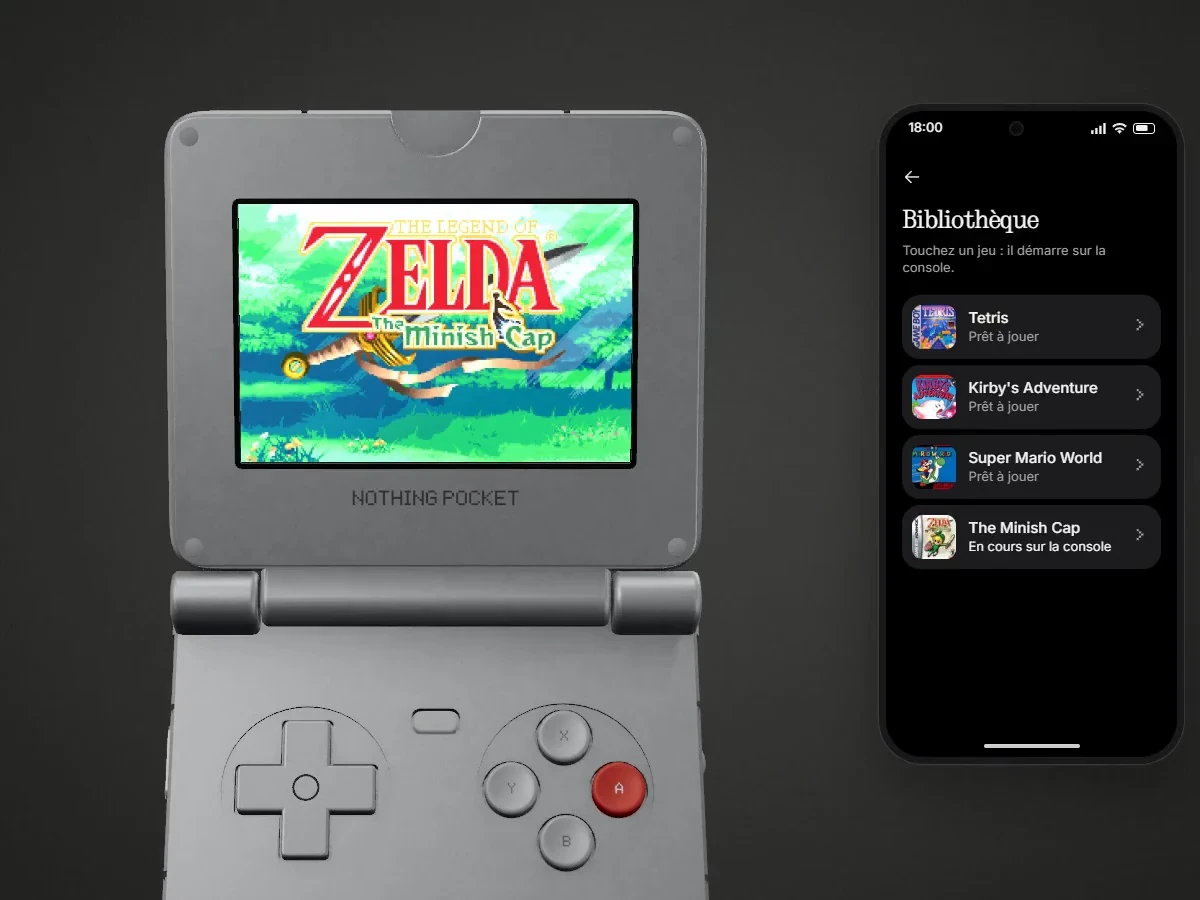 Launching a gameTapping a game opens the lid and launches it on the console.
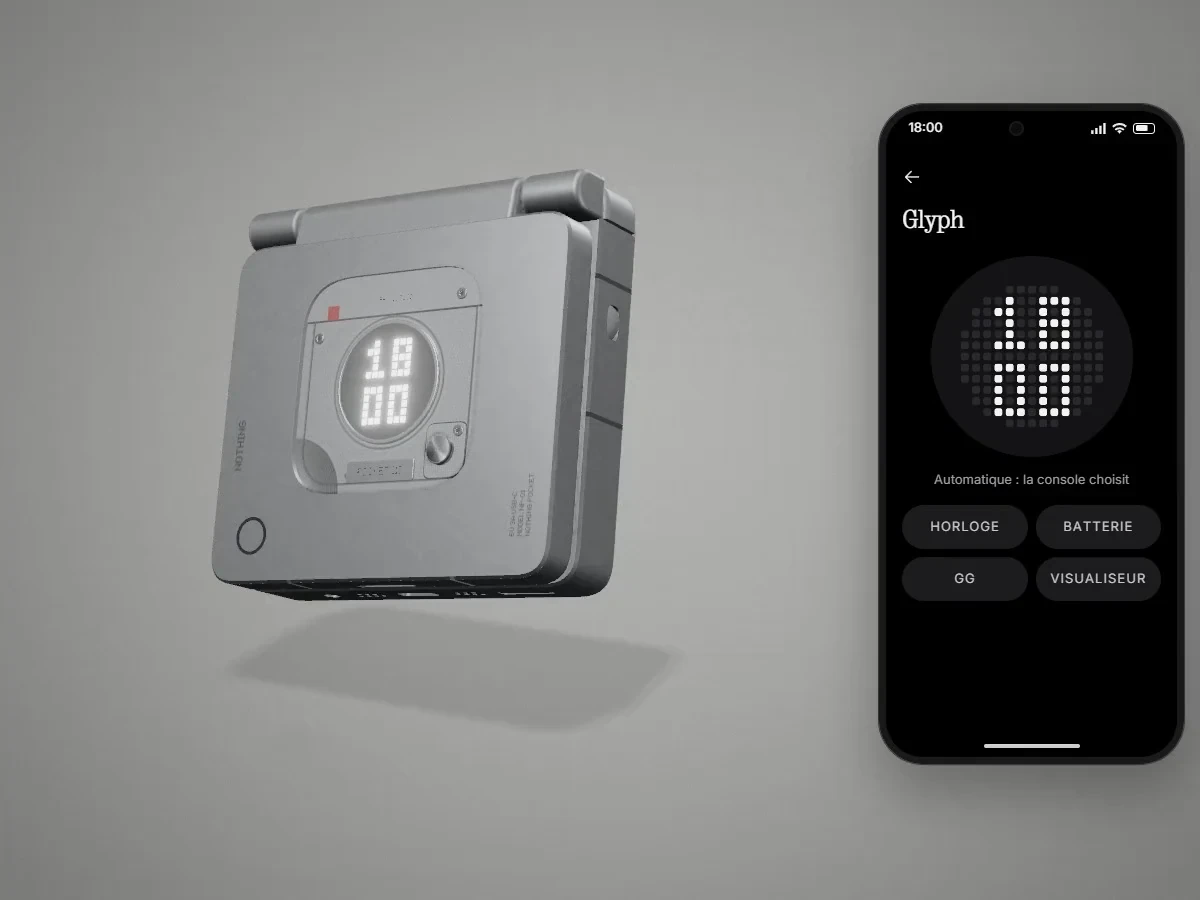 Changing the GlyphFour patterns; the selected one turns red and the Glyph on the console changes at once.
A tile shows a state (“Automatic”, “4 games”), never an action verb.
The project in numbers
- 21Days, from 1 to 21 October 2026Two of them for the tighter brief: photos, interface, app
- 304Saved versionsEvery approved tweak becomes a version
- 69Automated tests on every changeErgonomics, controls, Glyph, emulator, translations
- 5Screens for the interface, 3 for the appNothing more than what the brief asked for
Tests
A render is judged next to its reference, never on its own.
Compare, fix, start again
Every photo was compared with its references before being approved. The flaws found along the way led to the best fixes.
What the previews revealed
- An invisible white consoleThe light background reflected its light back onto it, so it blended in. The background no longer lights the consoles, and the white one stands out.
- Blurry close-upsSharpness held over a single millimetre. The whole island is now sharp, and the rest falls away into blur.
- An app with zero gamesWhen opened before the console, the app did not reload its list. It now does.
Checked
- Launching a game, pausing it and going back to the home screen, from the console and from the app
- The console's Glyph changes live from the app
- Thumb distances and comfort zones for three hand sizes
- The red of the A button stays close to its true hue in every photo
Coming next
A hands-on test with the template printed at 1:1 scale, and a trial on real phones.
Retrospective
Tightening the brief did more for the project than all the features added before.
Fewer things, each one more real