


 RobotsPersonal project · 2026
Seven robots to team up with AI
I designed a family of robots that makes the work of AI readable, then turned it into a Windows app I use every day.
- The problem
- With Claude Code, the AI chains actions in a terminal: reading files, running commands, asking for permission. For a designer, this flow is hard to follow.
- What I learned
- Directing an AI is first of all about deciding: what to keep, what to remove, and when to stop.
- My part
- I did not write the code: I wrote the brief, made every decision and tested every version. Claude Code did the development.
- Deliverable
- seven characters and their LED expressions, installed Windows app, user guide
- Role
- character design, product design, leading development
- Context
- personal project, born from a fork of Coucou by Louis Raillé (MIT code)
- Team
- solo, developed with Claude Code
Context
I wanted to know at a glance what the AI is doing, without leaving what I am working on.
Following an AI at work without reading a terminal
- Keep Coucou's code under the MIT licence and credit its author
- Replace everything that belongs to Louis: name, character, icon, sounds
- Never block Claude Code, and never allow an action without a click
- No telemetry: nothing leaves the PC for a service I have not chosen
What had to be balanced
- The characterExpressing a state without text, in a head a few dozen pixels wide.
- TrustUnderstanding an AI action before allowing it.
- CalmBeing there without interrupting, whether during a game or a call.
How do you make the work of an AI readable, with a character that fits at the top of the screen?
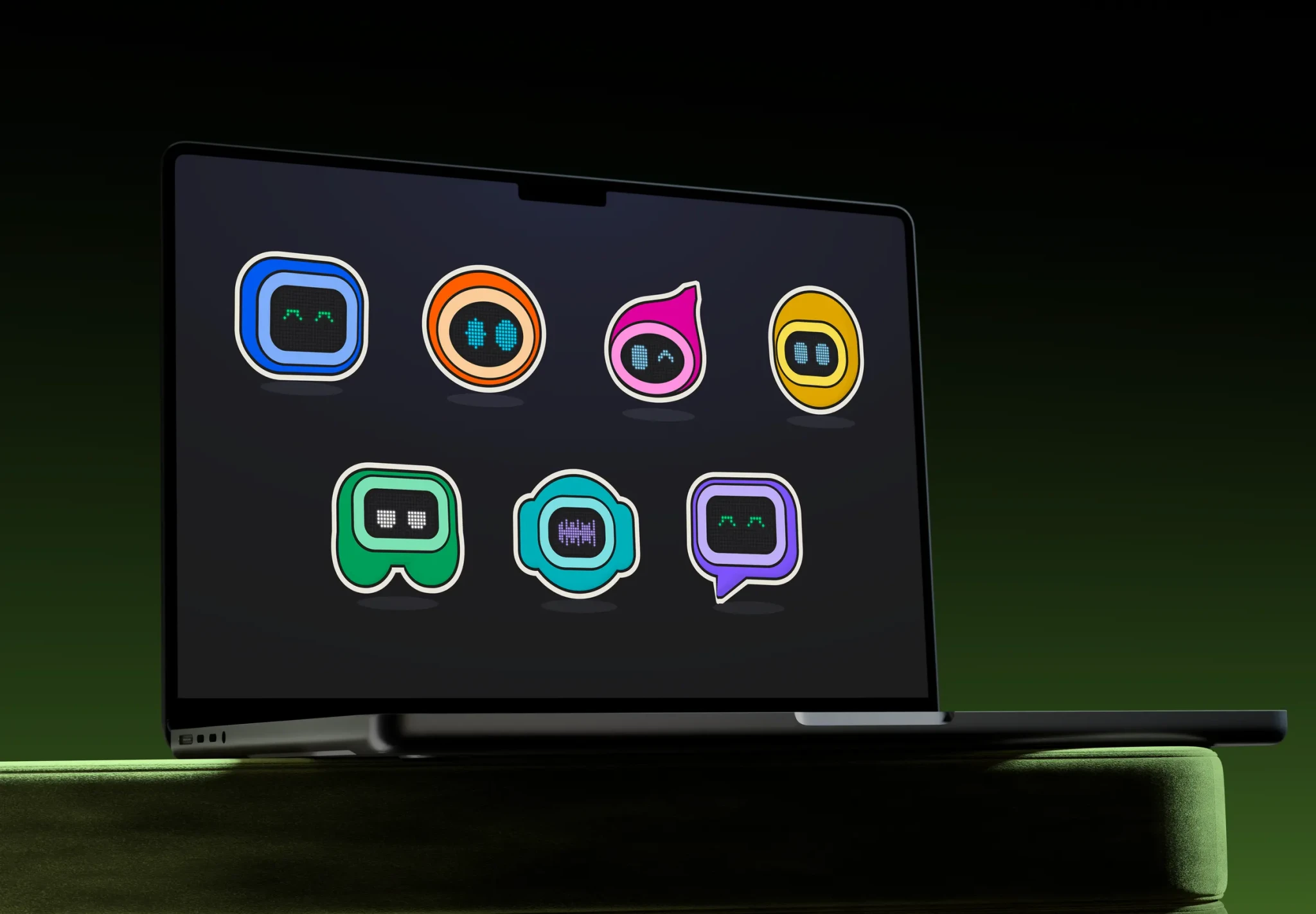
Characters
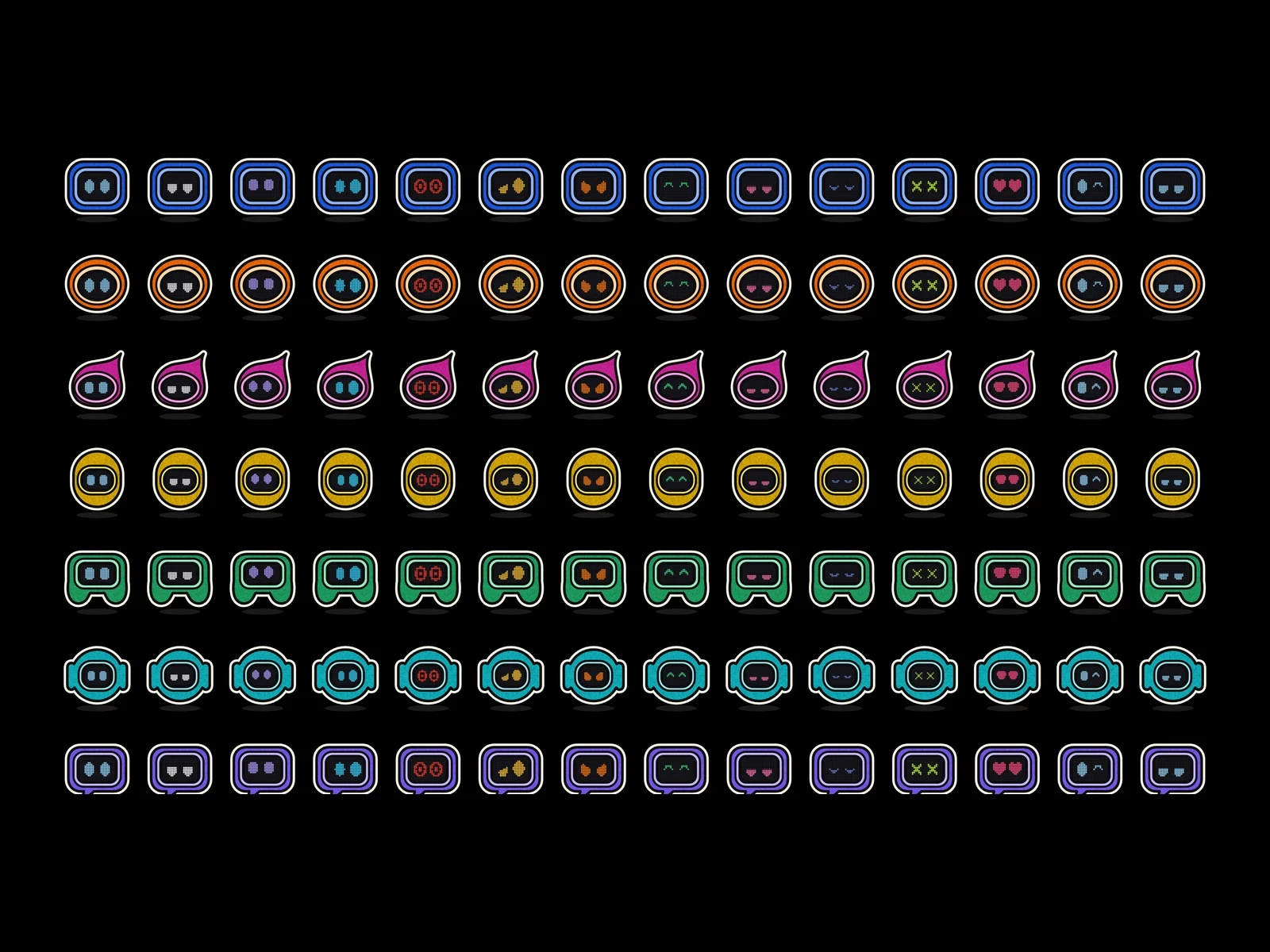
Only eyes, never a mouth: the state comes from the eyes and the colour of the LEDs.
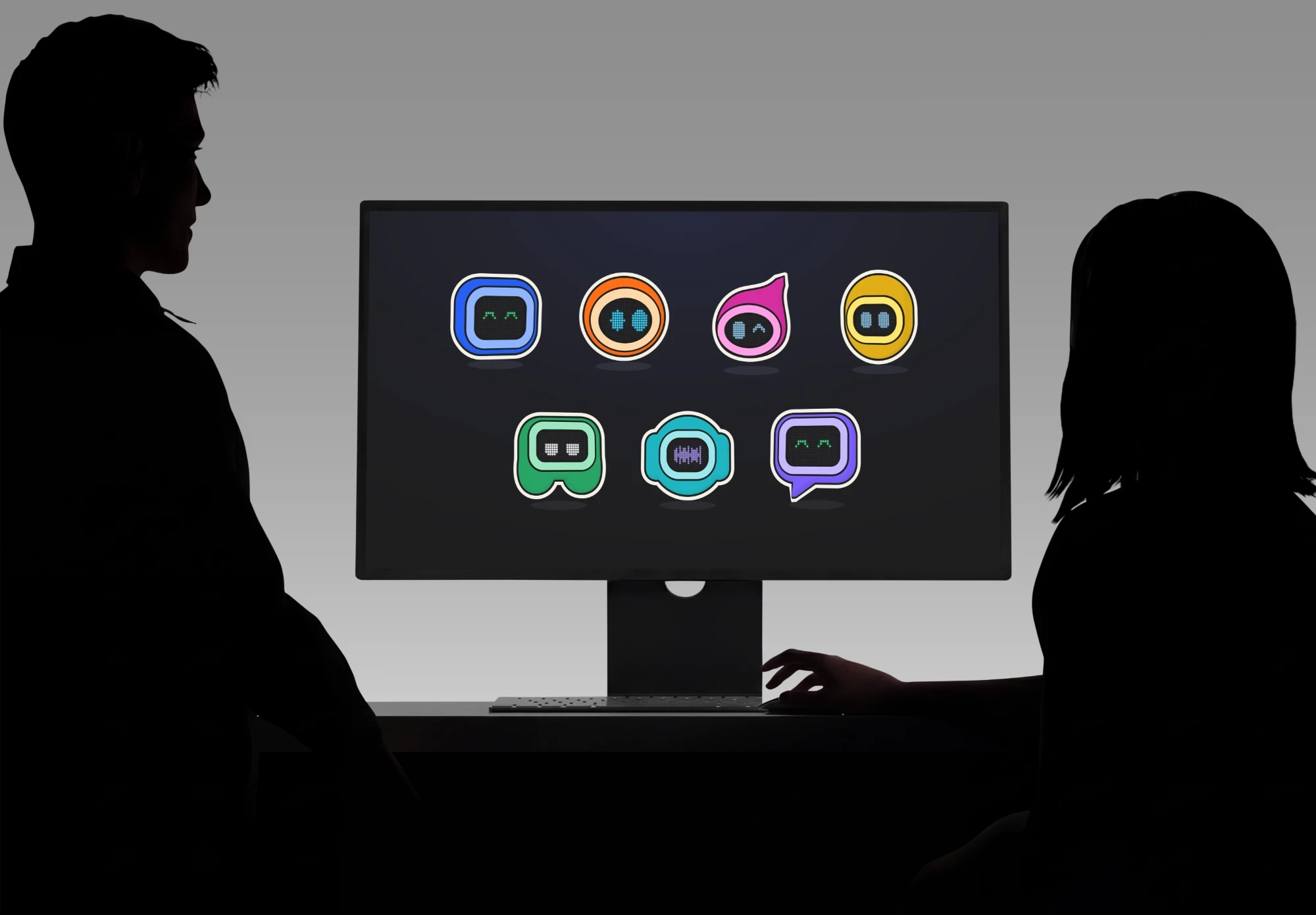
Seven heads, one LED screen, no text needed
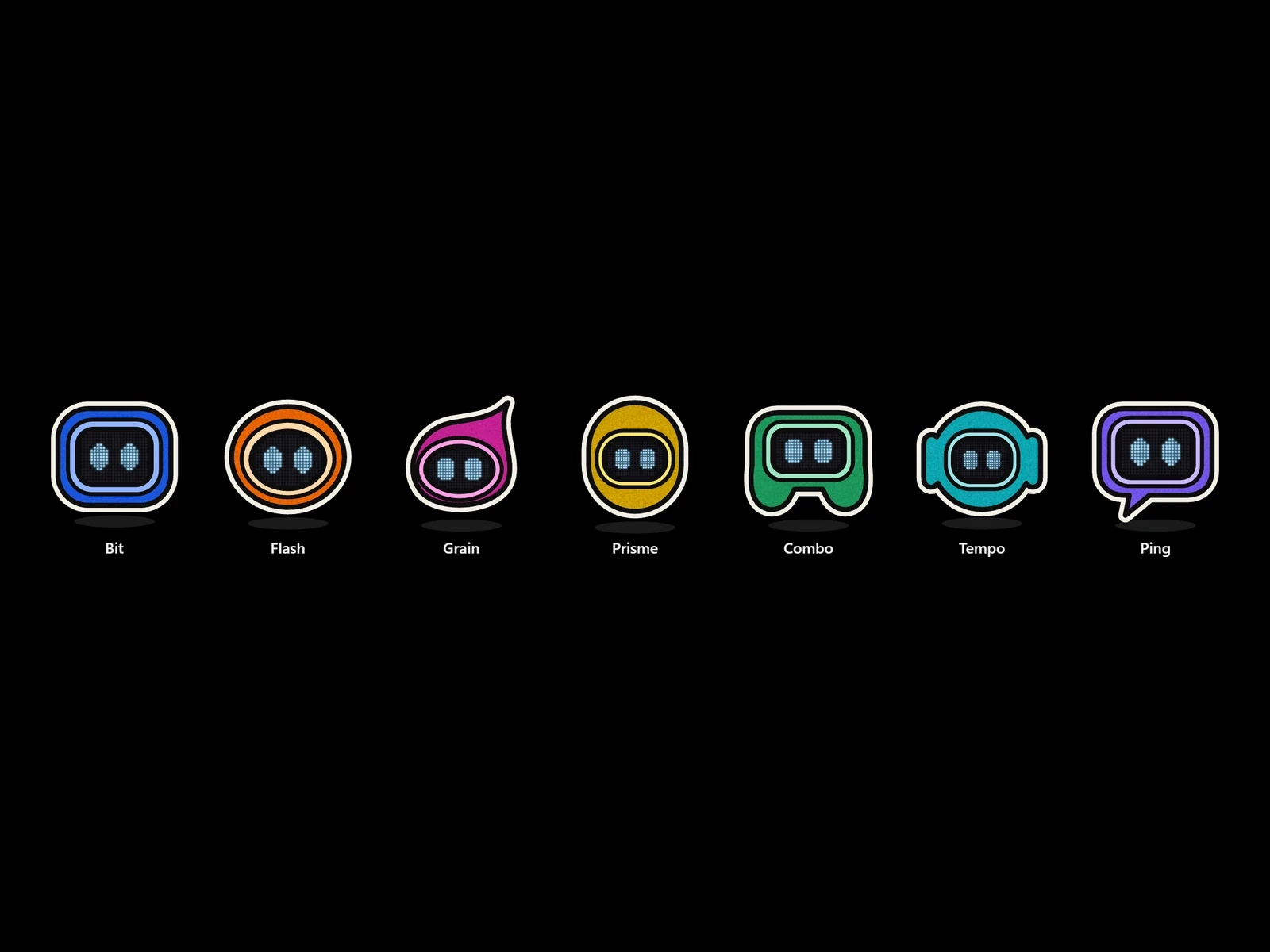
One robot per practice: the silhouette says who is working, the eyes say how things are going.
The family
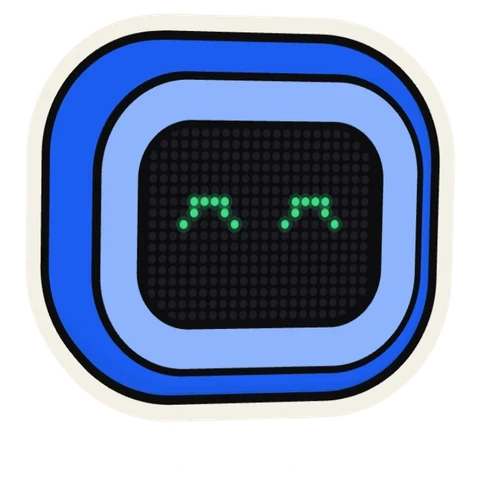 Bit · codeA blue TV. It follows Claude Code and leads the other robots.
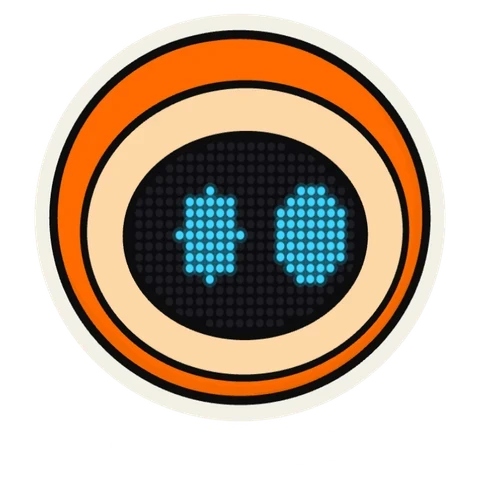 Flash · photoA round orange head. It imports and sorts photos.
 Grain · editingA pink drop. It prepares exports.
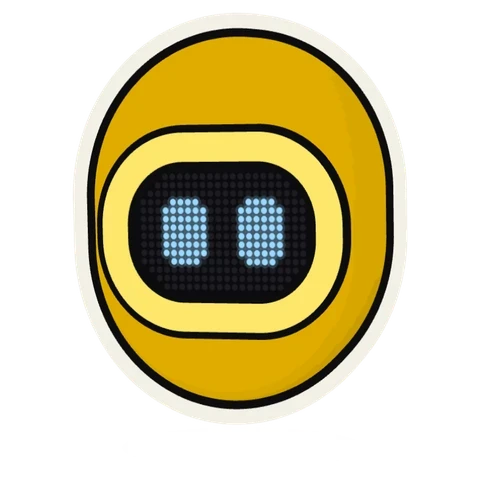 Prisme · assetsA yellow capsule. 3D, apps and websites.
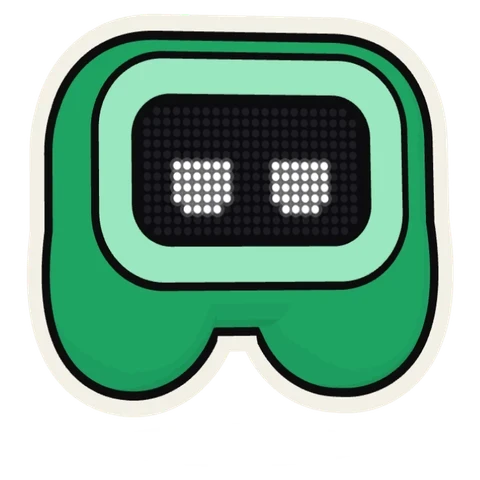 Combo · gamingA green controller. Games, without disturbing play.
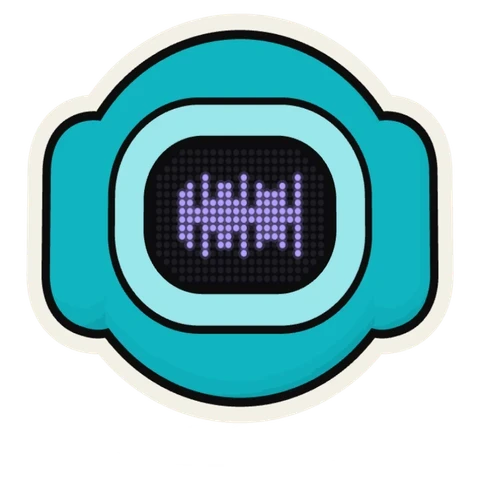 Tempo · musicA round turquoise head, with its headphones. Music and video.
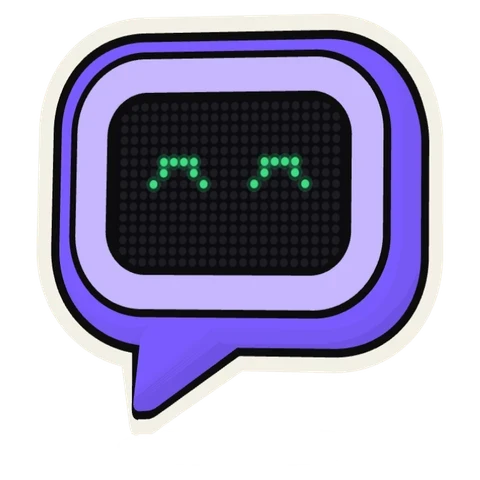 Ping · conversationsA purple speech bubble. Discord and the web.
A small visual vocabulary
- 7Robots, one per practiceOne silhouette and one colour each
- 14Expressions on the LED screenNeutral, focused, thoughtful, delighted, alert…
- 6PictogramsListening, import, loading, question…
- 3Effects, no moreSticker outline, ground shadow, grain on the helmet
- The robots in volume, in real 3DMy shapes extruded, the LED screen intactKept
- Mechanical hands for their gesturesTested in five styles, then removed: the head jumping or tilting already said it allDropped
- Skins designed as new charactersToile, the first one: its own eyes, which come aliveKept
- Coucou's integrations (emails, payments, deployments)Replaced by my recently used apps, more useful day to dayDropped
- The dock in four directionsSegments, kept: the same bar as the island, the app in the foreground stands out in purpleKept
Design
Every choice was presented to me as concrete options or sketches before it was coded.
From drawing to app, version after version
From brief to app
From characters to codeA design file as the source of truth
 The briefShapes, colours, stroke weights and expressions described once, then used as they are by the app.
 In 3DThe same shapes given volume, the LED screen intact.
Making AI readableSaying what is happening, in simple words
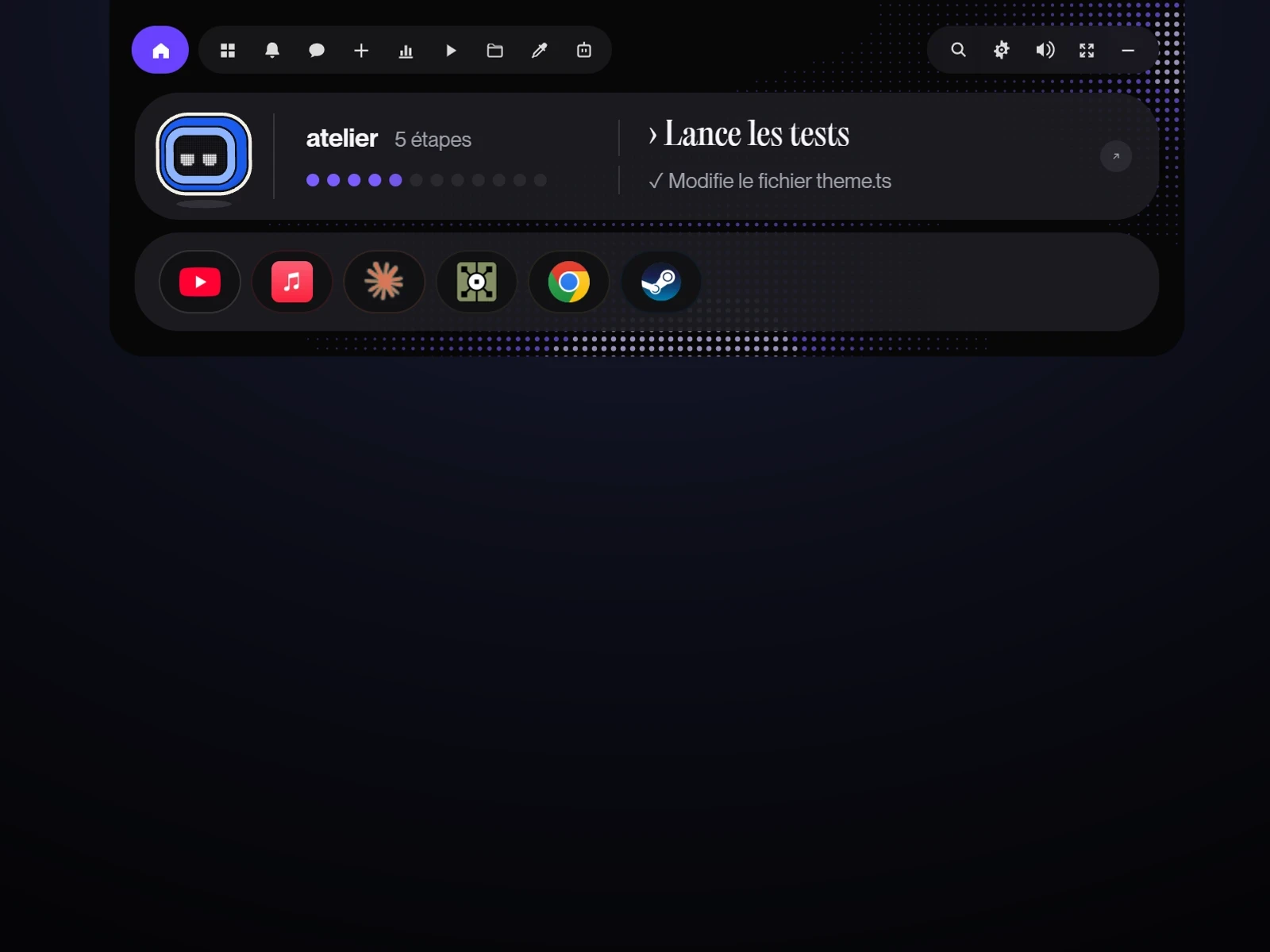 The steps“Running the tests” rather than the command, and the number of steps.
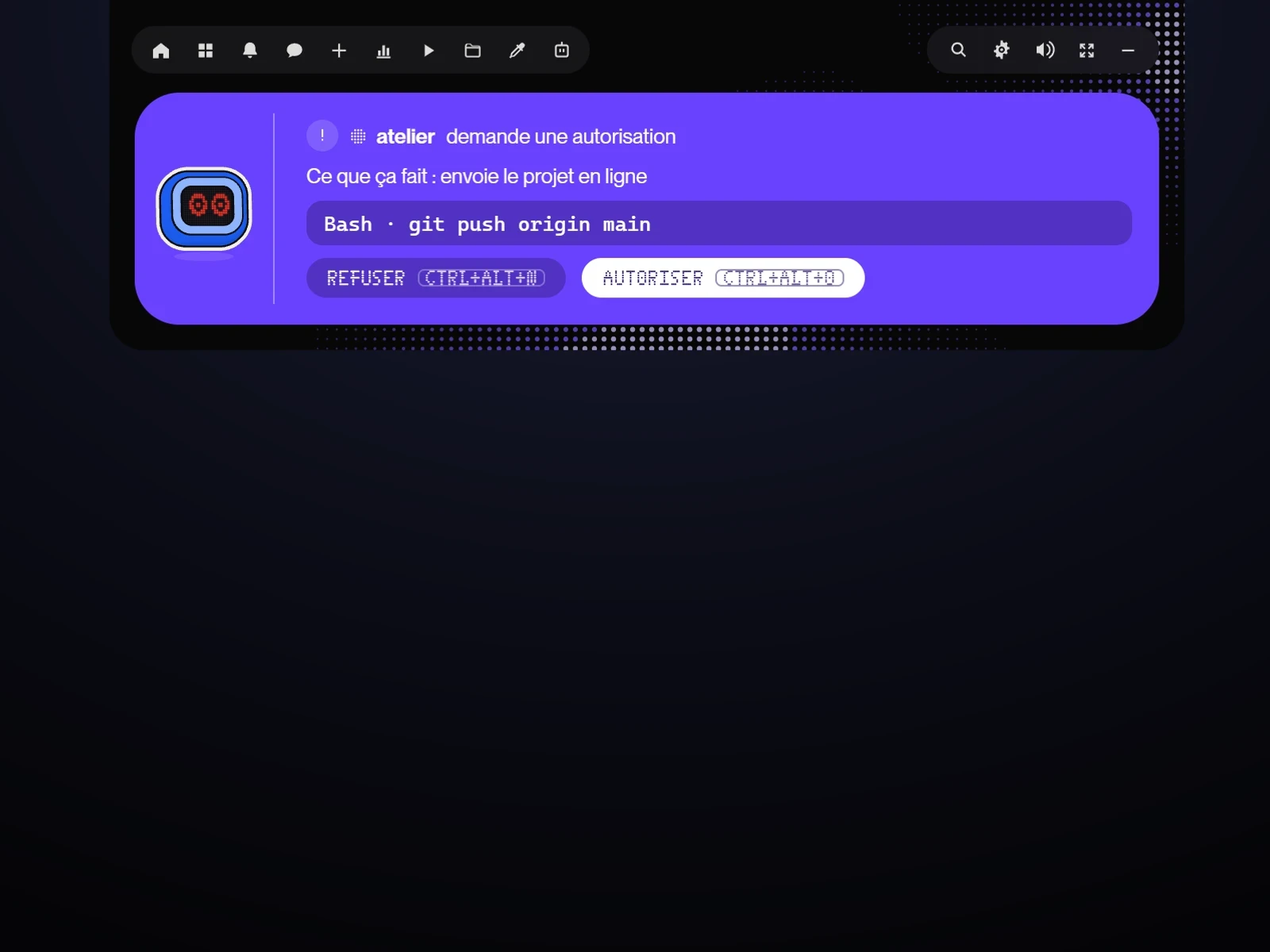 Before allowing“What it does” in one sentence, then the exact command.
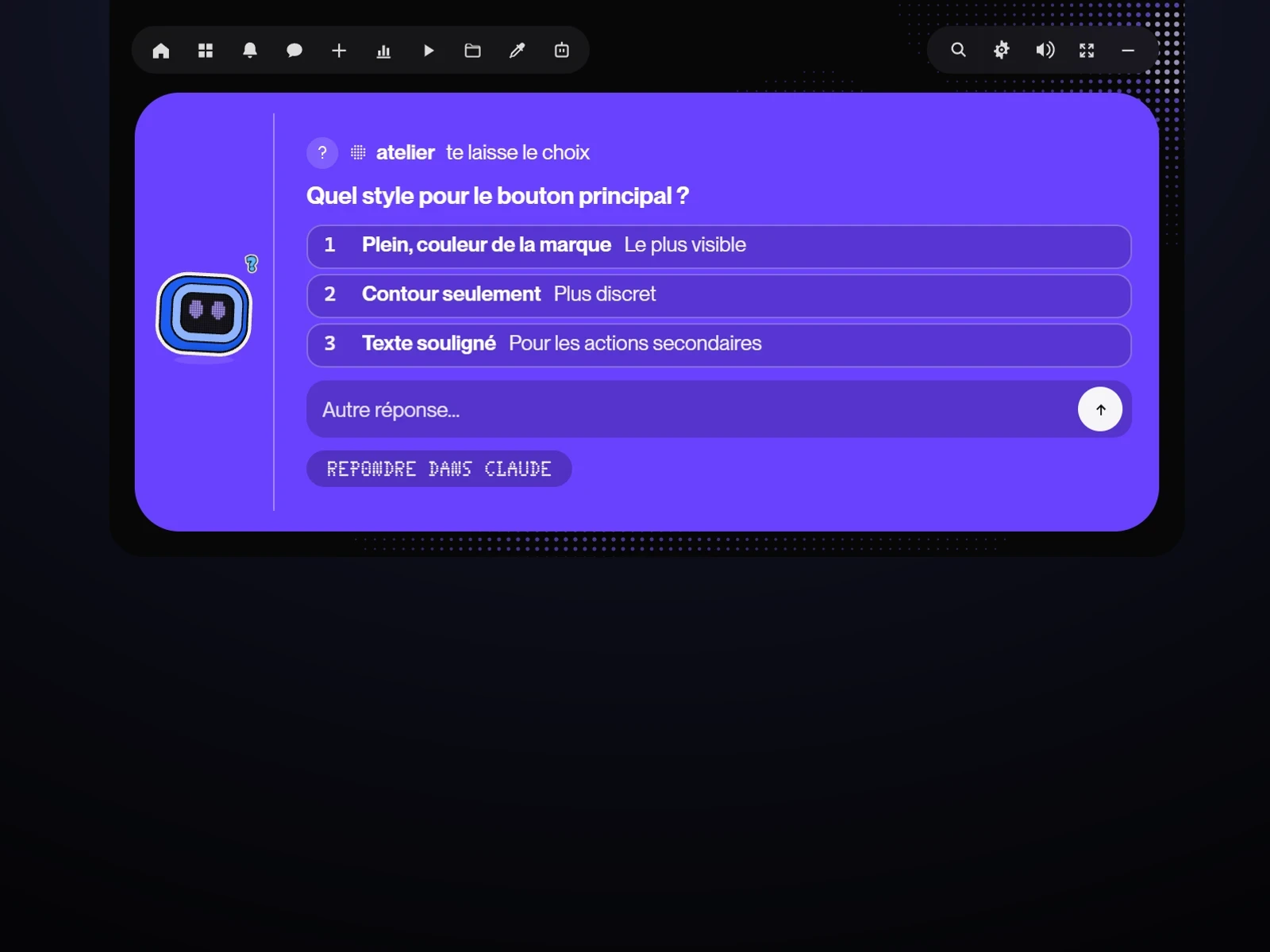 Answering without the terminalClaude's questions and the next part of the work, from the island.
An assistant that asksSmall things on its own, big ones with my approval
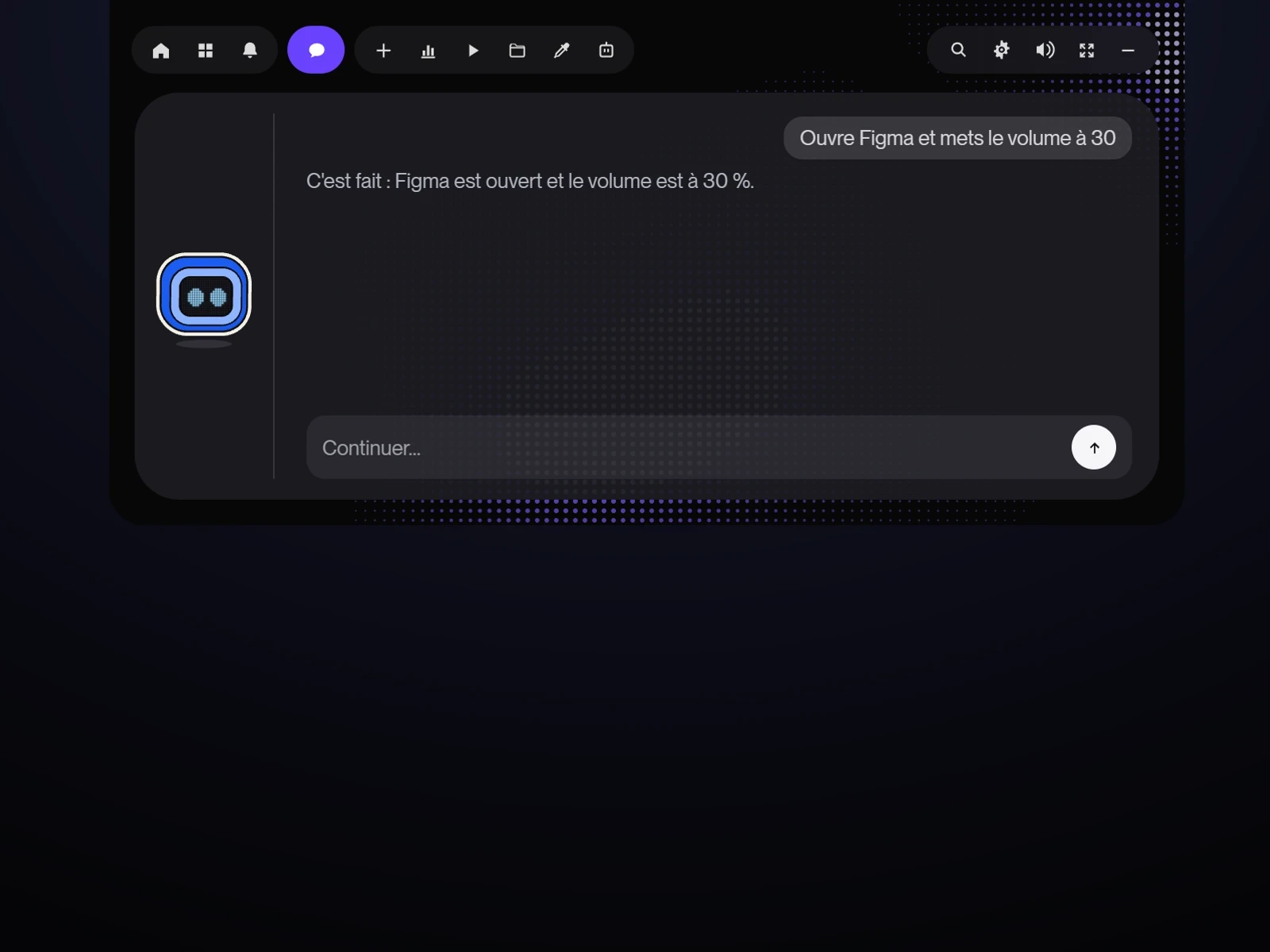 A chat that actsOpening an app, adjusting the volume, scheduling a reminder.
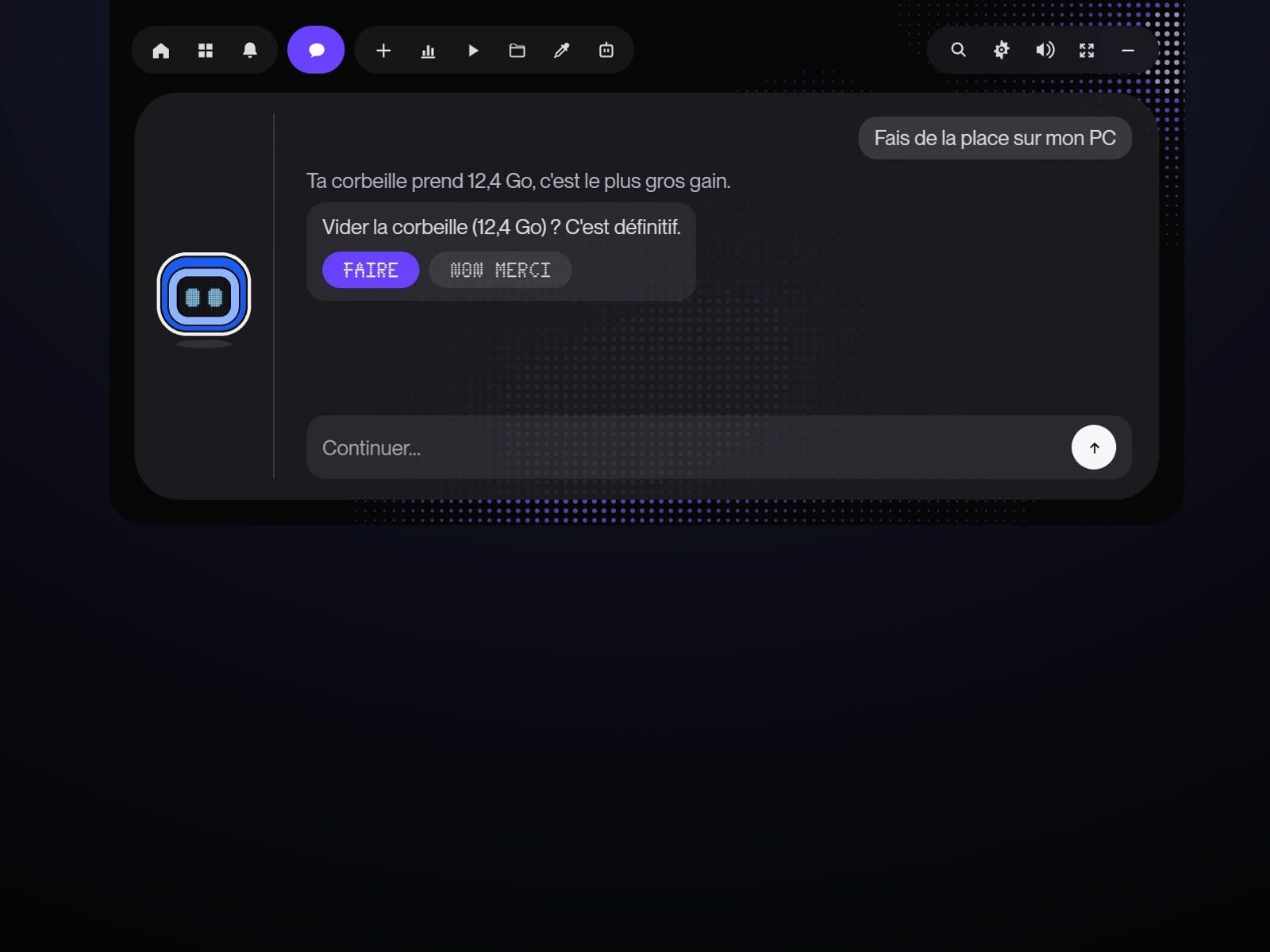 The Do buttonClose, clean up, update: nothing happens without a click.
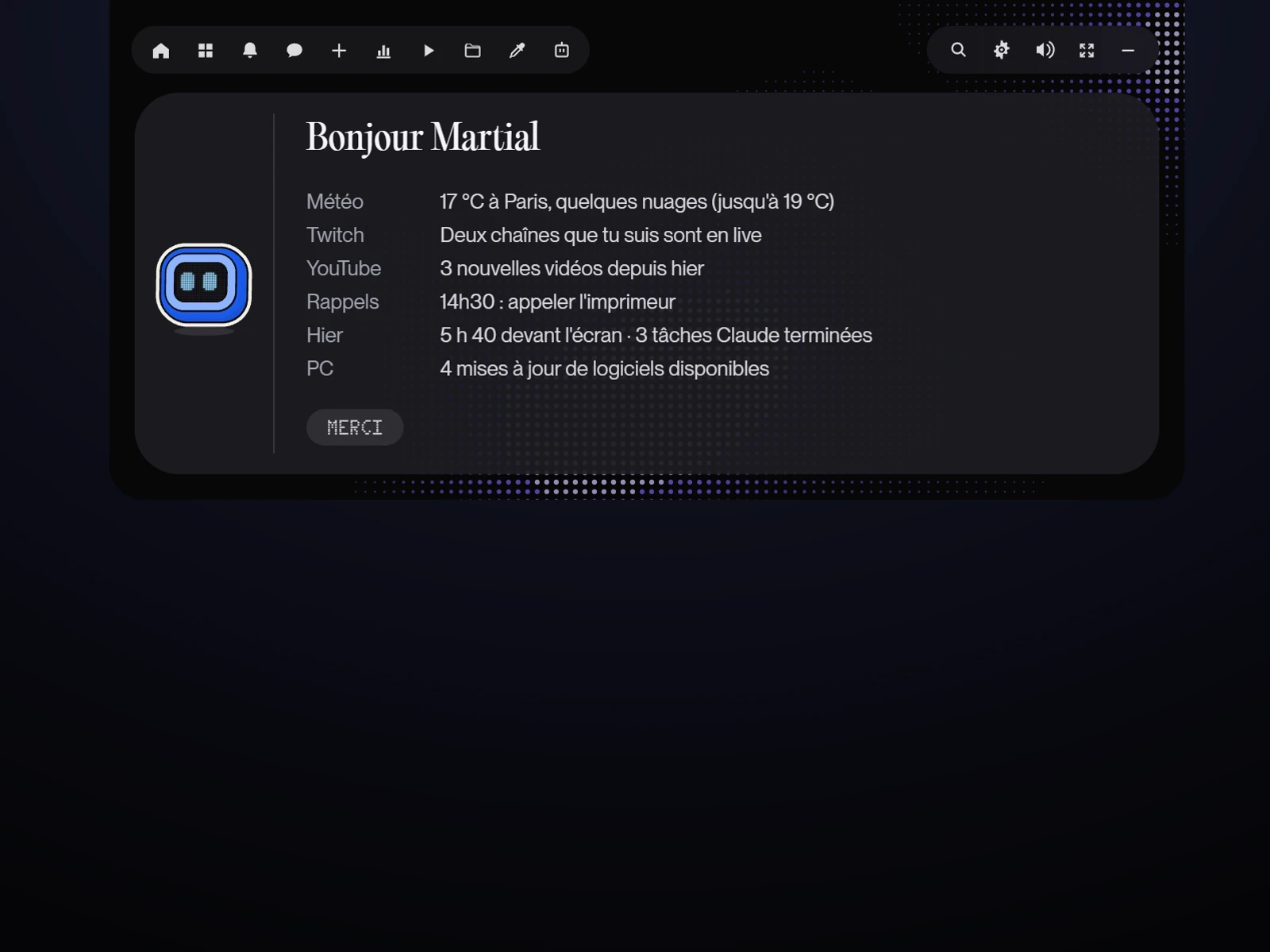 The morning briefingWeather, reminders, how yesterday went and what is coming up, when the island is quiet.
A family of robotsBit leads, the others work one at a time
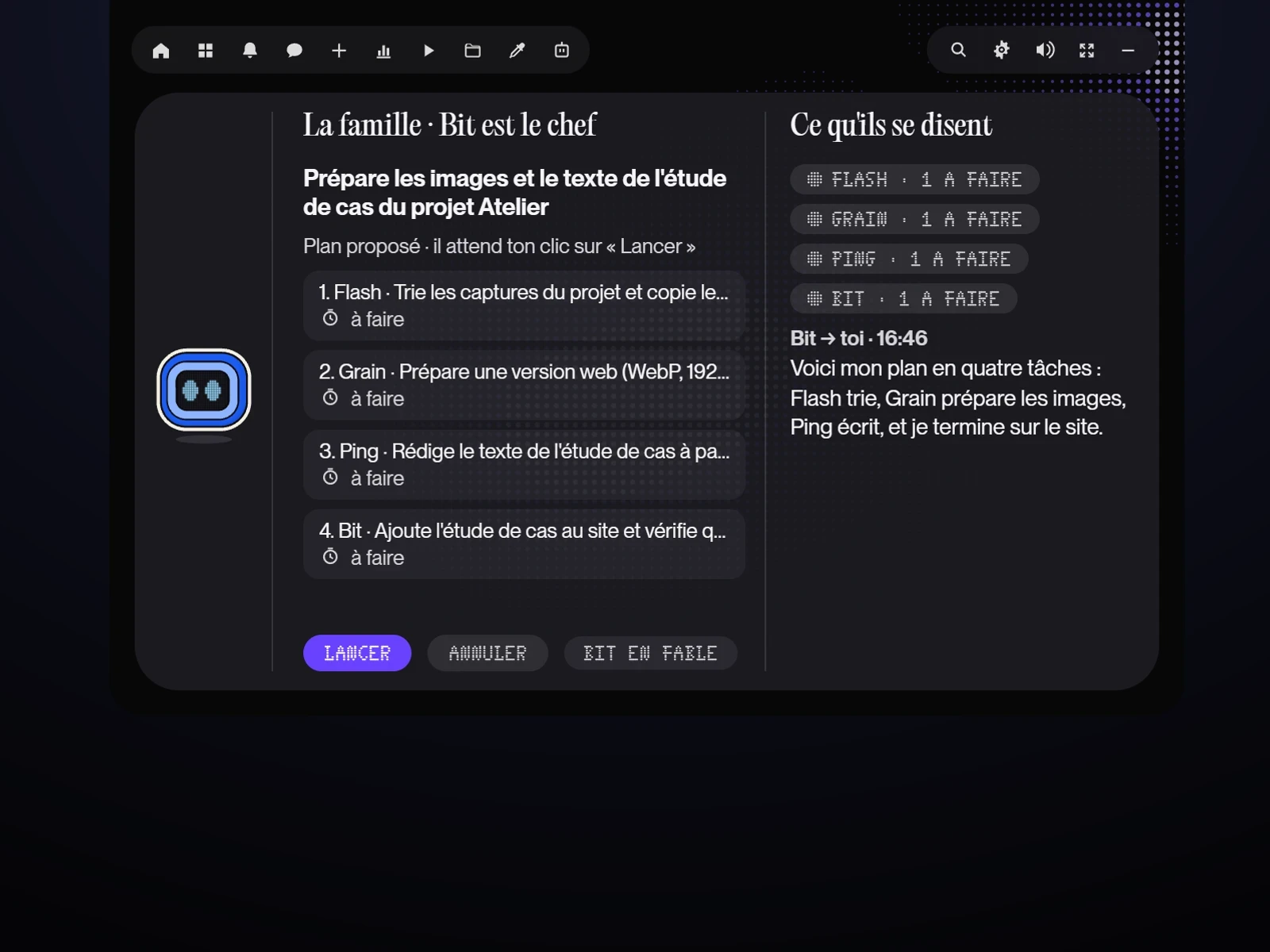 A goalBit splits it into tasks for the right robots; nothing starts before I click.
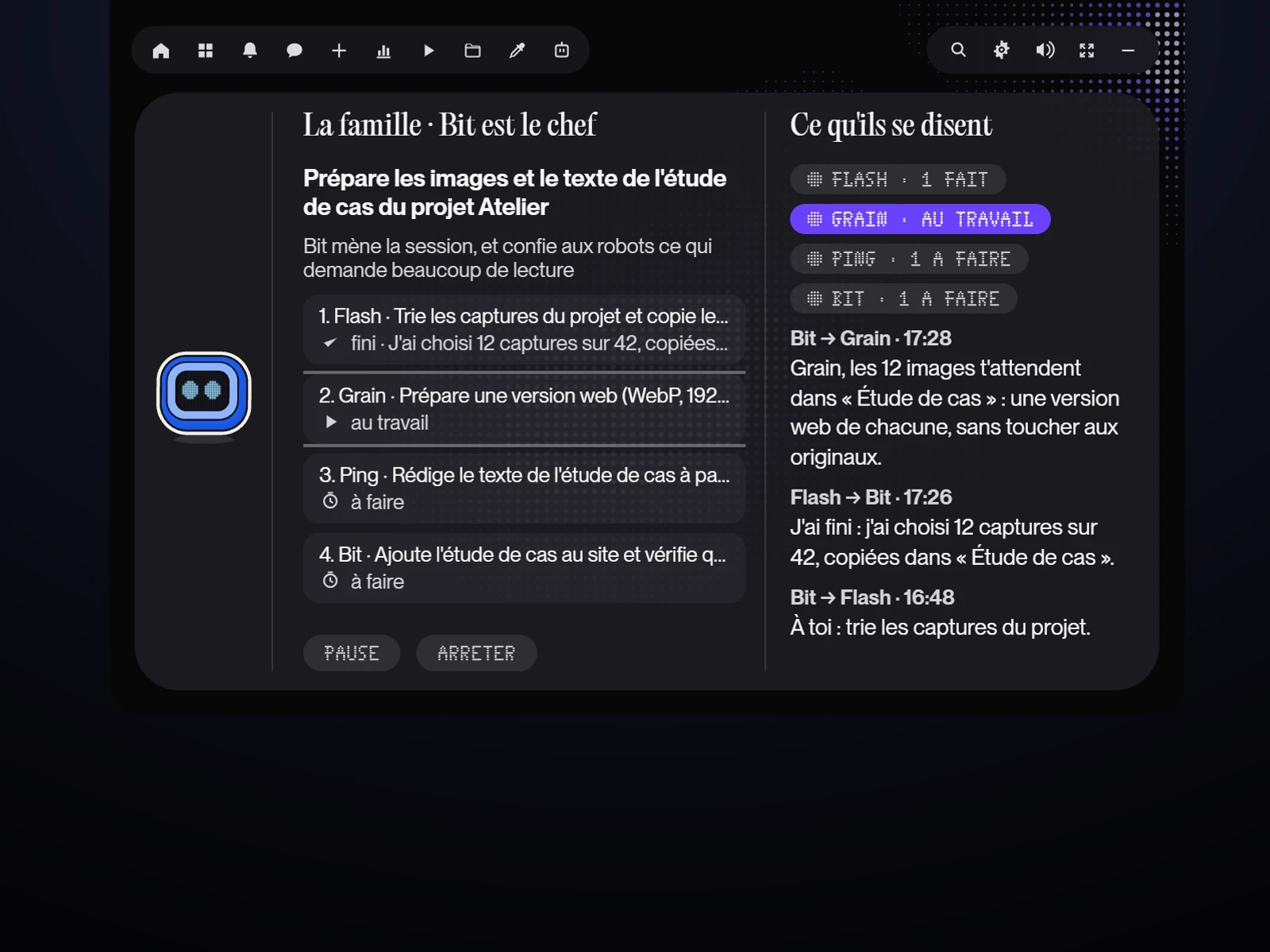 They talk to each other“Bit → Flash: your turn”, “Flash → Bit: I'm done”, in the island.
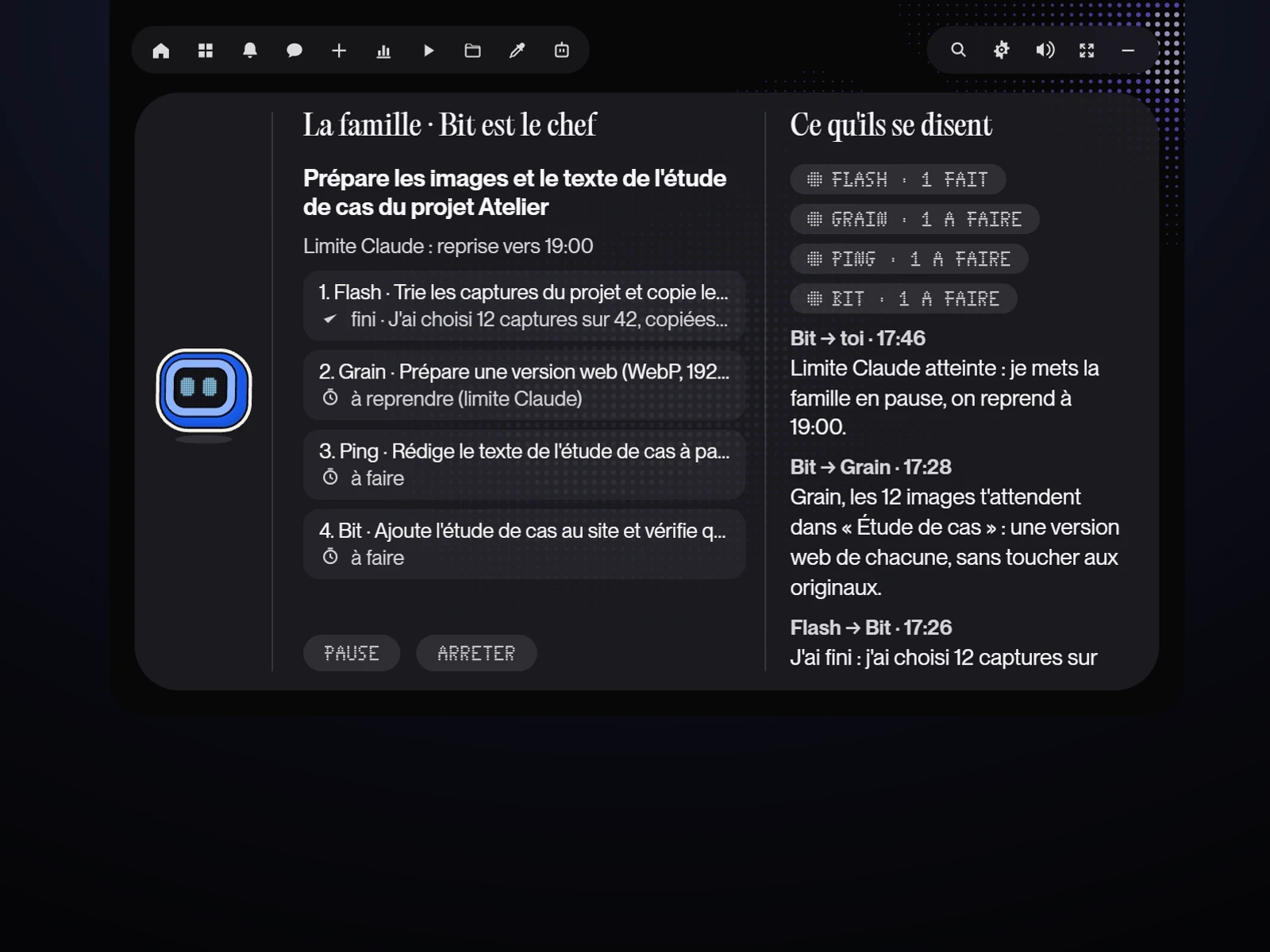 The limit, respectedWhen my subscription reaches its limit, the family pauses and resumes at the stated time.
The Martial OSOne identity, connected apps
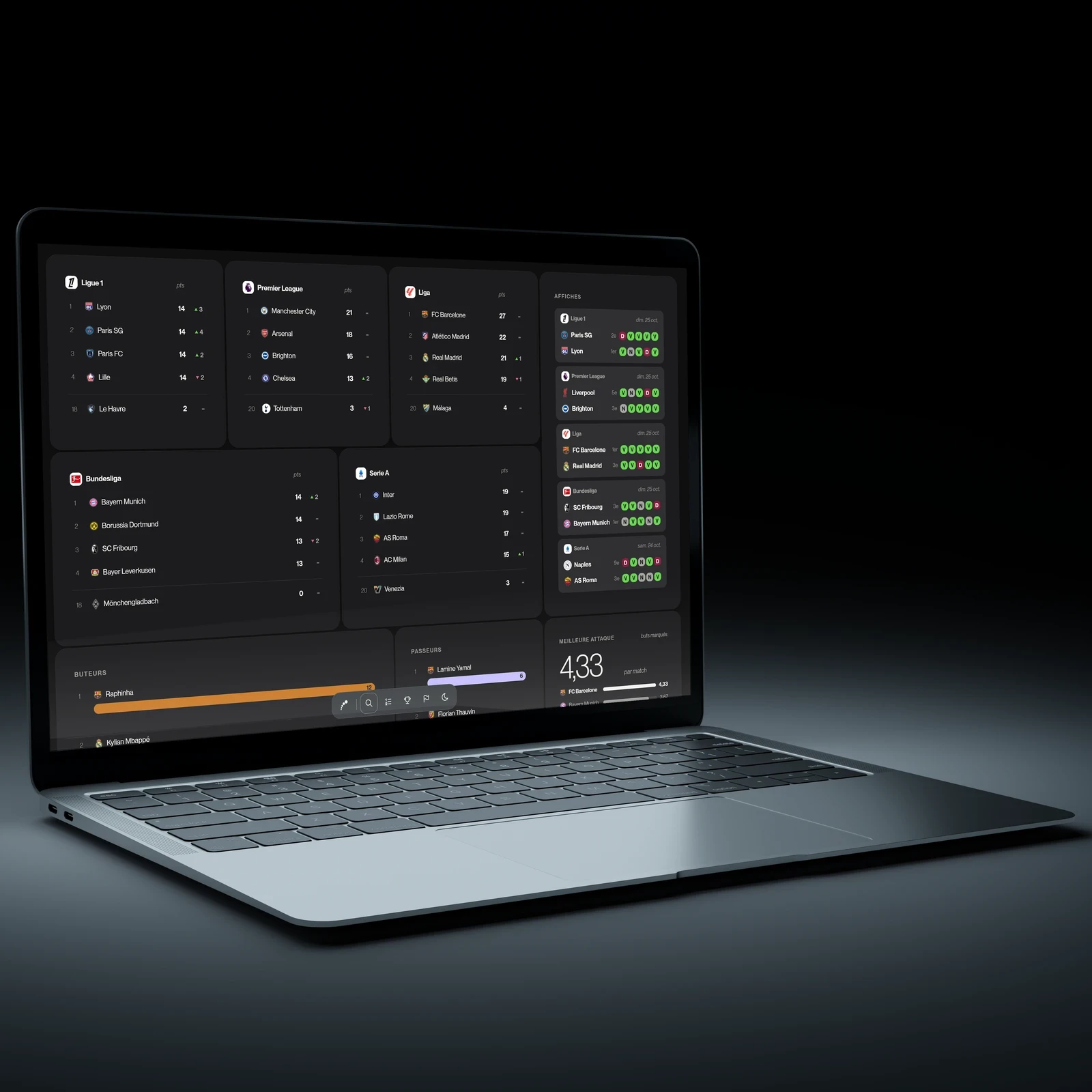
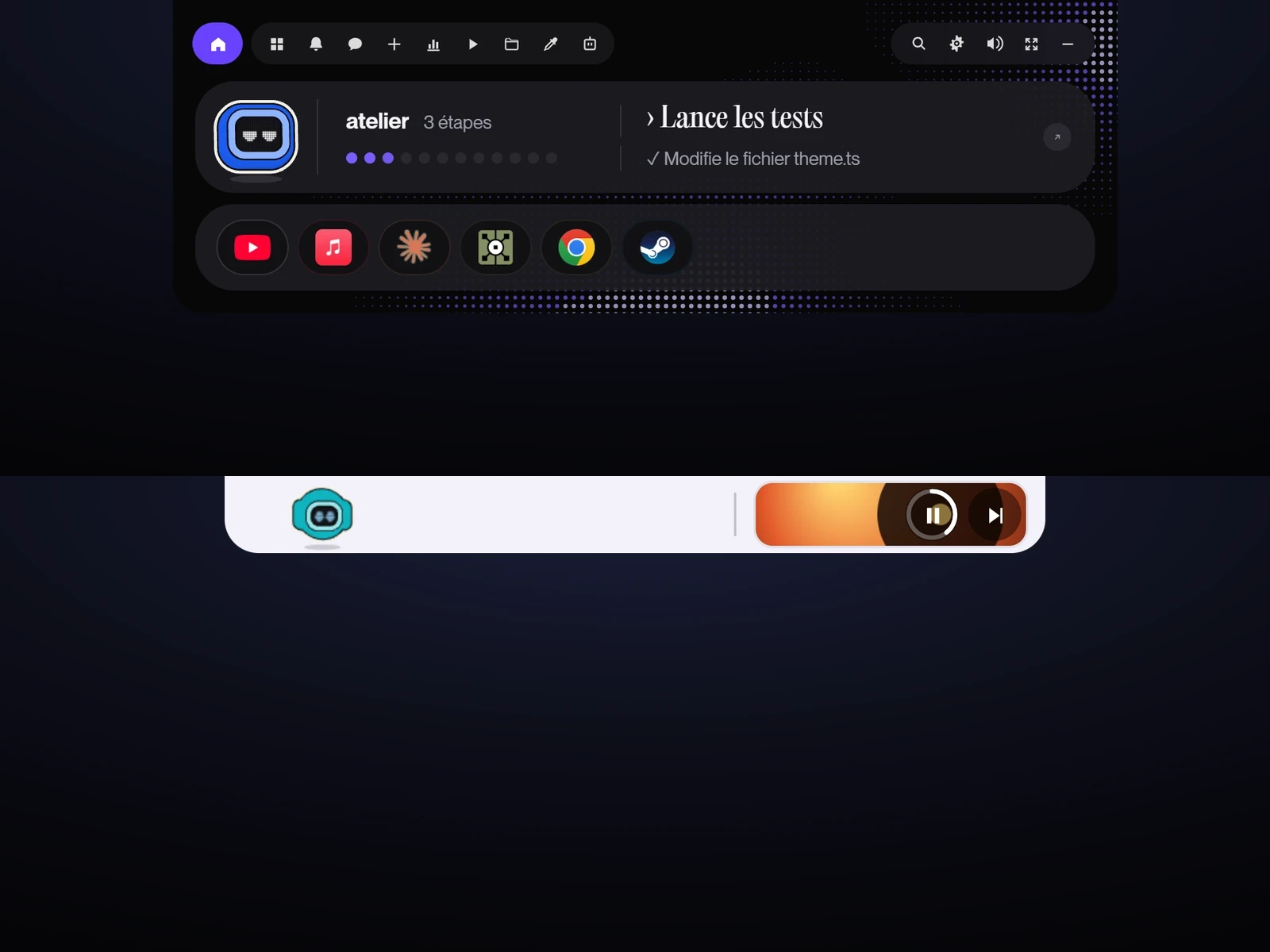 Martial OSThe island takes on the pill bar and the dot background of my portfolio, in dark or light mode.
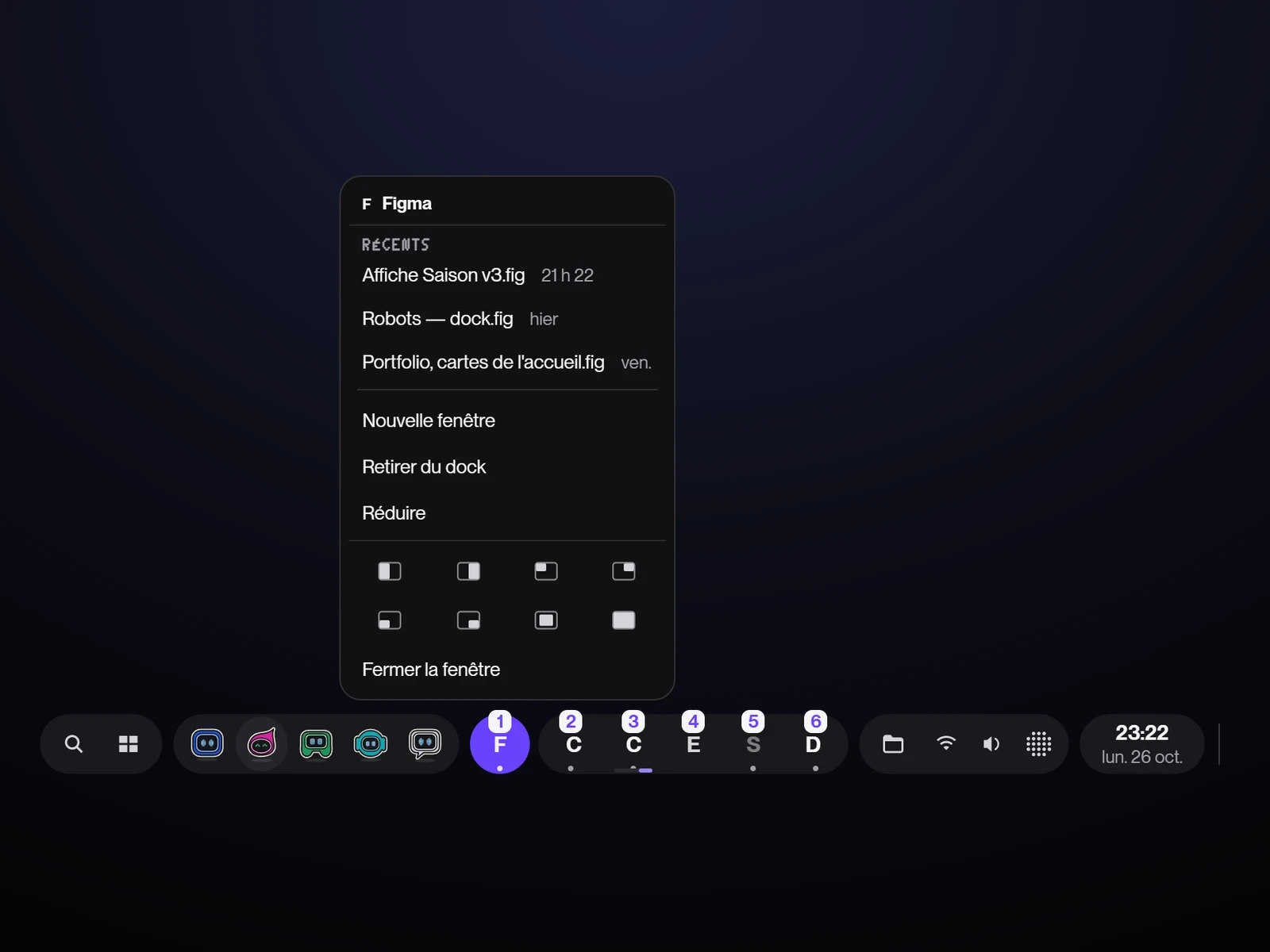 The dockAt the bottom, the same bar, with the Windows gestures: recent files on right-click, Win+number to open an app; the one in the foreground stands out in purple.
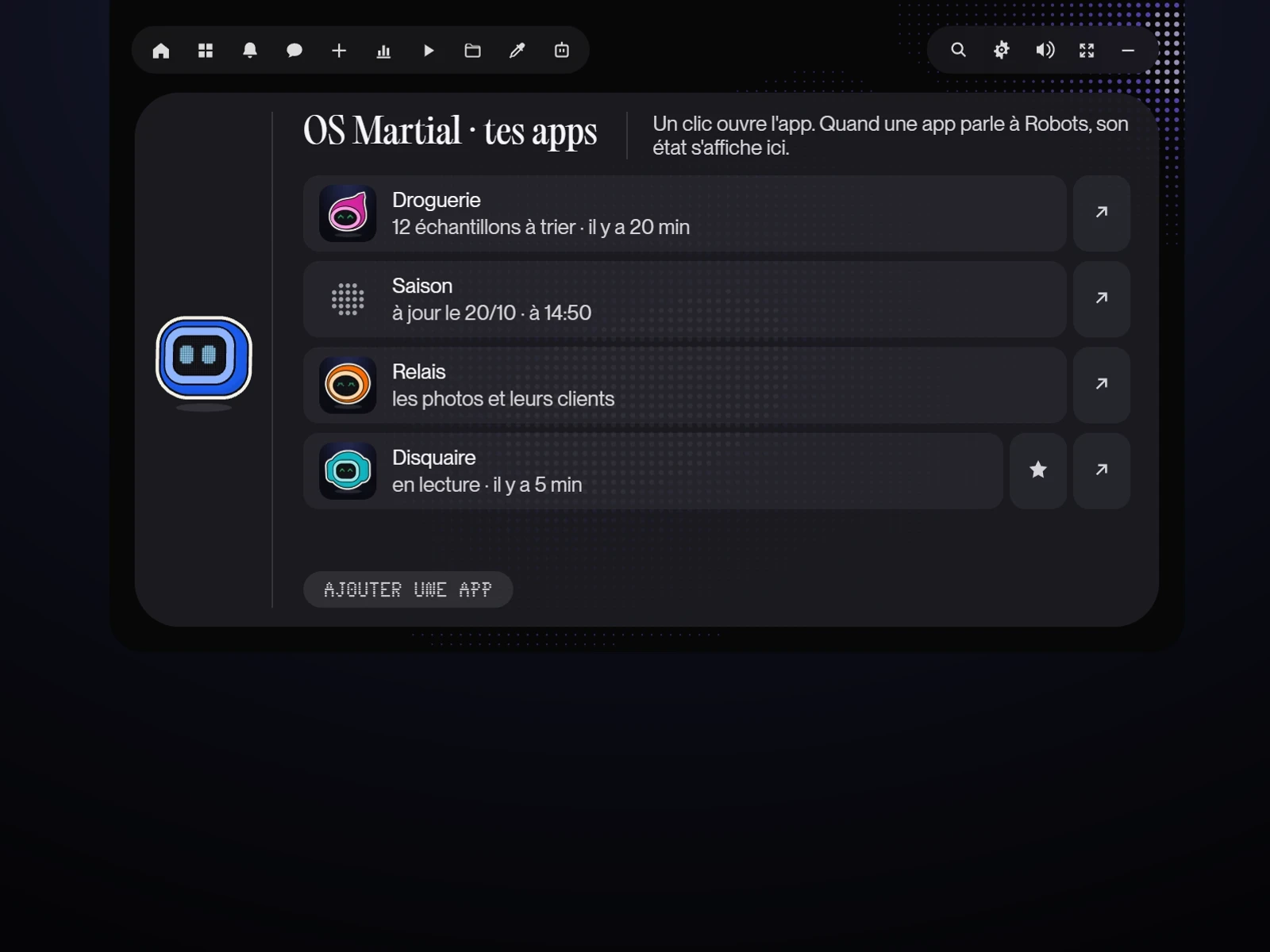 Connected appsDroguerie, Saison, Disquaire; each app can send Robots a note, and “play Discovery” starts an album in Disquaire.
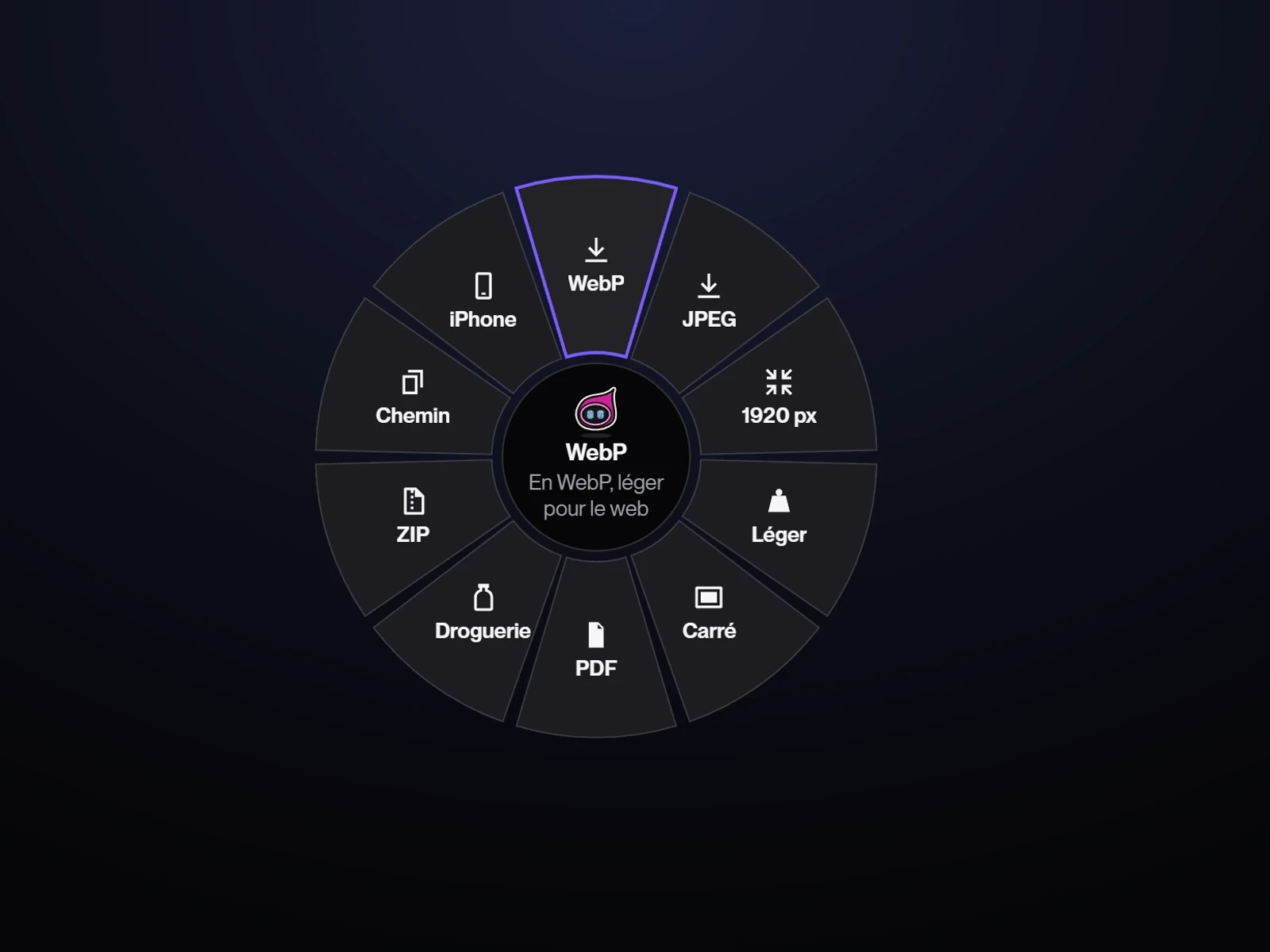 The radial menuDrag a file while holding Shift to convert or send it, without leaving File Explorer.
Leaving Coucou behindA layout and gestures of my own
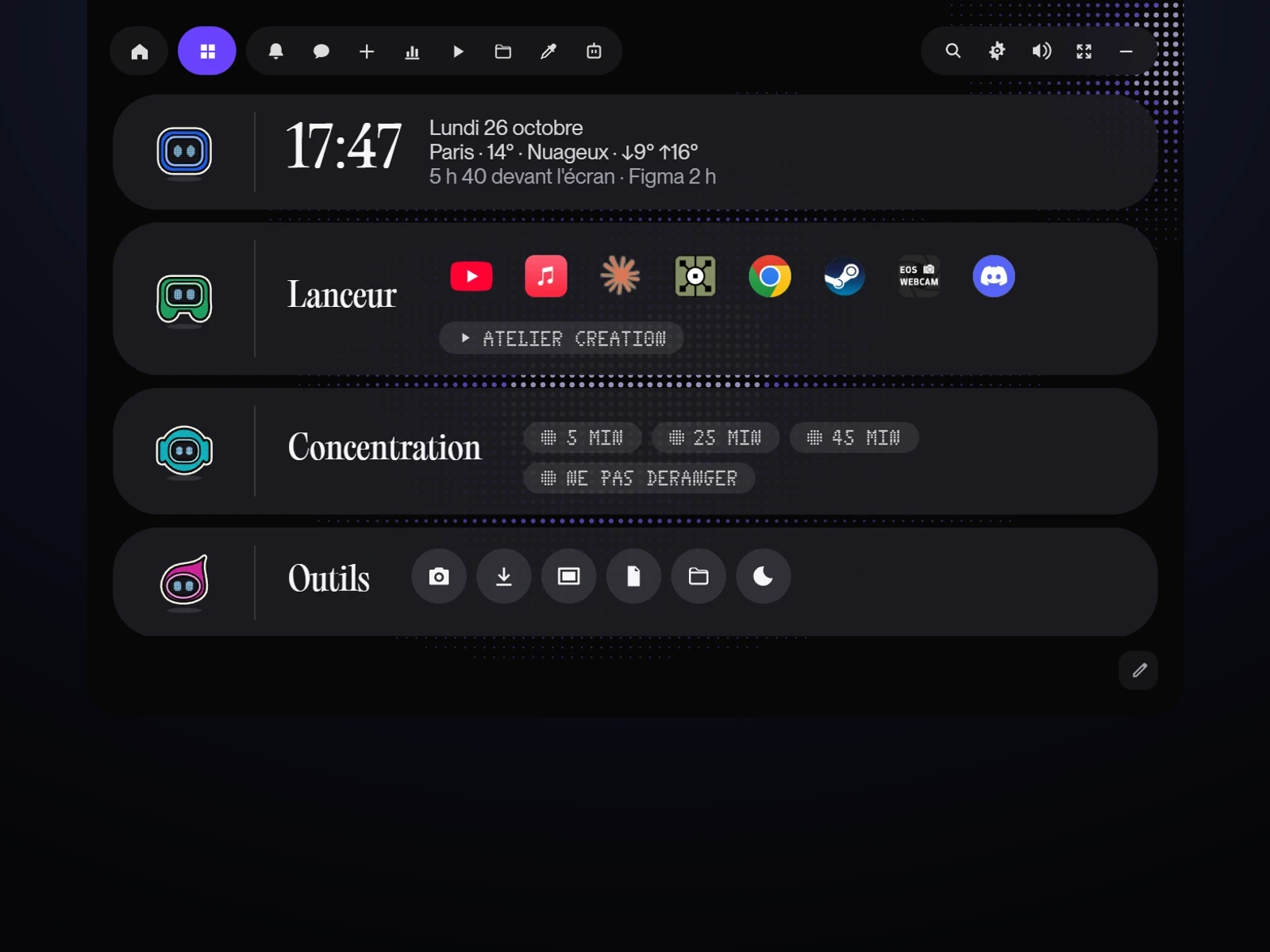 The control stripFive directions tried to move away from Coucou's blocks. Kept: the robot in its segment, a thin rule, then the content, everywhere in the app.
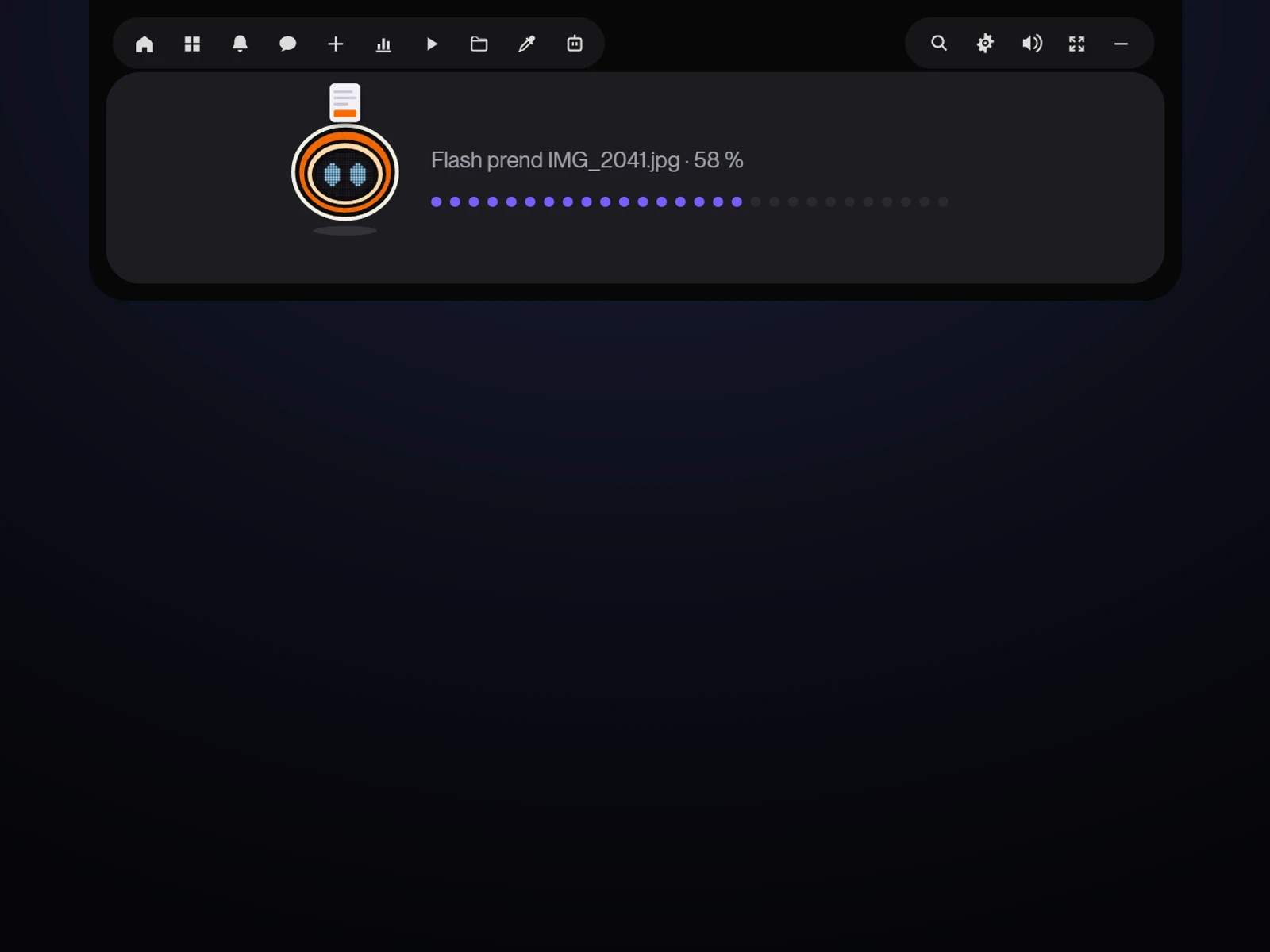 The right robot arrivesA photo dropped on the island: Flash comes up to take it. Tempo for a sound, Ping for a text.
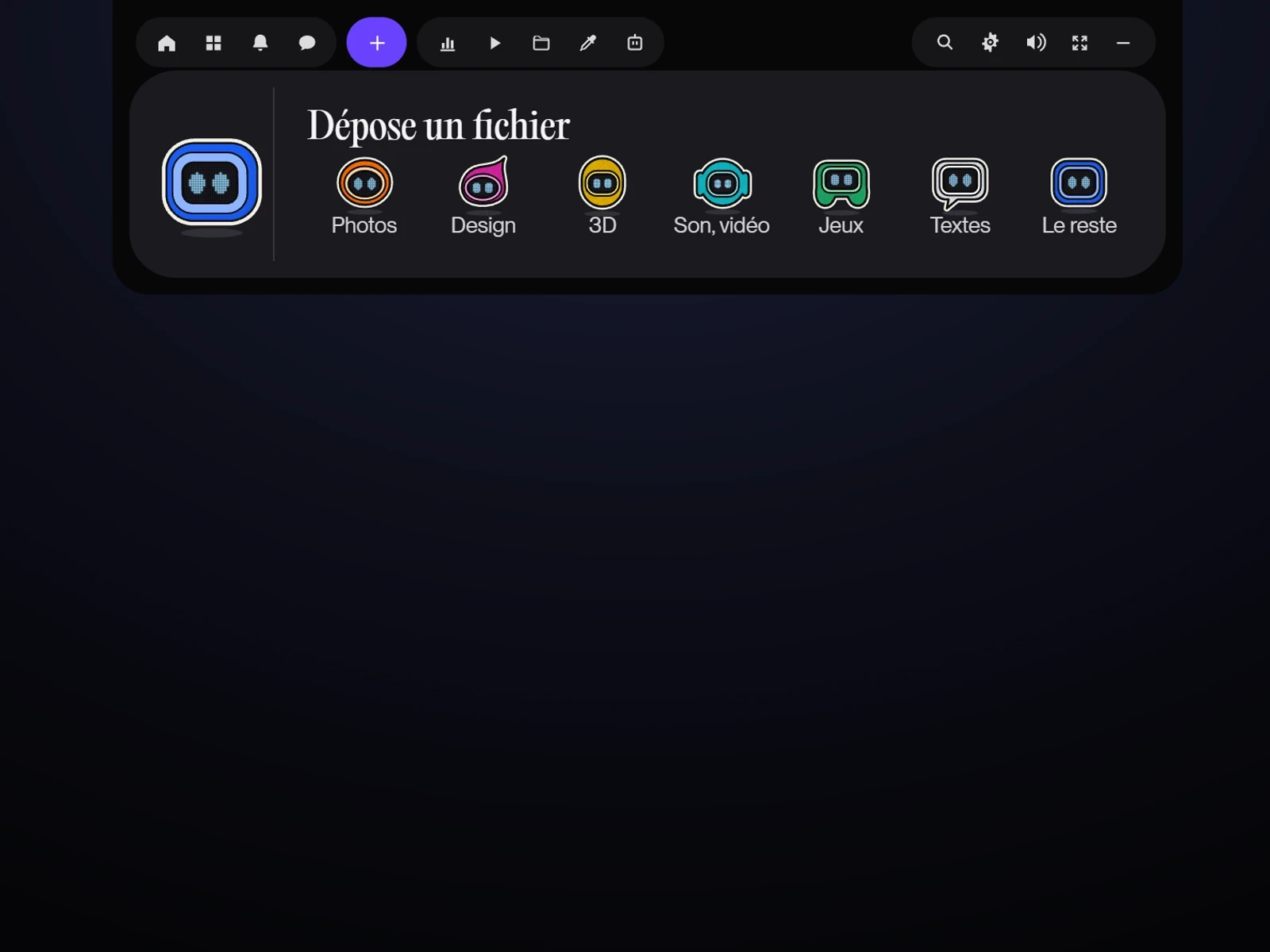 One robot per jobEach view has its robot; Drop introduces all seven. Each one also has its own musical note, from Bit (low) to Ping (high).
The project in numbers
- 110Versions in twenty daysFrom 0.2.0 to 0.13.0, from 7 to 26 October 2026
- 61 771Lines of codeOf which 13,093 came from Coucou at the start
- 184Automated tests on every changeAssistant, missions, action safety, dates, Claude usage
- 0TelemetryThe only requests go to services I choose
Tests
Every annoyance I ran into day to day became a new version, often the same day.
The first user is me
Robots runs on my PC every day. It has not yet been tested by other people.
Checked in real use
- Claude Code permissions and questions answered from the island
- Performance mode triggered by TouchDesigner, then everything put back as it was
- Game mode with EA FC 27, with no window popping up over the game
- Starts with Windows, and uses less than 0.2% of the processor at idle
Fixed through use
- The € sign blockedA Robots shortcut took over AltGr+E on my French keyboard: it moved to another key.
- The chat that could no longer find ClaudeAn update to the Claude app had moved its folder: Robots now looks for it in both places.
- Robots missing at startupStarting with Windows was turned off by default, inherited from Coucou: switched on once and for all.
- Cut-off messagesThe bubble of the small island cut off long messages; they now scroll, and stop under the mouse.
- The bottom of views cut offThe island window was shorter than some views, so their bottom disappeared; it has been made taller.
- Cut-off blocksWith four videos, the notifications title was cut off: the view grew, and a strip that is too full now overflows at the bottom, never at its title.
To fix
- The installer is not signed yet: Windows shows a warning
- The robot family has not yet carried a long goal through from start to finish
Retrospective
Directing an AI is first of all about deciding: what to keep, what to remove, and when to stop.
From a drawn character to an everyday tool
Doing it differently
I added features faster than I put them to the test.
Some features are coded and checked, but not yet lived with. The next step is not to add more, it is to stop adding.
- A week of use with no new feature, to keep only what is useful
- A test with three people who use Claude Code
- A signed installer, then sharing the app