




 DisquairePersonal project · 2026
Flicking through your music like a crate of records
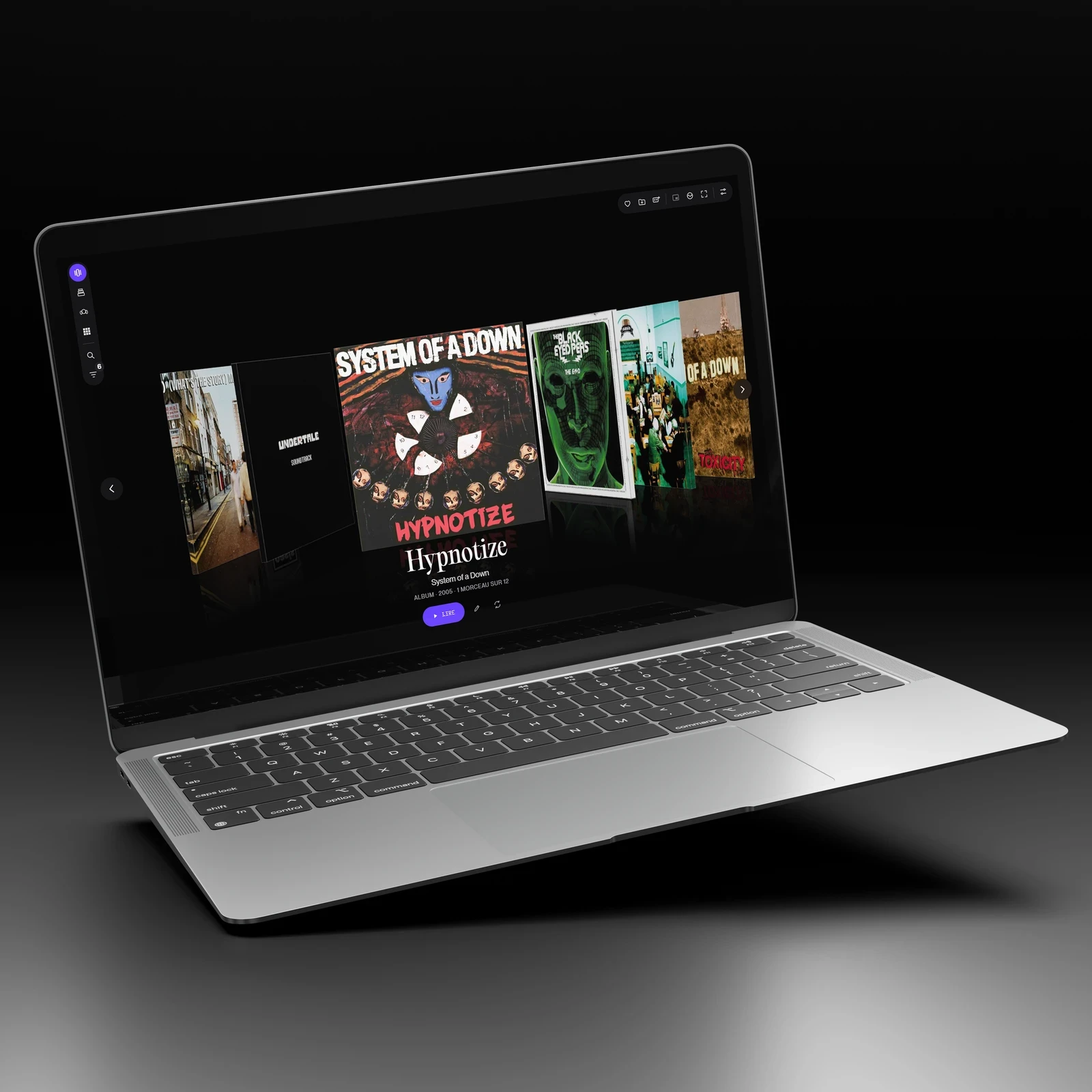
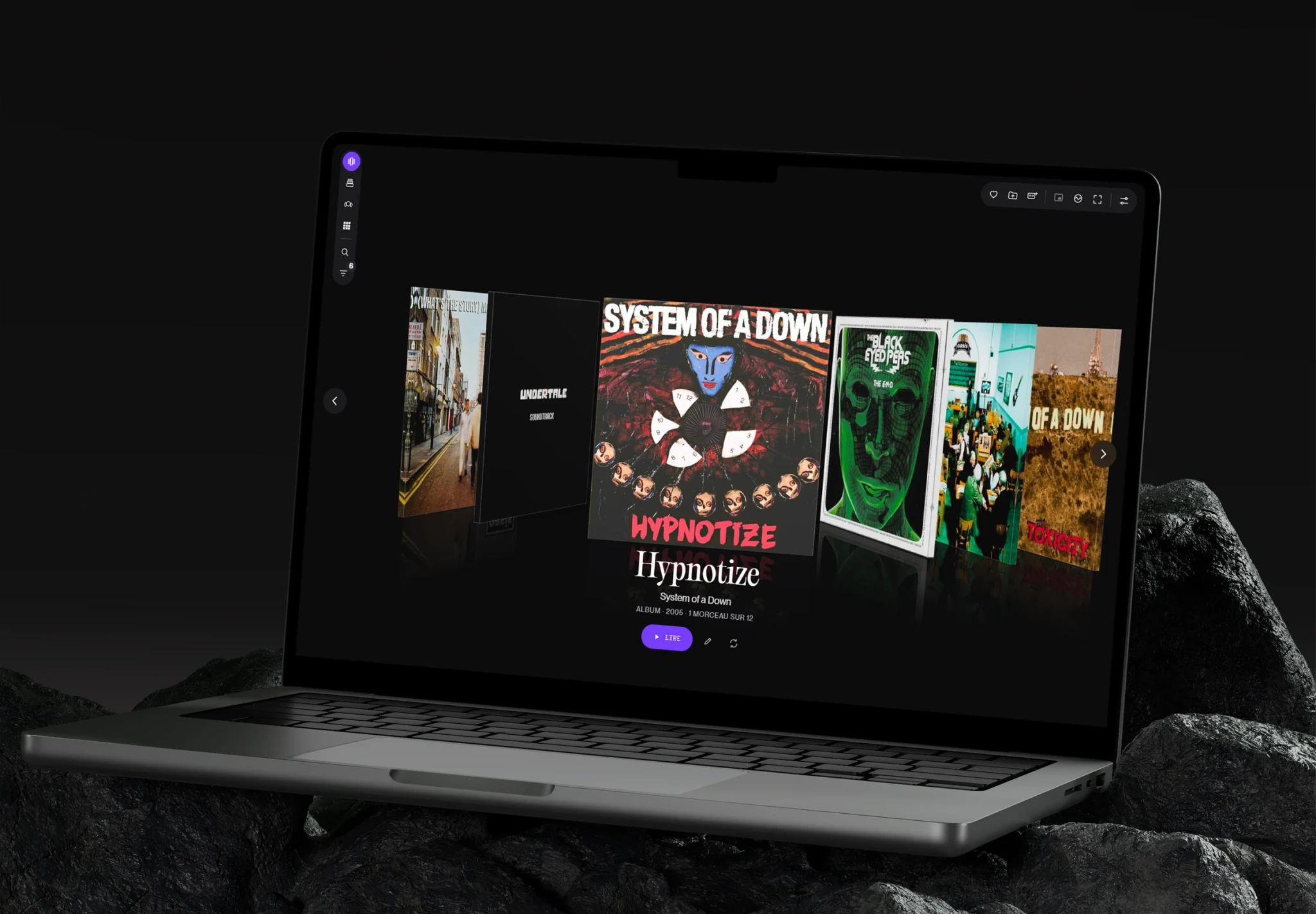
I designed a jukebox for Windows: you flick through your albums as you would in a record shop, the record slides out and plays, and the lyrics scroll karaoke-style.
- The problem
- My music is a set of files I never tagged. Players show them as lists: you search for a title, you no longer choose a record.
- What I learned
- The most useful thing was not adding objects, but removing them.
- My part
- I did not write the code: I wrote the brief, made every decision and tested every version. Claude Code did the development.
- Deliverable
- installed Windows app, four library views, playback, karaoke lyrics, dot visualiser
- Role
- product design, art direction, leading development
- Context
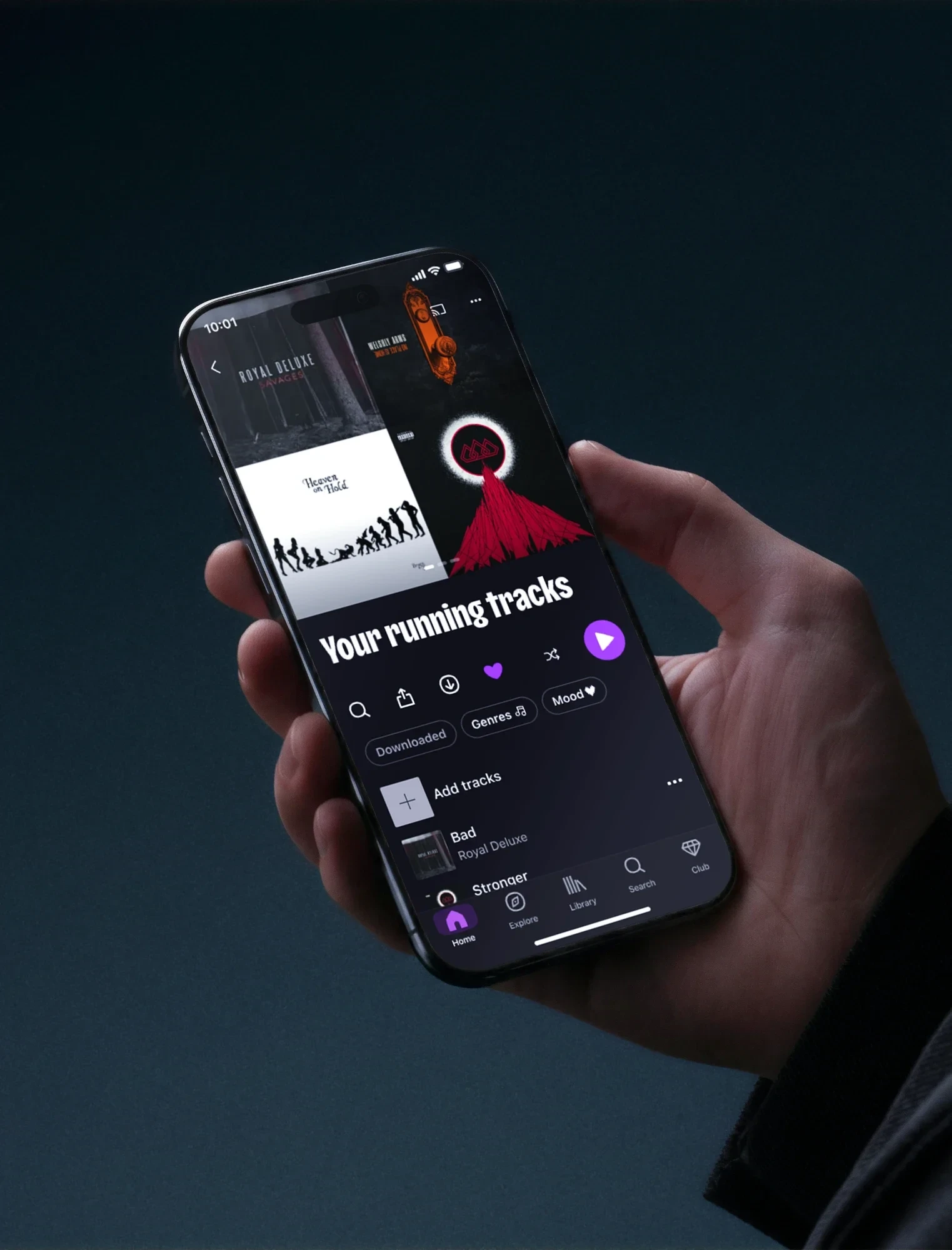
- personal project, connects to Robots, my desktop companion: “play …” starts an album, open data: MusicBrainz, AcoustID, Cover Art Archive, LRCLIB, album covers: their artists and labels
- Team
- solo, developed with Claude Code
Context
I wanted to bring back the record shop gesture: flicking through, stopping on a cover, pulling it out.
Nameless files, stored in folders
The starting point
I wrote a brief: each work (an album, the music from a film or a game, a playlist) is an object you browse in a rack. You pick one, it slides out and starts playing in front of you. The visual direction images came from my inspirations: VHS racks, a turntable seen from above, records in a carousel.
- Never modify or delete my original files: the app organises copies
- Anything not recognised goes into “To sort”: nothing gets lost
- A library that will keep growing: everything has to stay smooth
- No telemetry, and service keys kept by Windows, never in the code
- Readable and usable by everyone: text large enough, never a state shown by colour alone, everything by keyboard
What had to be balanced
- The gestureFlicking through with the scroll wheel, the keyboard or the arrows, without ever losing the selected album.
- ReadabilityReading a title over very busy covers, all of them different.
- CalmMovement for pleasure, never for waiting.
How do you bring back the pleasure of flicking through records in a library of files?
Exploration
I gained by removing things: one object, one gesture, nothing that makes you wait.
Choosing from what I could see, then removing
Each direction was presented to me on a choice page, with real screenshots of the app and animated mockups, before it was coded.
- Six objects: vinyl, CD, DVD, VHS, cassette, cartridgeBuilt and animated, then removed: the object changed, but the cover is what people recogniseDropped
- All vinylA single object for all the music; a film poster sits whole on its own blurred backgroundKept
- Progress as a ring around the recordTrue to the turntable, but it cluttered the vinyl: replaced by a slider above the controlsDropped
- A single continuous shotThe title and the cover travelled from one screen to the next: a first version, replaced by a real camera moveDropped
- A dolly-inOpening an album becomes a single 1.3 s shot: the camera moves in, the rack darkens behind like a film background, then the record slides out and the music startsKept
- The record placed in front of the coverIt hid the image you had just chosen: the cover now stays face on and the record slides halfway out to the right, the D of the logo writ largeDropped
- Seven animation curvesEach movement had been tuned on its own: eleven transitions reworked together, with only two curves, short gestures under 0.25 s and the camera for the big momentsDropped
- A loading screen at startupRemoved: the shelf appears straight awayDropped
- Three visualisers to choose from (MilkDrop, a distorted cover, dots)Replaced by a single one, in dots: the signature of my design system, with the album cover redrawn in dotsDropped
- Arrows placed to suit each viewEach one had its own logic, but people had to look for them: they now sit on both edges, in the same place everywhereDropped
- A code name, TrancheIt named the spine of the covers, not the gesture: the app is now called Disquaire, the record shop where you flick through the crates, with a logo of its own, the D sliding out of its sleeveDropped
Four ways to flick through
- The shelfA corridor of tilted covers, the selected album facing you in the centre, its reflection on the floor.
- The stackThe albums stacked up; the ones already seen lie down underneath, as in a crate.
- The carouselAn editorial panel on the left, the covers turning on the right.
- The gridAll the music at once, a name under each cover.
Design
One critique per view: each flaw shown on a real screenshot, then I ticked what needed to change.
From brief to app, version after version
From brief to app
Organising without tagsRecognising a track by its fingerprint
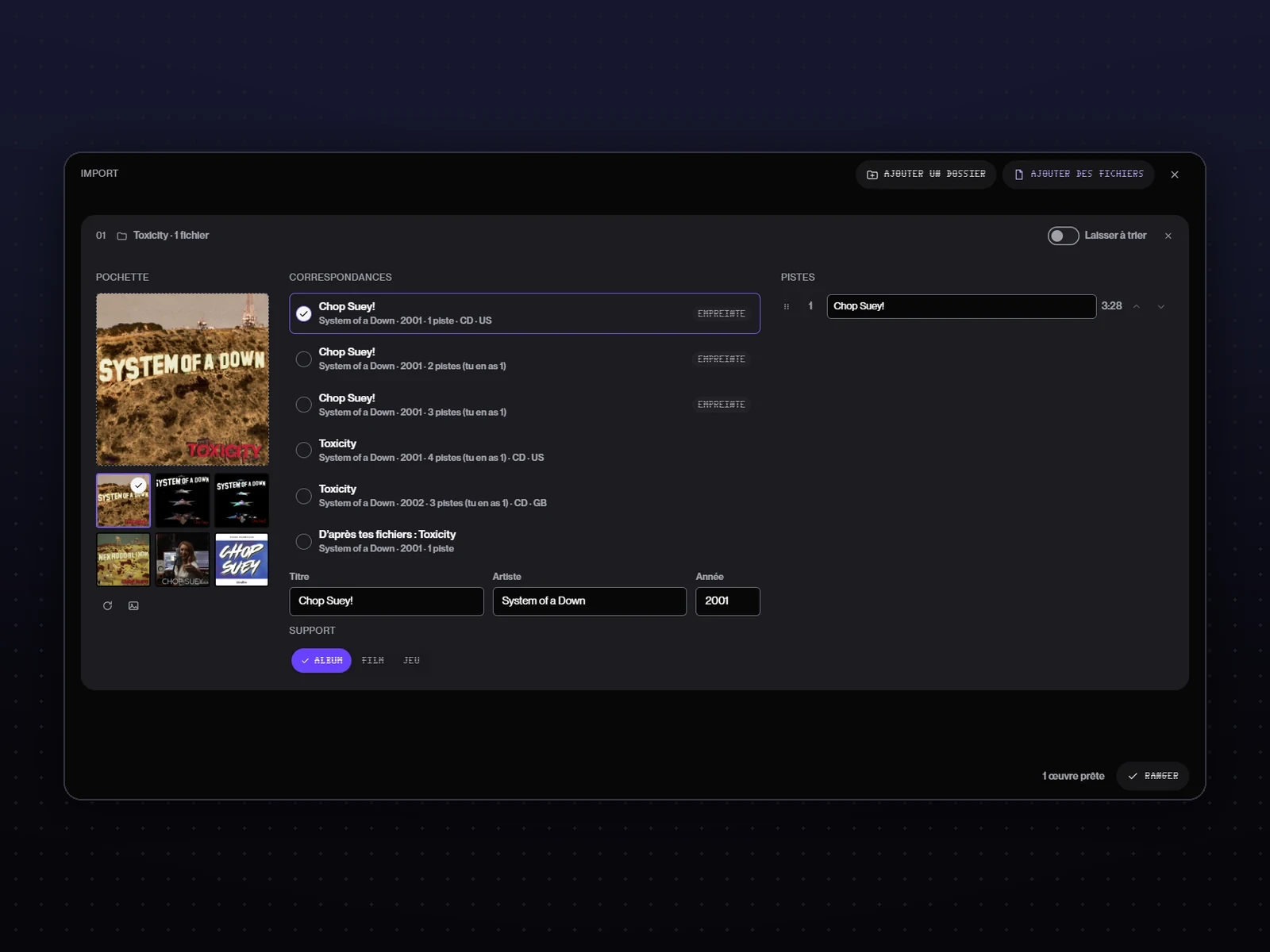 The importYou drop in a folder; each track is recognised by its audio fingerprint, then several possible albums are suggested, with their covers.
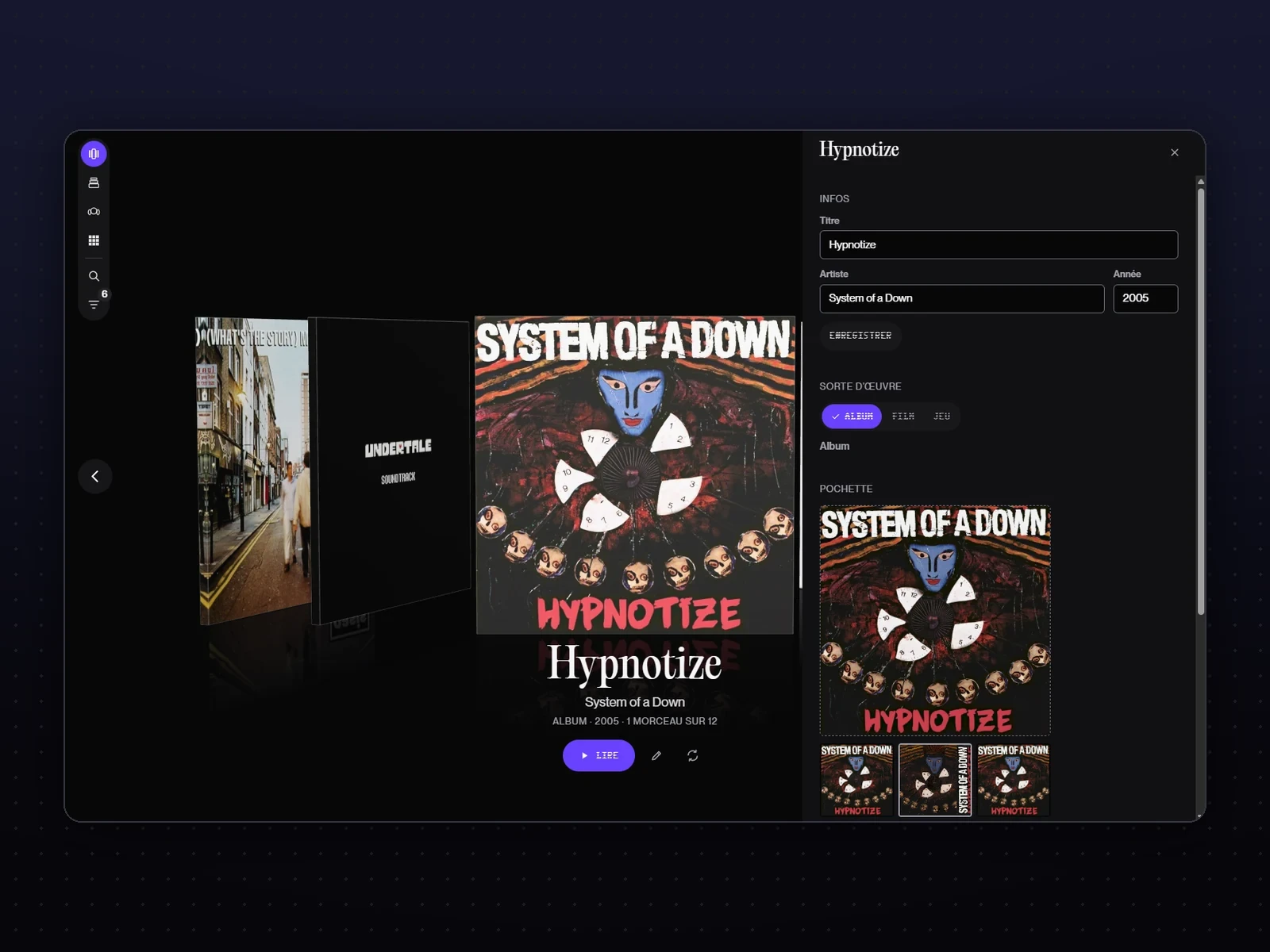 The coverSeveral suggestions side by side; you click the right one, or drop in your own.
Martial OSThe design system of my tools
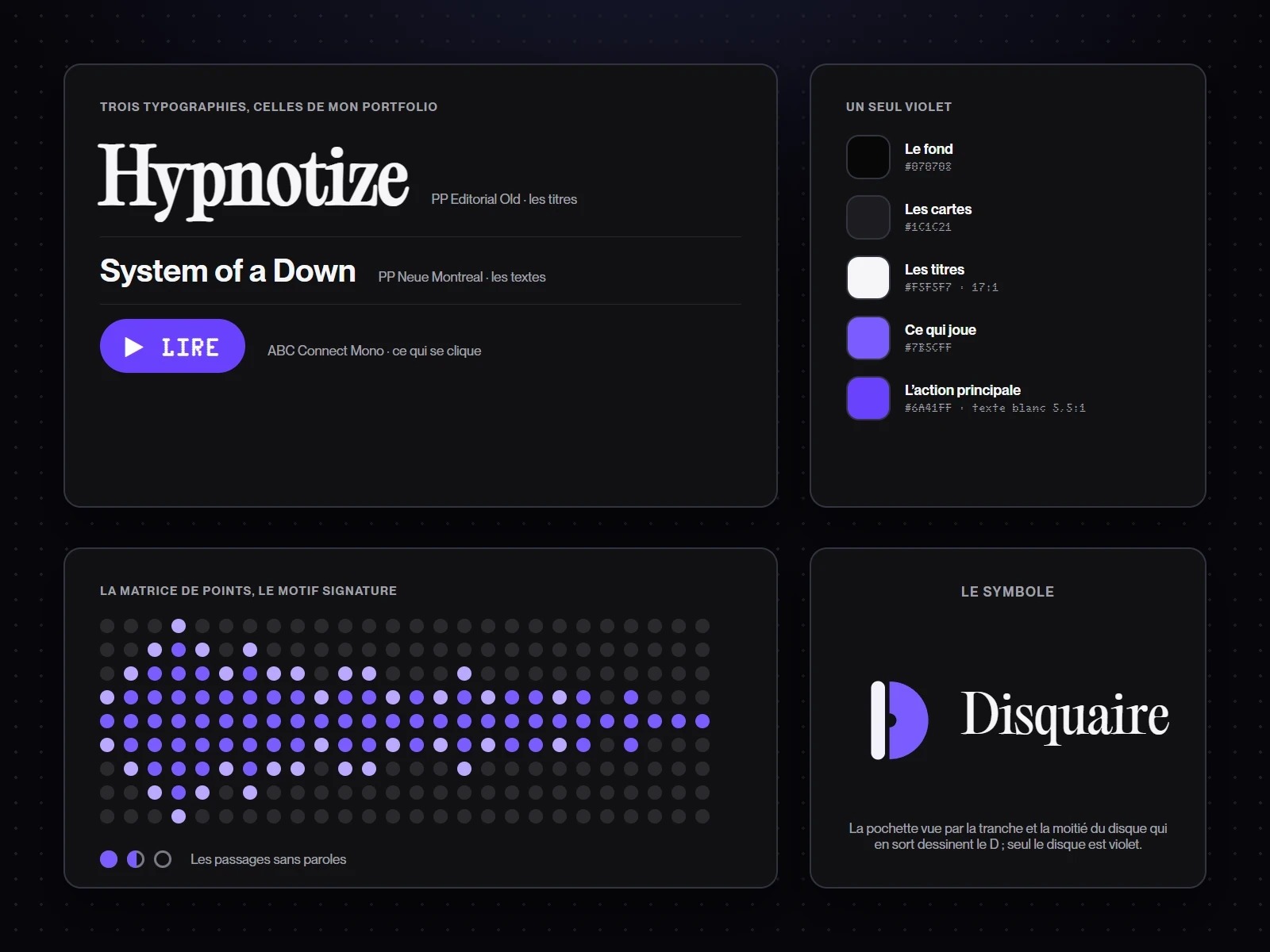 The rulesThe typefaces of my portfolio, a single purple, the dot matrix as the signature pattern, and a symbol: the cover seen from its spine and the half of the record sliding out of it form the D.
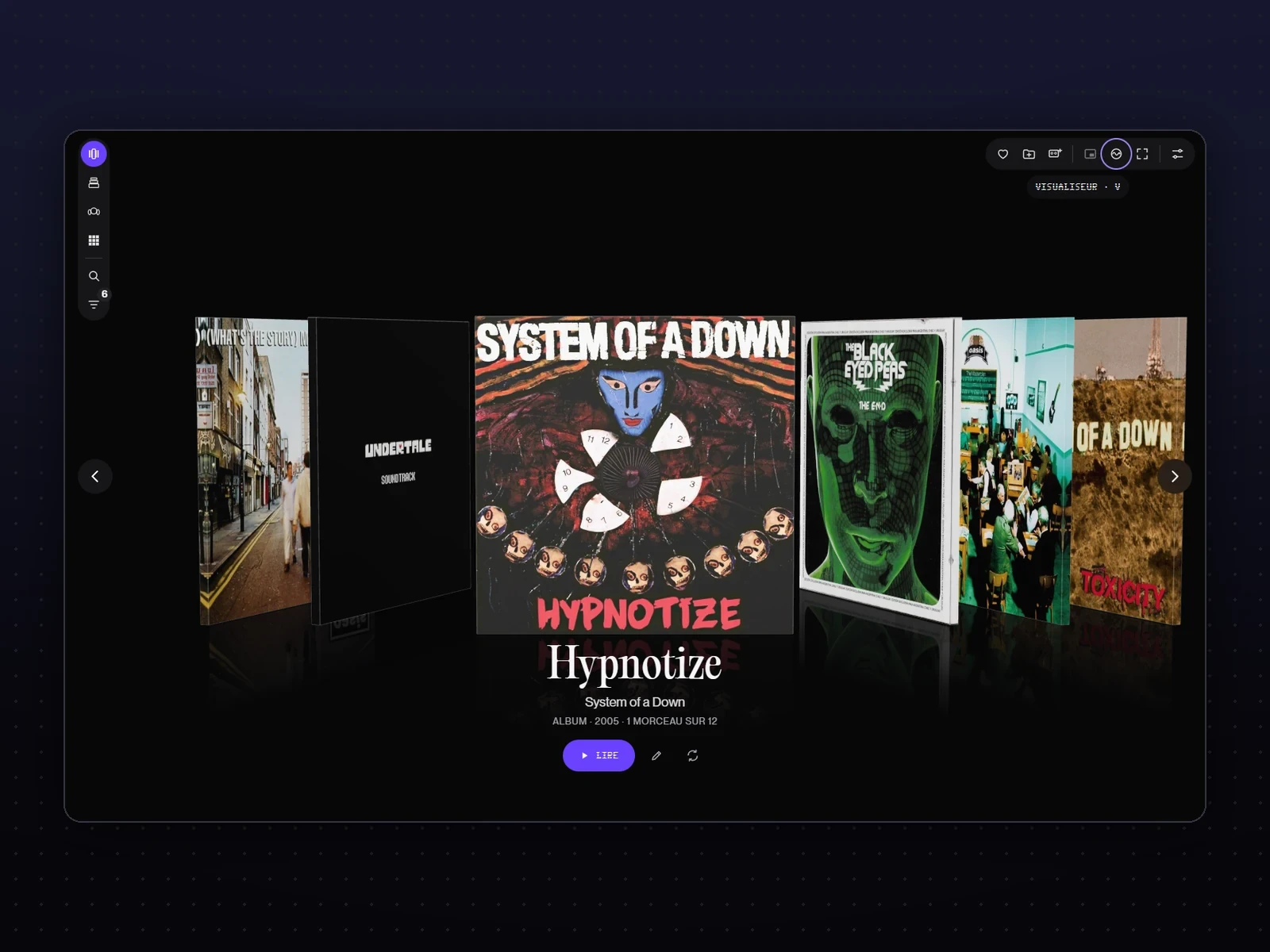 Everything one click awayEveryday actions as icons, top right; the views in a column on the left.
Flicking throughFour views, one critique each
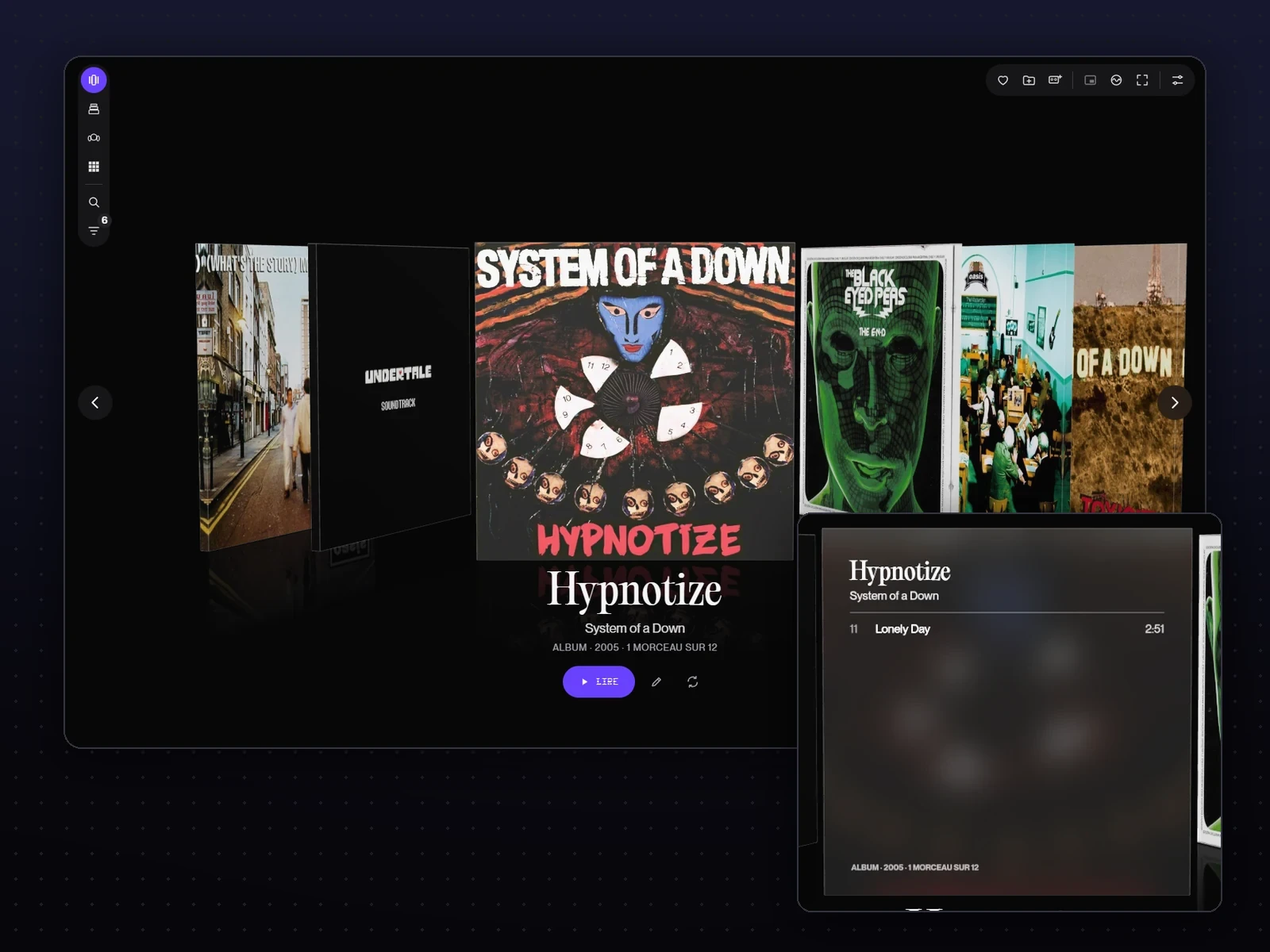 The shelfThe neighbouring covers in shadow, a thin outline around dark covers, the back of the cover when you press R.
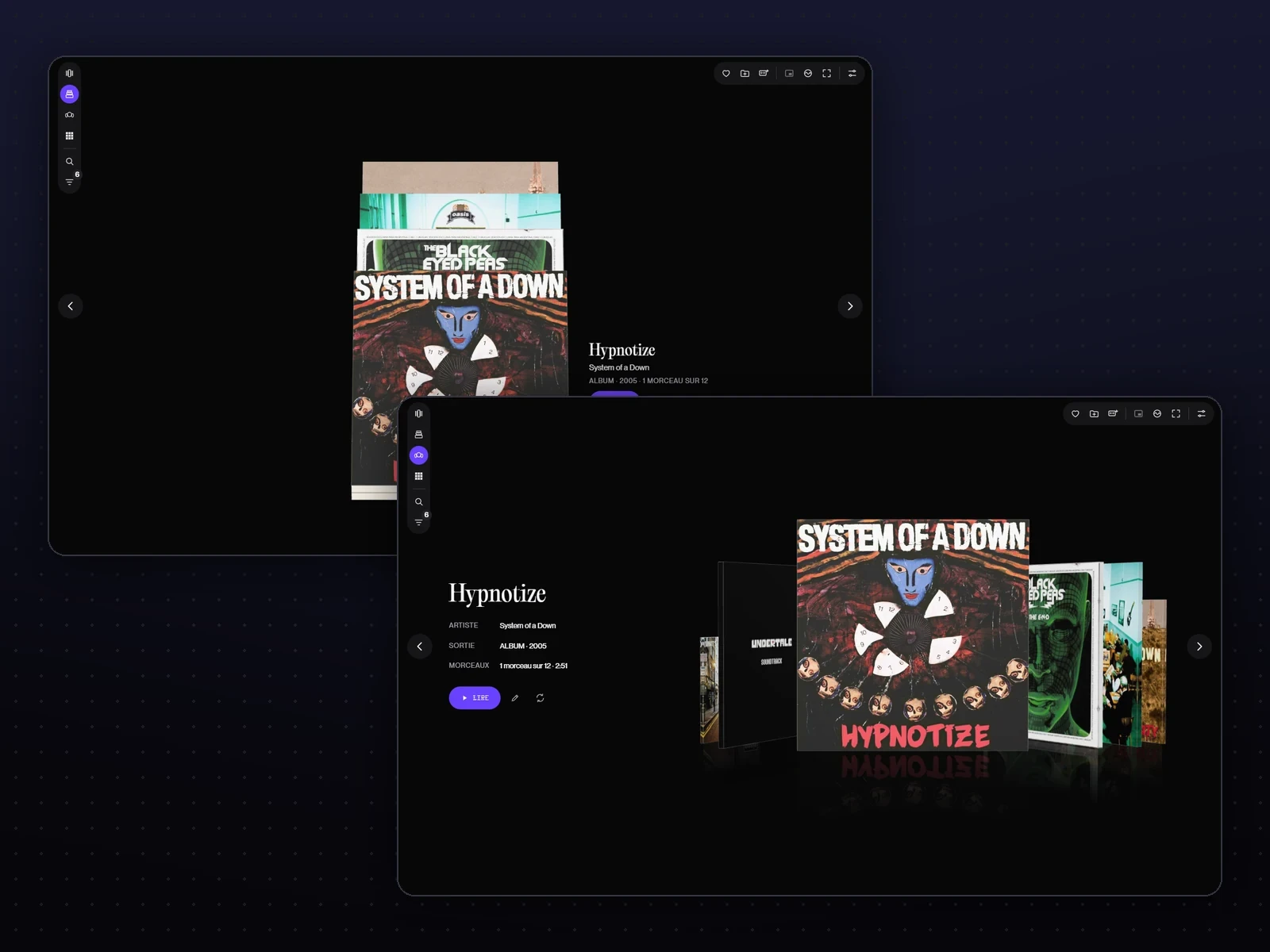 The stack and the carouselLarger, centred; a panel that uses the same words as the shelf.
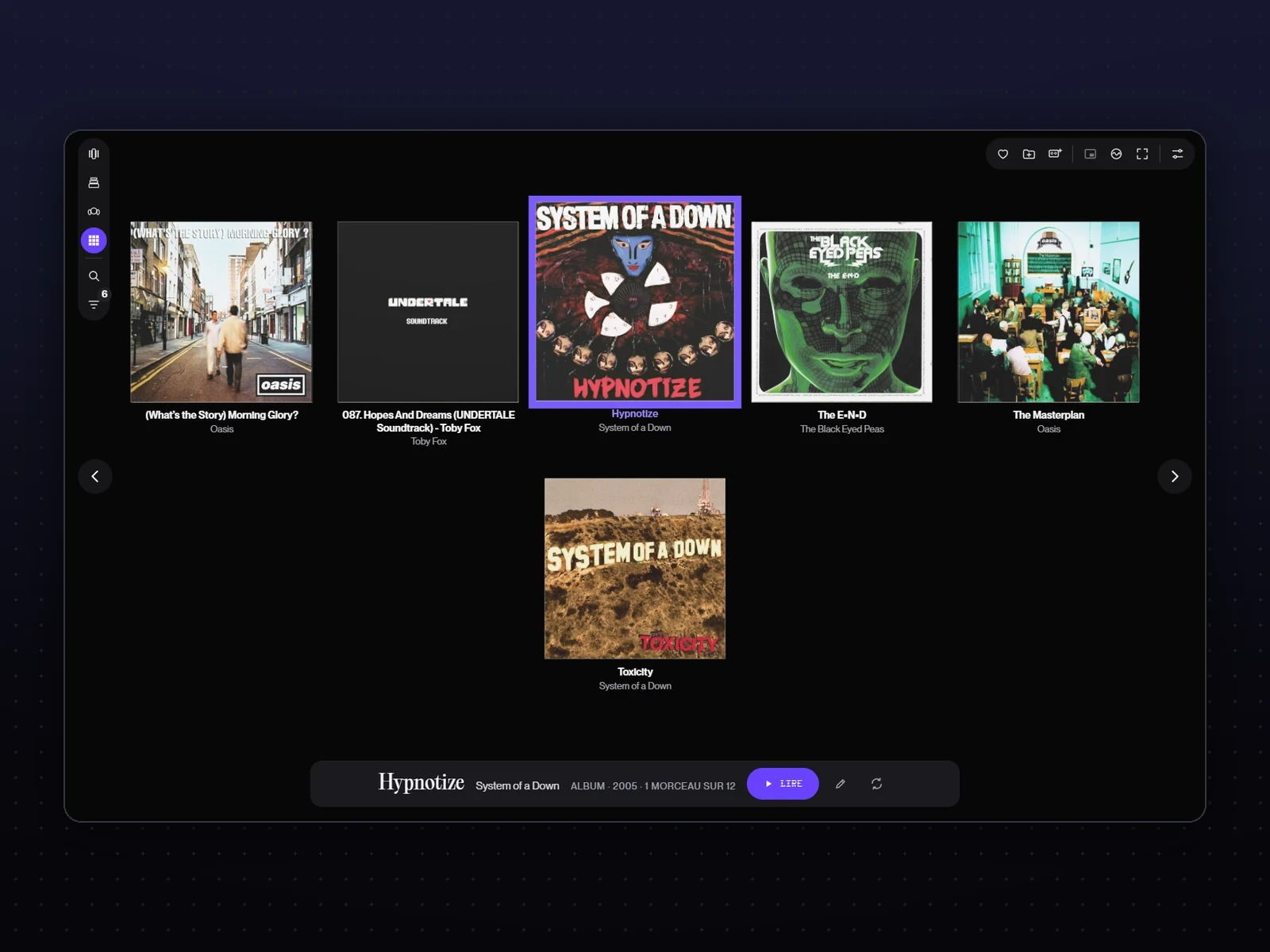 The gridYou can finally see which one is selected: it moves forward, grows and gets a purple outline.
ListeningThe record slides out and plays
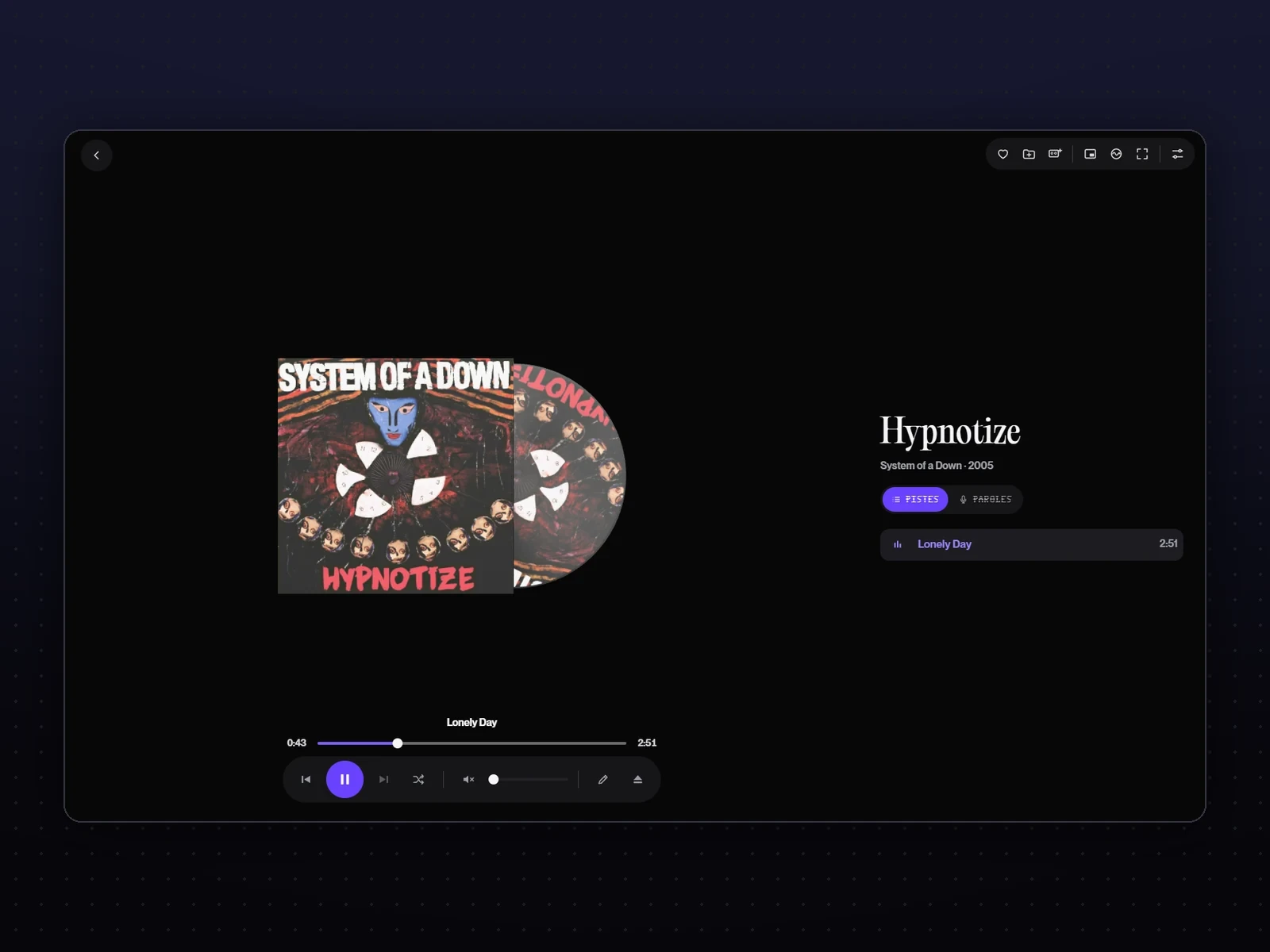 PlaybackThe cover stays face on, the record slides halfway out to the right and spins at 33 rpm: the D of the logo, writ large. The slider and the controls below.
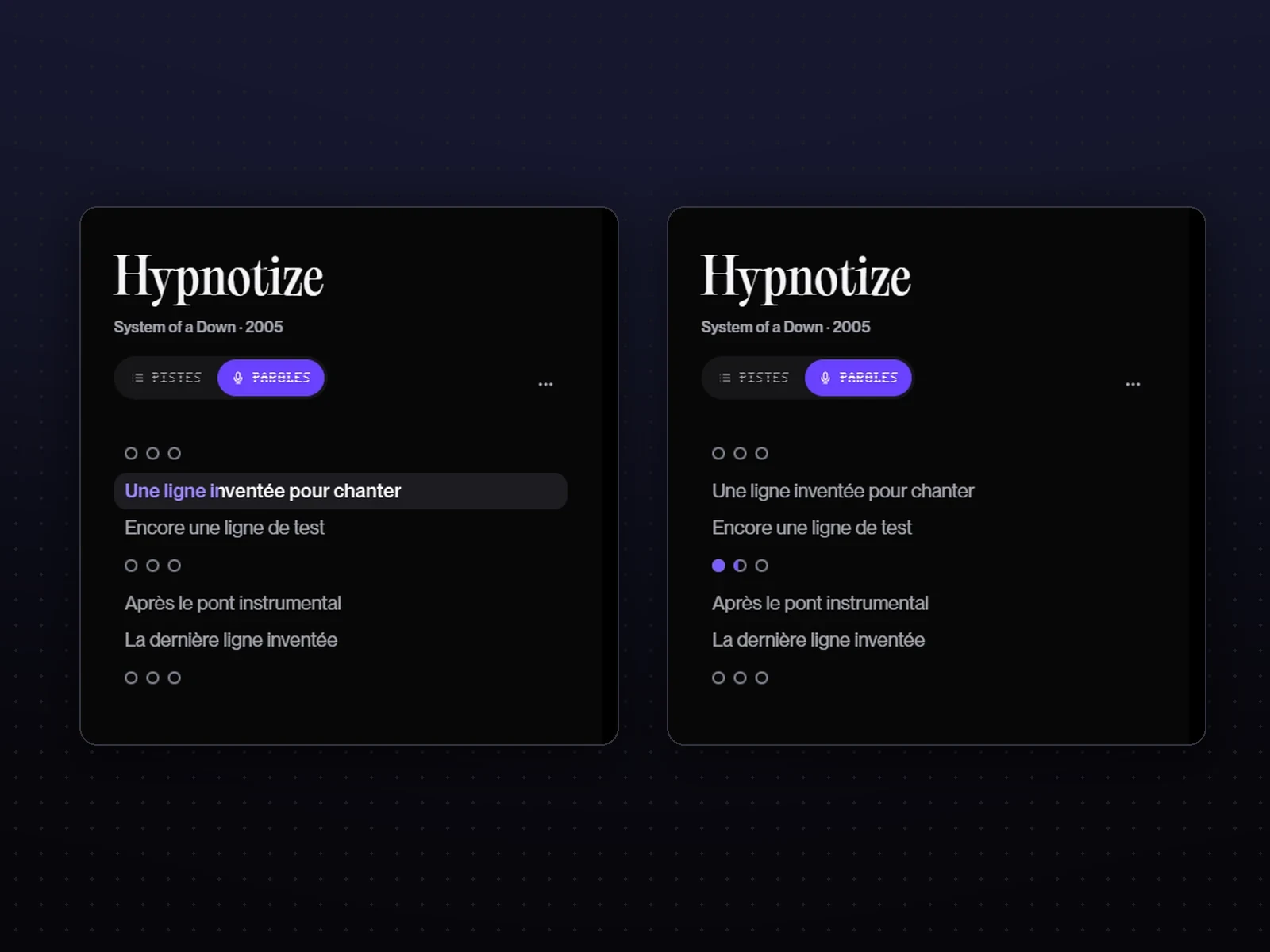 The lyricsPurple flows into the sung words; when there are no vocals, three small dots fill up until the voice returns. A half-second adjustment realigns the lyrics with the sound.
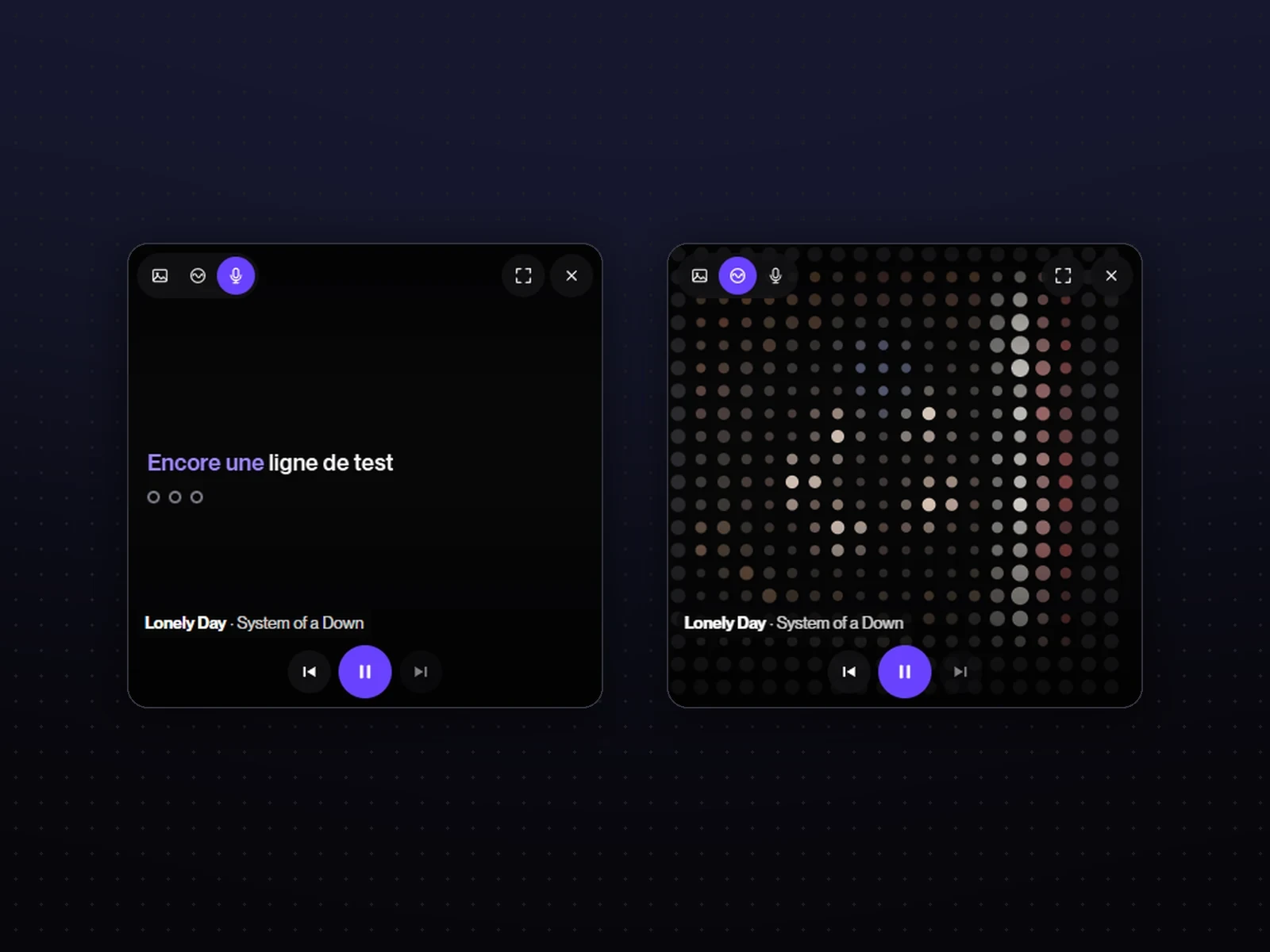 Mini viewA Picture in Picture window that stays above the other windows, with the lyrics; the cover glides to the corner before it opens.
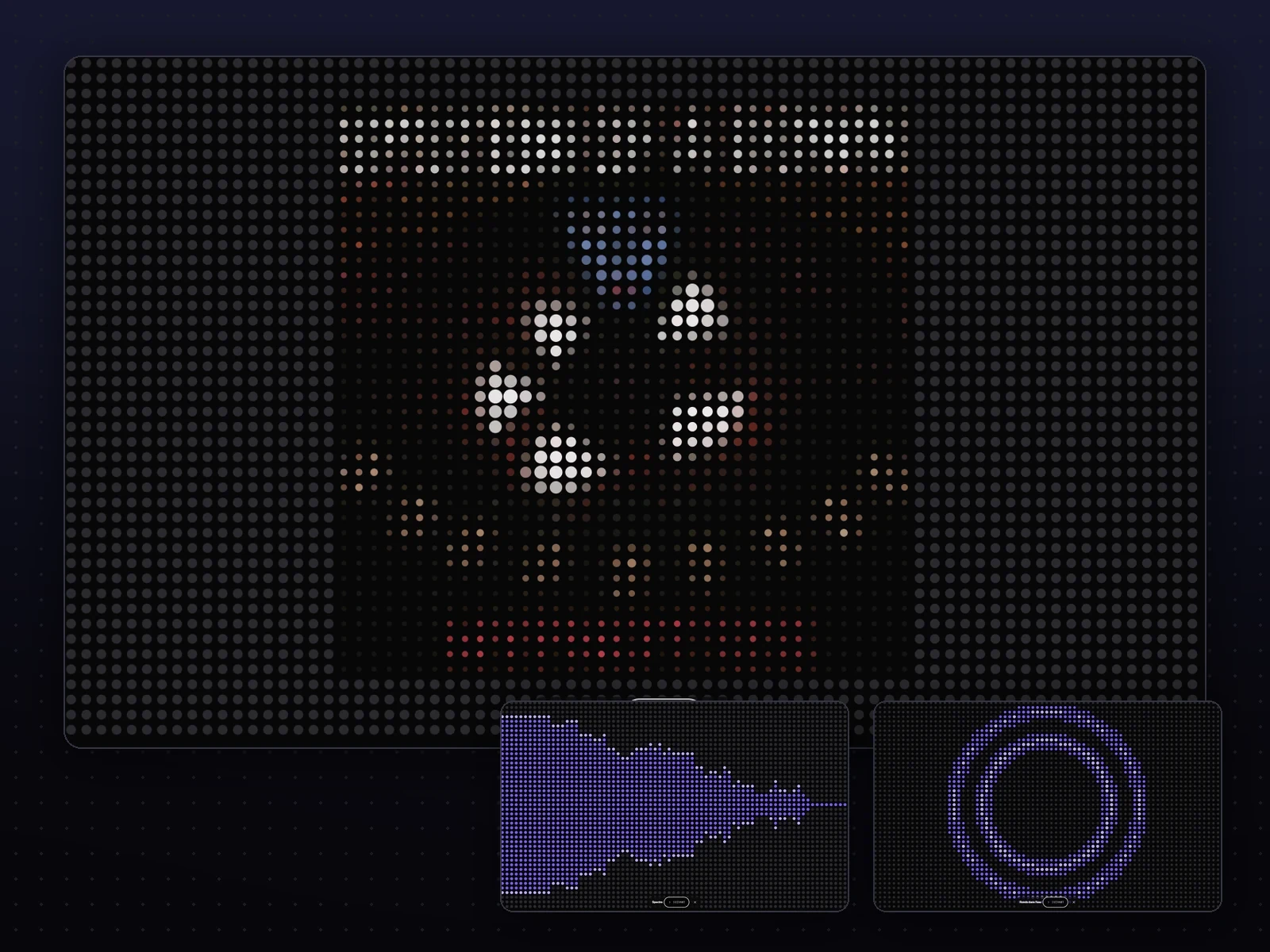 The visualiserThe music in dots: the album cover redrawn in dots, circles that burst out on the beats, the spectrum. It comes out of the cover itself, which breaks into dots until it fills the screen.
For everyoneNothing hidden, nothing cut off
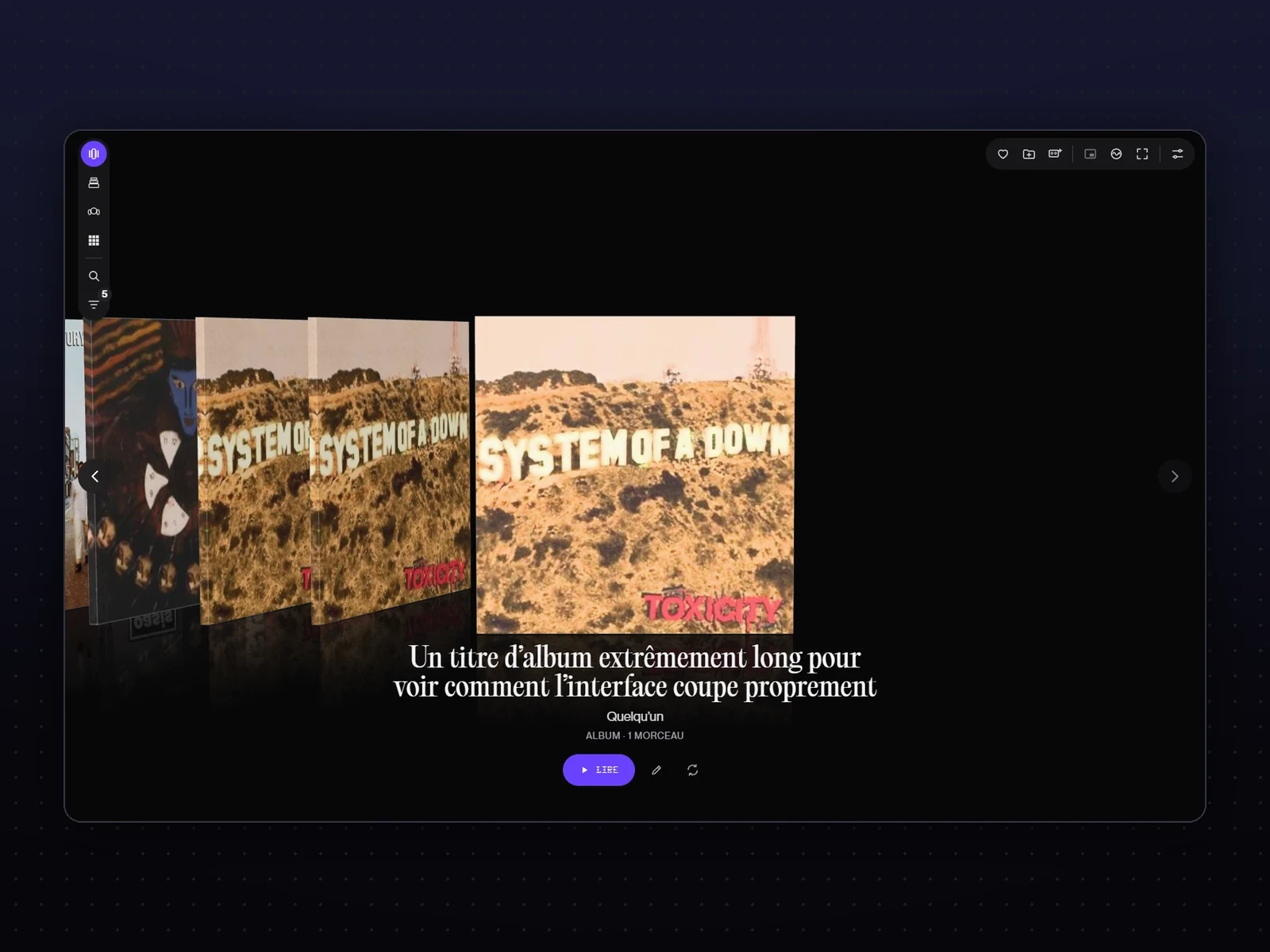 Nothing cut offA long title wraps onto the next line instead of ending in “…”.
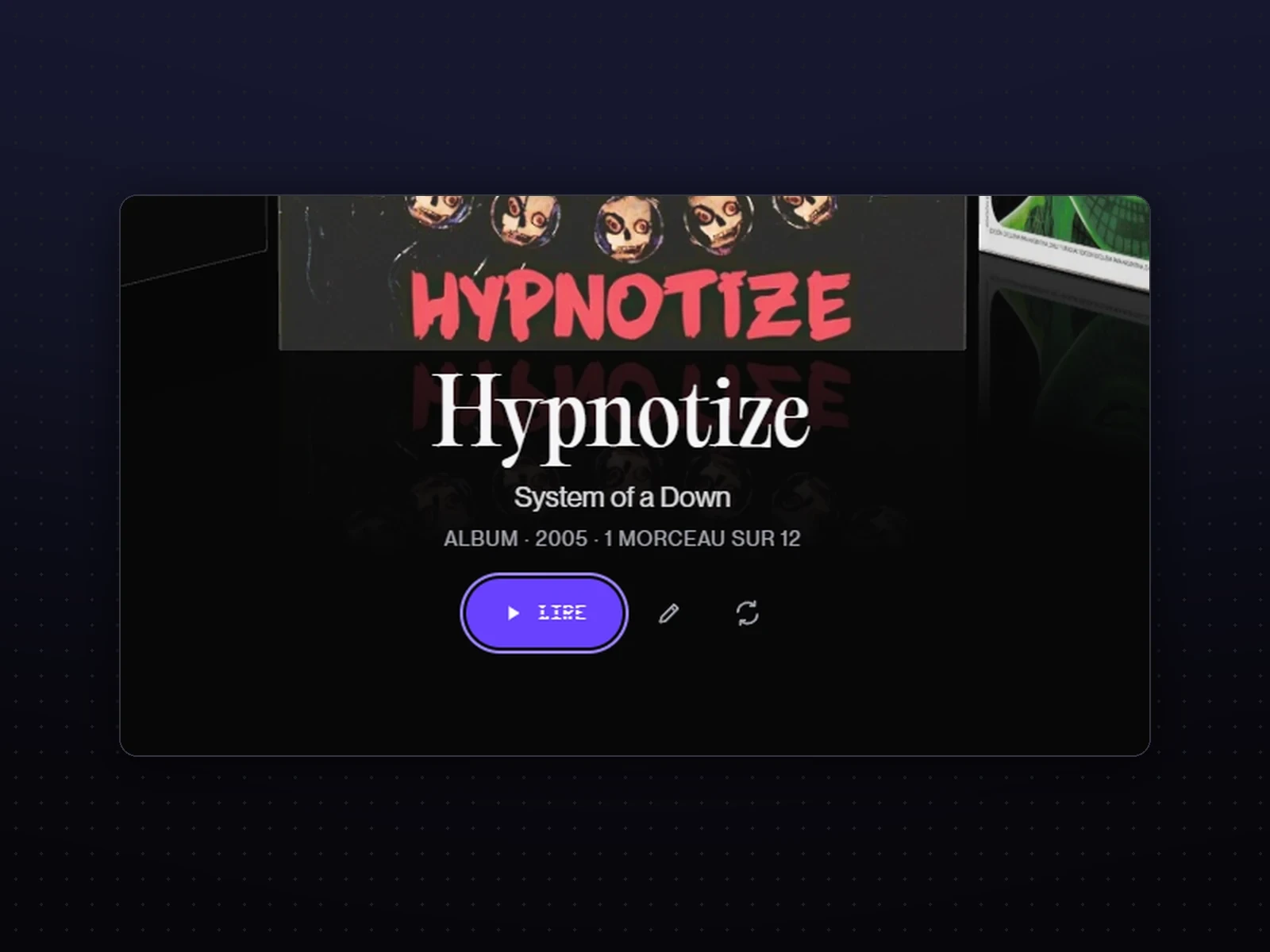 By keyboardThe arrows flick through, Enter plays, 1 to 4 switch views; the focus is visible on every background.
MovementOne gesture, one movement
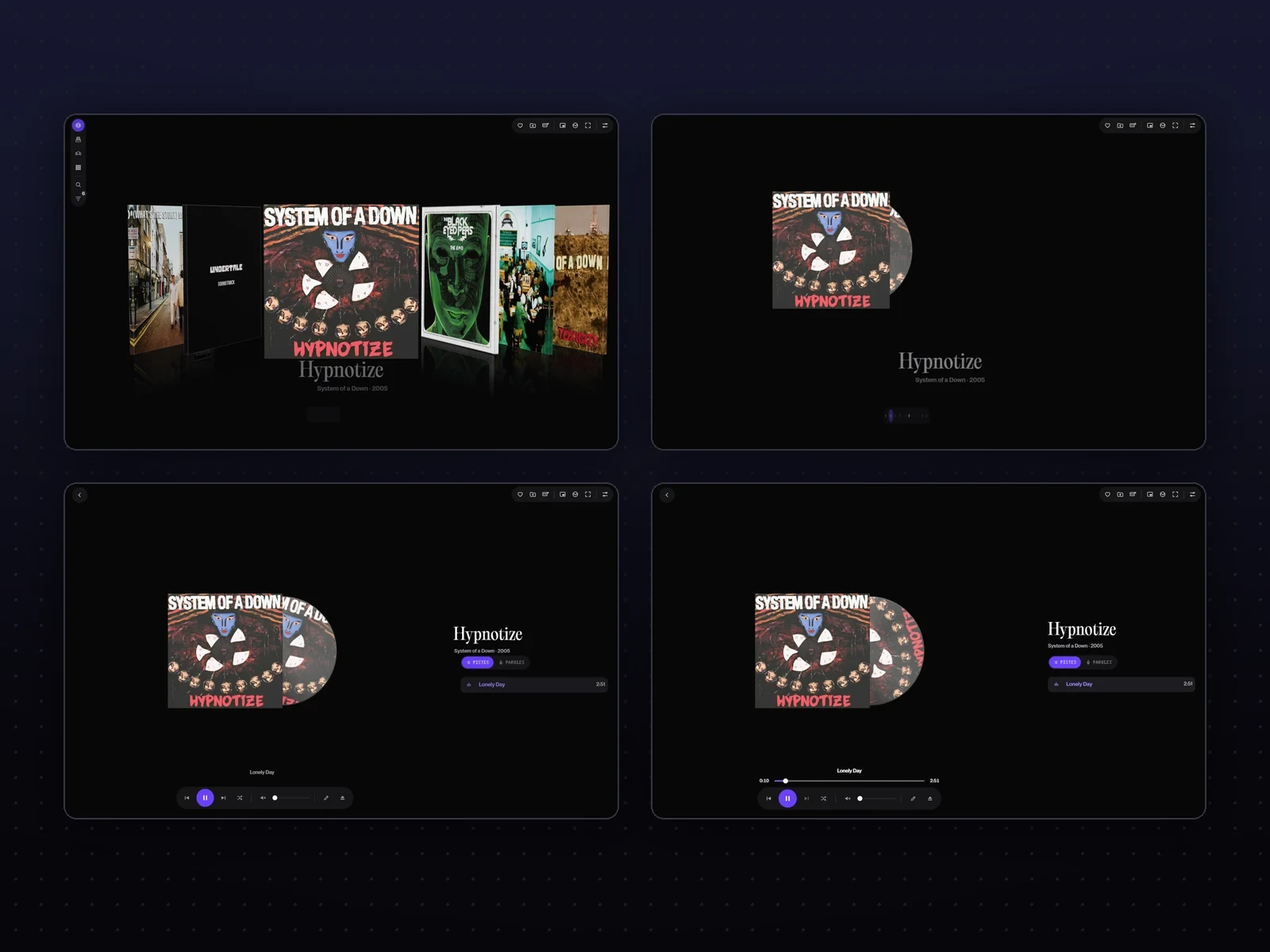 The dolly-inOpening an album: the camera moves in, the rack darkens behind, then the record slides out and the music fades in. Escape sends it back from wherever it is.
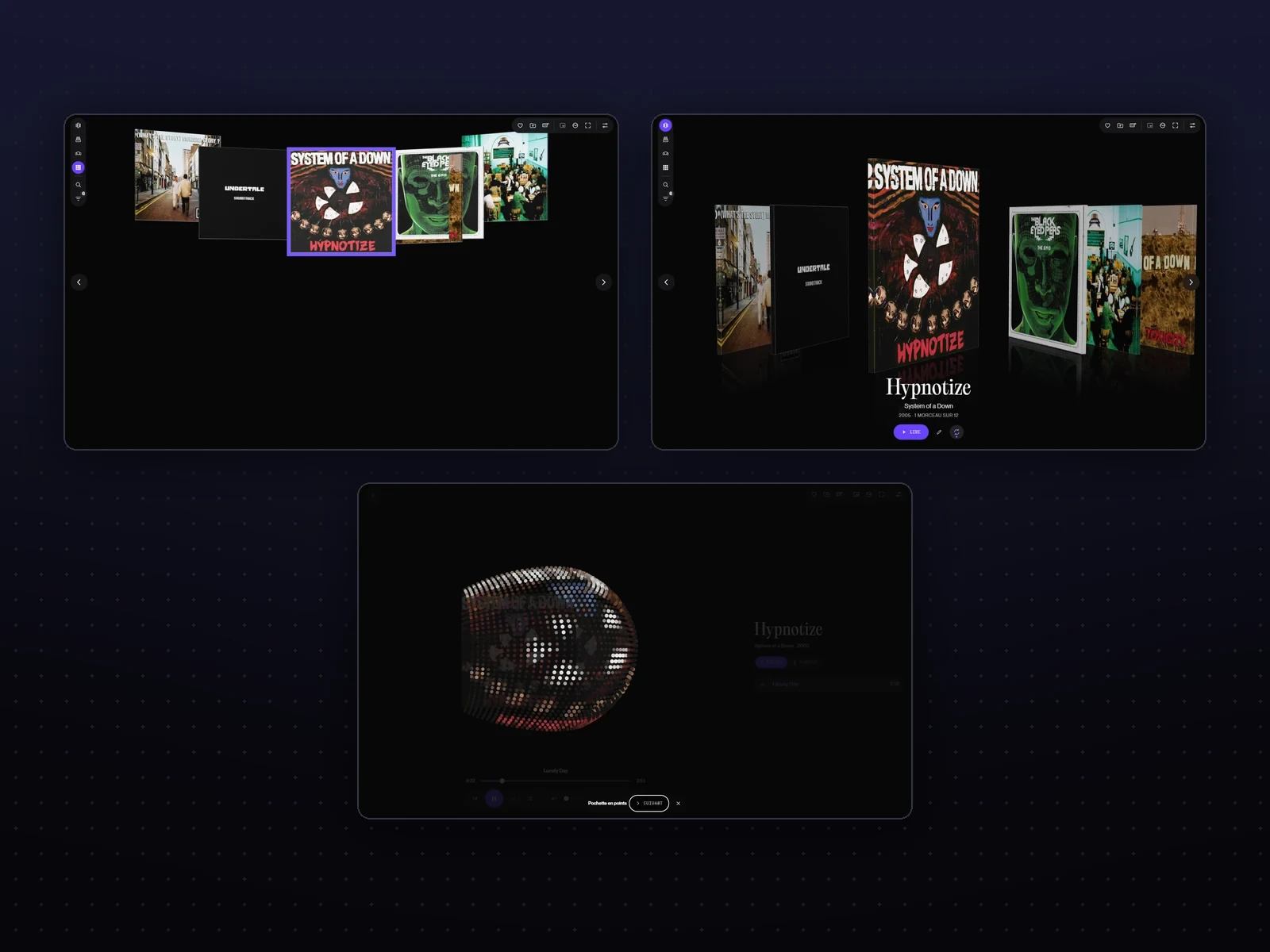 One familyEleven transitions chosen on pages where each one plays in slow motion: covers that rearrange in an arc, the one you turn over in your hand, the visualiser coming out of the cover. Two curves instead of seven.
The project in numbers
- 30Versions in one weekFrom 0.2.0 to 0.22.2, from 19 to 26 October 2026
- 21Critique points kept7 for the shelf, 5 for the stack, 5 for the carousel, 4 for the grid
- 16Choice pagesThree rounds of transitions, faces and buttons, the four critiques, the arrows, the name and the logo…
- 0TelemetryThe only requests go to the music services I chose
Tests
Every annoyance I felt while listening became a fix, often the same day.
The first listener is me
Disquaire plays my music every day. It has not yet been tested by other people.
Checked in real use
- Every version looked at on screen before being installed, on a copy of my library
- A full pass before this portfolio: every screen, in dark and light mode, looking for cut-off text, contrast that was too low and invisible keyboard focus
- Small and large windows, very long titles, albums without a cover
- The whole journey by keyboard, and with Windows' “Reduce animations”
- Every transition measured frame by frame: its duration, its start, no jolt when you chain them
Fixed through use
- Lyrics running earlyOnline lyrics follow a specific version of the track: a per-track adjustment realigns them, and it is remembered.
- Flicking through, neither jerky nor sluggishOne notch of the wheel sometimes skipped two albums, then the slide started abruptly and dragged at the end. One album per notch, and a spring-like movement that keeps its momentum when you chain them.
- Arrows people had to look forEach view put them somewhere else: they now sit on both edges of the screen, in the same place in all four views.
- Washed-out coversIn the stack and the grid, the covers caught too much light: their blacks turned grey. The lighting is now set view by view.
To fix
- The installer is not signed yet: Windows shows a warning
Retrospective
The most useful thing was not adding objects, but removing them.
From brief to everyday jukebox
Doing it differently
At first I wanted six objects.
The CD, the VHS, the cassette and the cartridge were built and animated. But you recognise an album by its cover, not by its case: I should have tested it on paper before having them built.
- A week of listening with no new features, to keep only what is useful
- A test with three people who have a large library
- A signed installer, then sharing the app