


 DrogueriePersonal project · 2026
A worktable for my inspirations
I designed a canvas where my inspirations are arranged around a spine, linked by threads, so I can bring them out when I start a project.
- Deliverable
- web app installed on my PC, a canvas, a sorting counter, a loupe, inspiration boards for my projects
- Role
- product design, art direction, leading development
- My part
- I did not write the code: I wrote the brief, made every decision and tested every version. Claude Code did the development.
- Context
- personal project, suggestions from a small image AI that runs on the PC, with no paid service, images: their authors
- Team
- solo, developed with Claude Code
Context
I wanted a giant worktable, not one more grid.
Inspirations everywhere, linked nowhere
The starting point
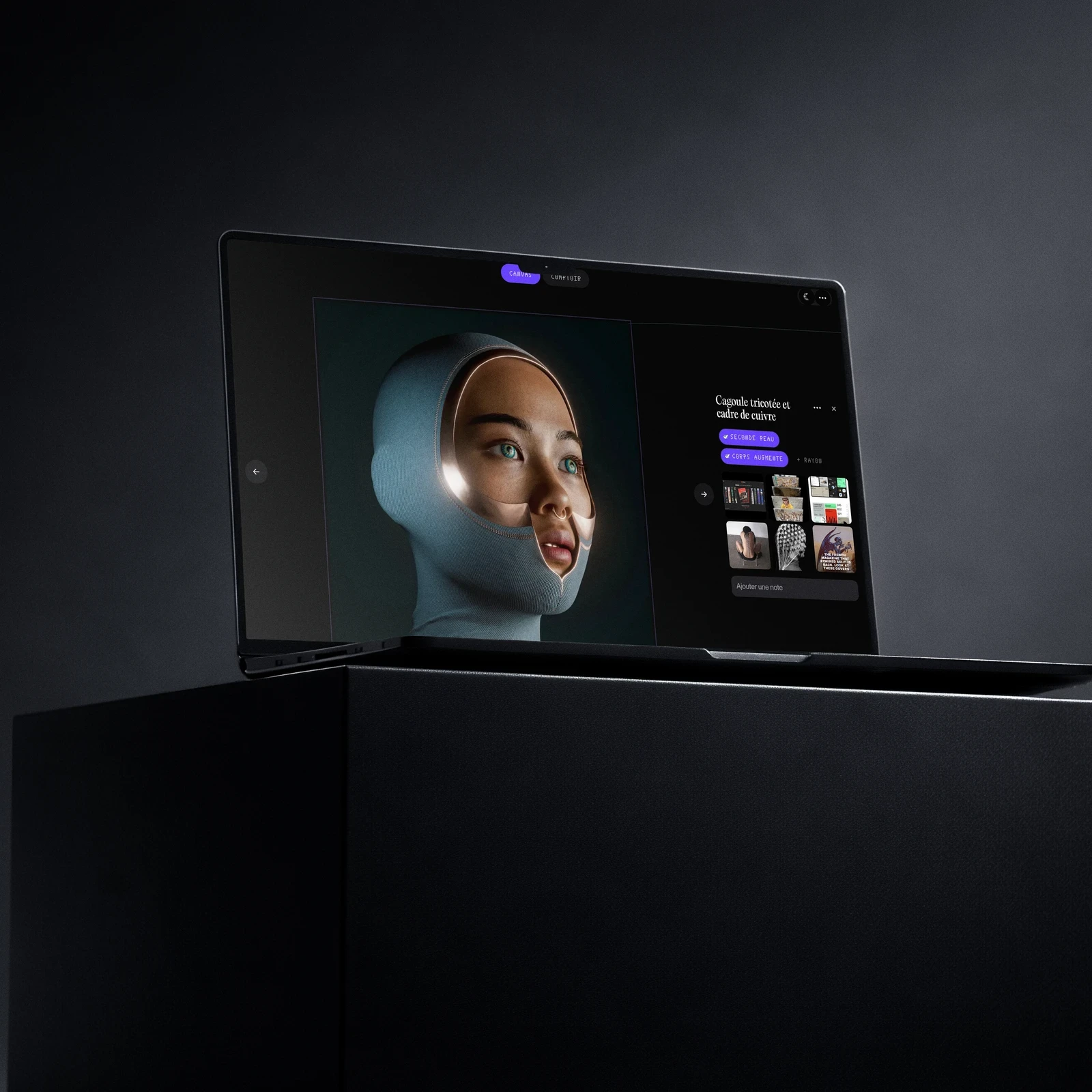
My inspirations were lying dormant in my Instagram saves, my Pinterest boards, my Are.na channels and screenshots. I wrote a brief: a mix of Pinterest for quick capture and Are.na for the links between ideas, but designed as a giant worktable. The first direction images came from my own collection: an electrode cap and its cables, a spine studded with chrome, a knitted balaclava.
- Nothing goes onto the table without being sorted: everything goes through a counter first
- My own words, everywhere: a sample, an aisle, a thread, a delivery, the counter
- No cost: no paid service, the AI that makes suggestions runs on the computer
- Smooth with 2,000 images
- Readable and usable by everyone: text large enough, never a state shown by colour alone, everything by keyboard
What had to be balanced
- Sorting quicklySorting what arrives in a few gestures, without thinking about where to put it.
- LinkingSeeing at a glance that an image belongs to several ideas.
- Bringing outFinding what is useful for a project, and showing it.
How do I turn a collection of images into material that feeds my projects?
Exploration
The canvas became readable the day I removed everything that decorated it.
A nervous system, then less of one
Each direction was presented to me on a choice page, with real screenshots and interactive mockups, before it was coded.
- Cables that hang down like those of an electrode capBeautiful one by one, unreadable by the hundred: replaced by bundles that start from a shared point on each vertebraDropped
- A fan-shaped mass around the spineEach idea casts a crescent of images on either side of the spine: the silhouette reads from a distanceKept
- An instrument dashboardGraduated ruler, coordinates, mini-map, crosshair, counter: twelve details removed in one go, leaving only the images, the spine and a buttonDropped
- A spine you bend by handIts control points got in the way of the most frequent gesture, moving the view: the spine is now fixedDropped
- The same Droguerie on computer and on iPhone, onlineAccounts, sharing from the iPhone, notifications: built, then paused. I use it on my PC, it lives there now, with no account and no passcodeDropped
- A photo opened full screen, outside the canvasReplaced by a loupe: the view dives into the image without leaving the canvas, its caption alongsideKept
Three places, three gestures
- The counterEverything arrives here: you keep or discard, you link to your ideas.
- The canvasThe spine, the vertebrae and the mass of images packed around them.
- The loupeAn image up close, its neighbours, the ones that look like it.
Design
One critique per page: each flaw shown on a real screenshot, then I ticked what needed to change.
From sorting to the board
From brief to tool
SortingNothing gets in without going through the counter
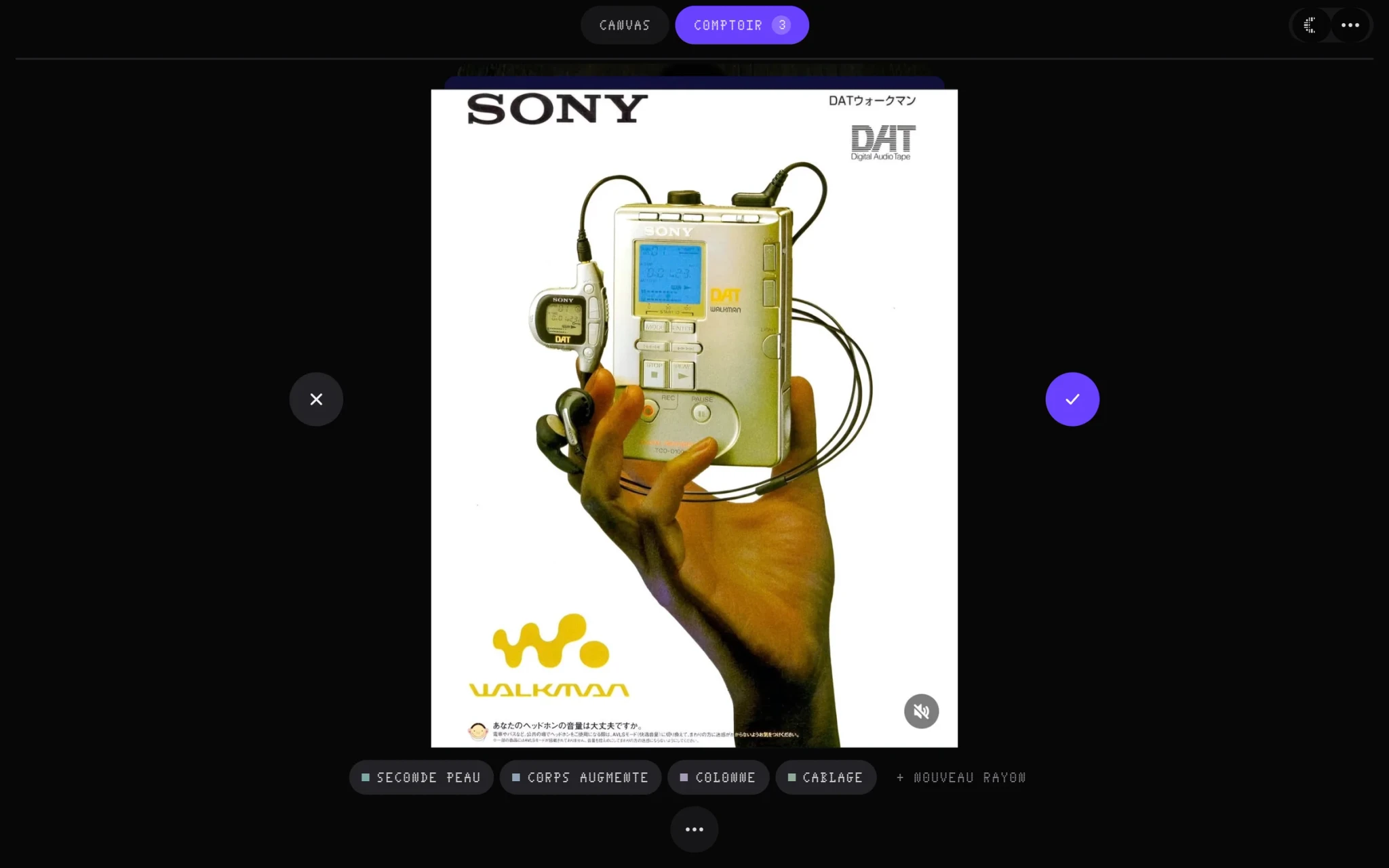 The bare tableThe image large, its ideas below, ✕ and ✓ on either side. Keeping means swiping right; discarding, left; everything else is tucked into a single button.
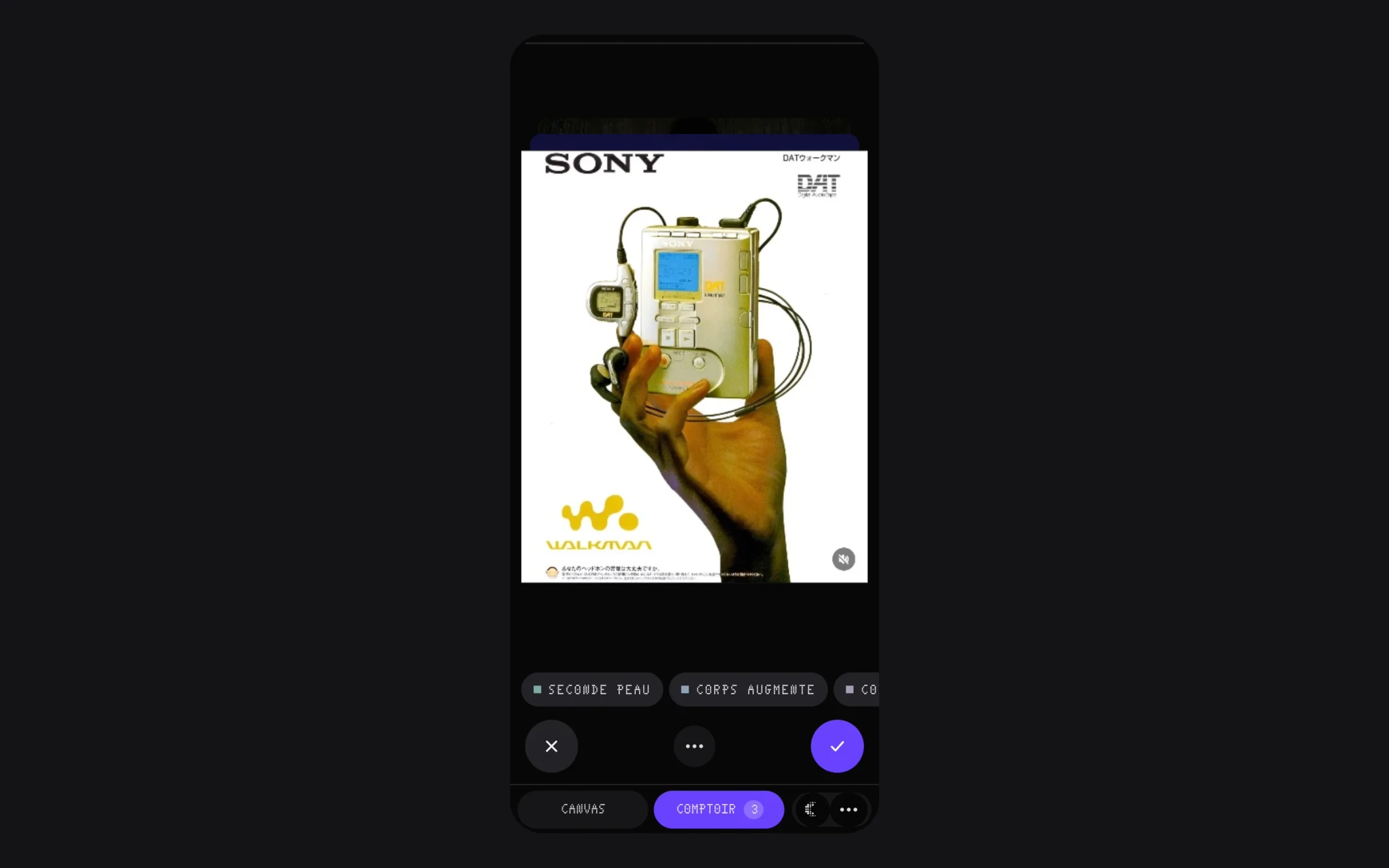 For the thumbOn iPhone, ✕, the menu and ✓ sit at the bottom of the screen; the ideas scroll under the image.
LinkingA nervous system for my ideas
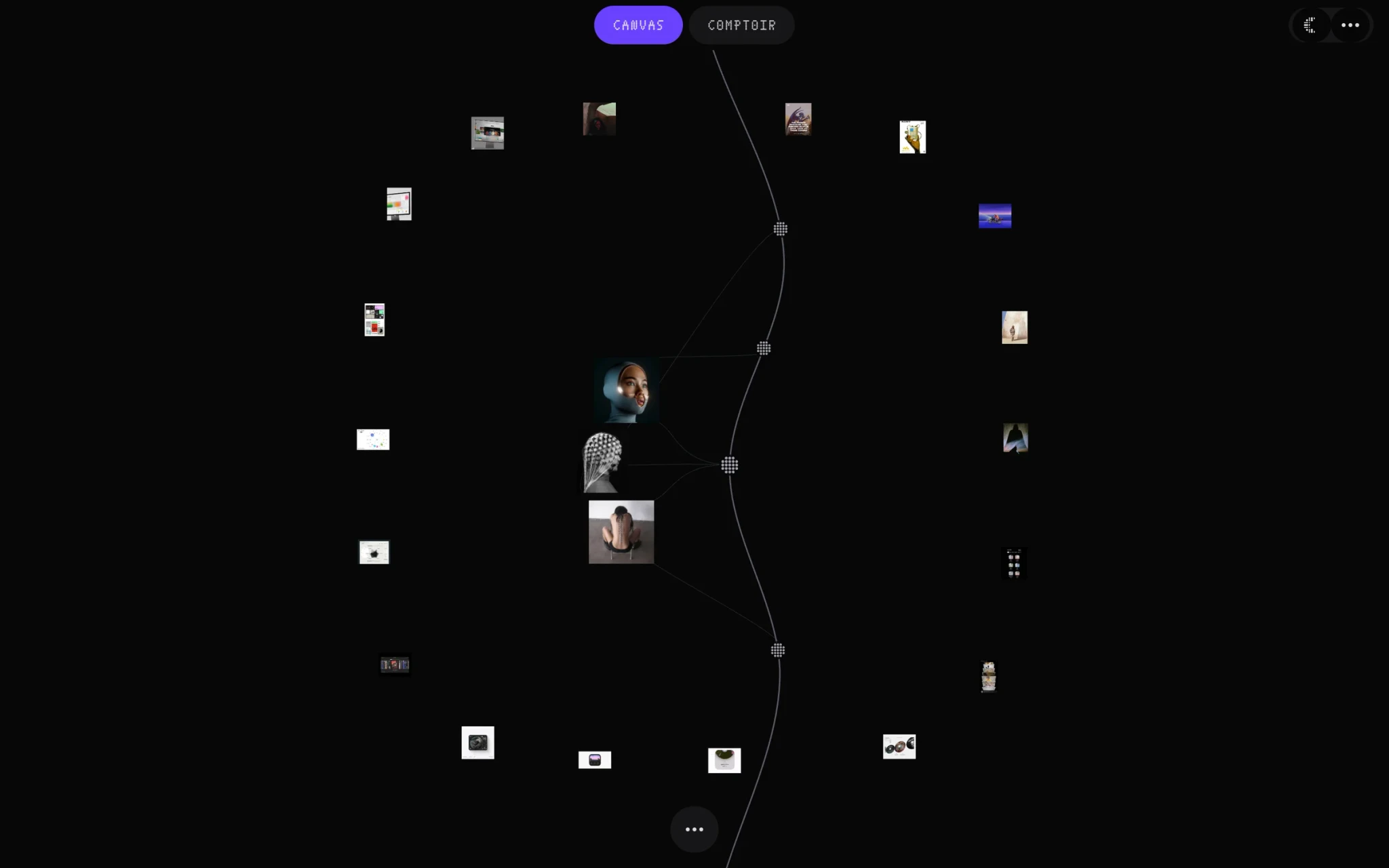 The spine and the massEach idea is a vertebra placed on the spine; its images pack around it, linked by threads.
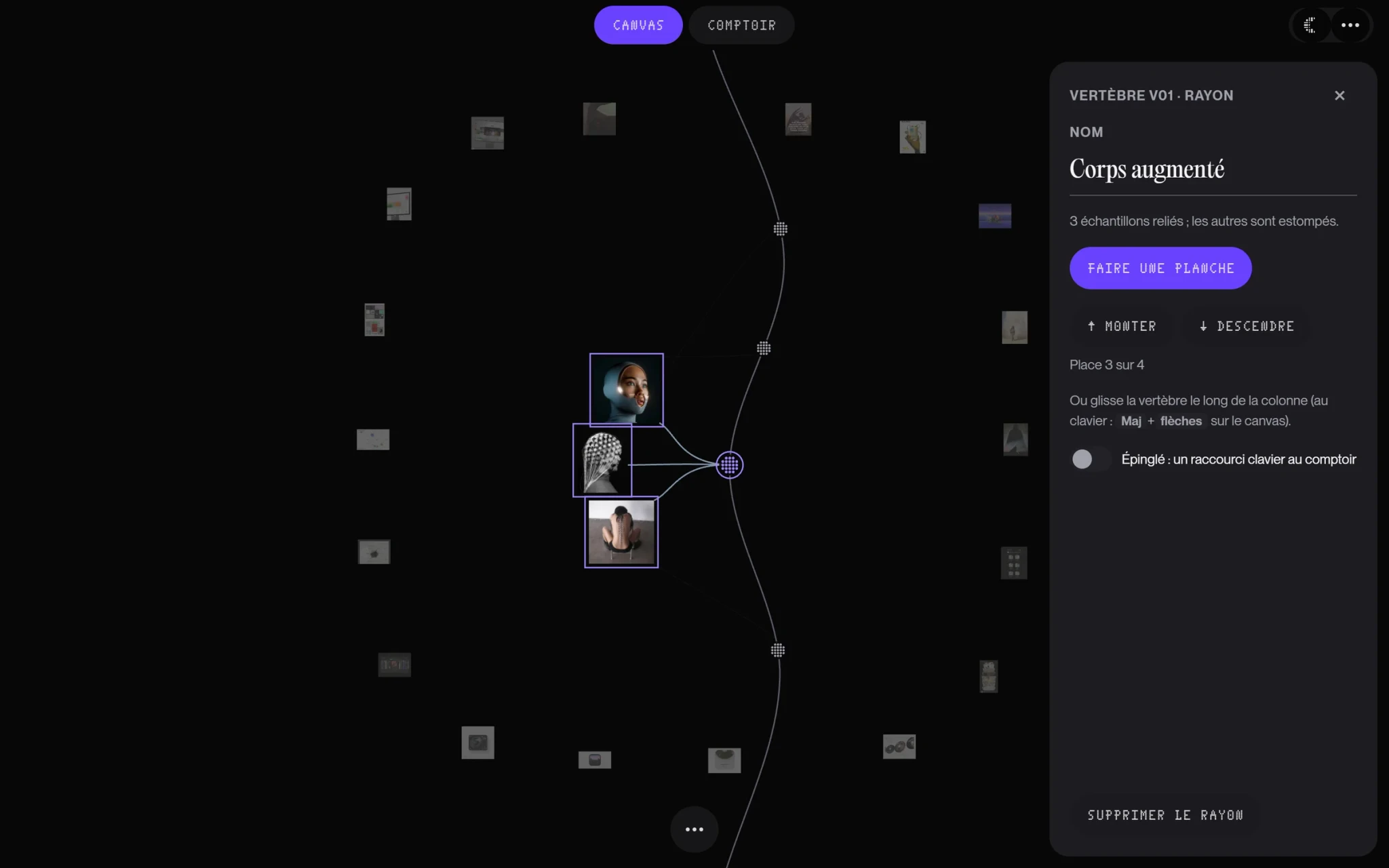 The signalI pick a vertebra: its threads draw themselves out to its images, the rest fades away.
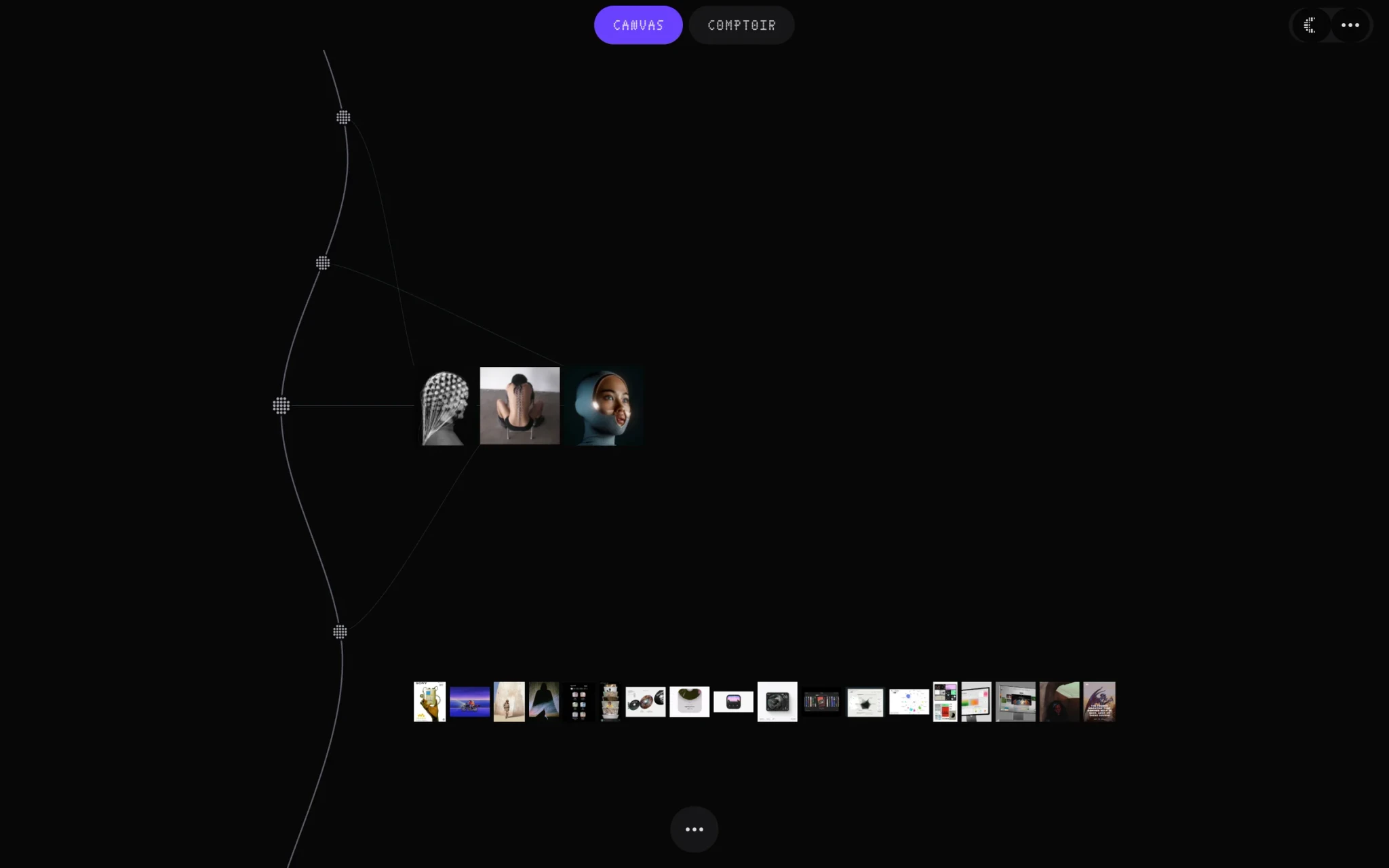 The contact sheetThe same collection laid out in rows, one per idea, to look through everything again.
LookingThe loupe and its caption
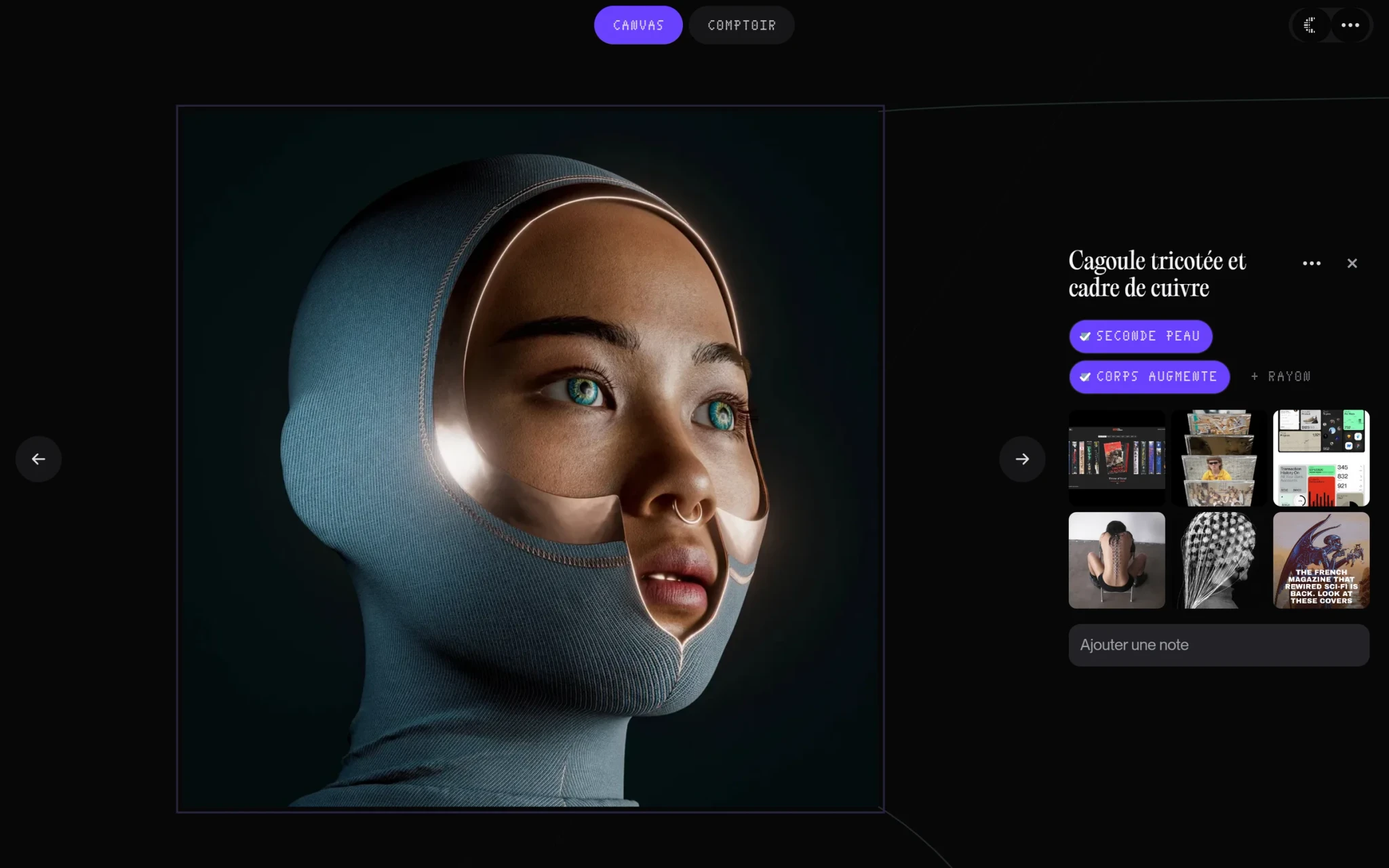 The loupeThe view dives into the image; alongside, its ideas, the images the small AI finds similar, a note. ← and → move to its neighbour.
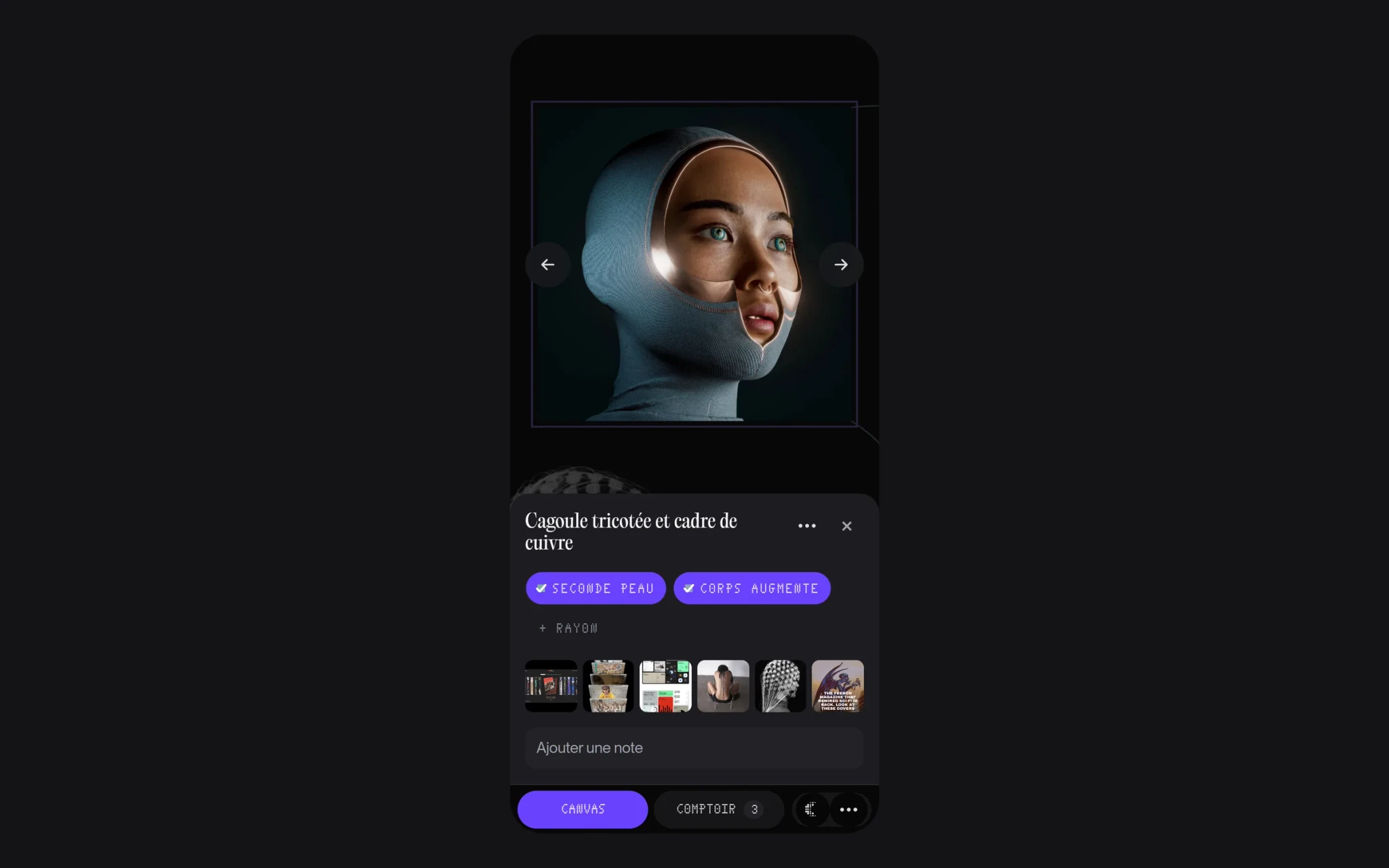 On iPhoneThe image at the top, its caption below, within reach of the thumb.
Bringing outFeeding a project
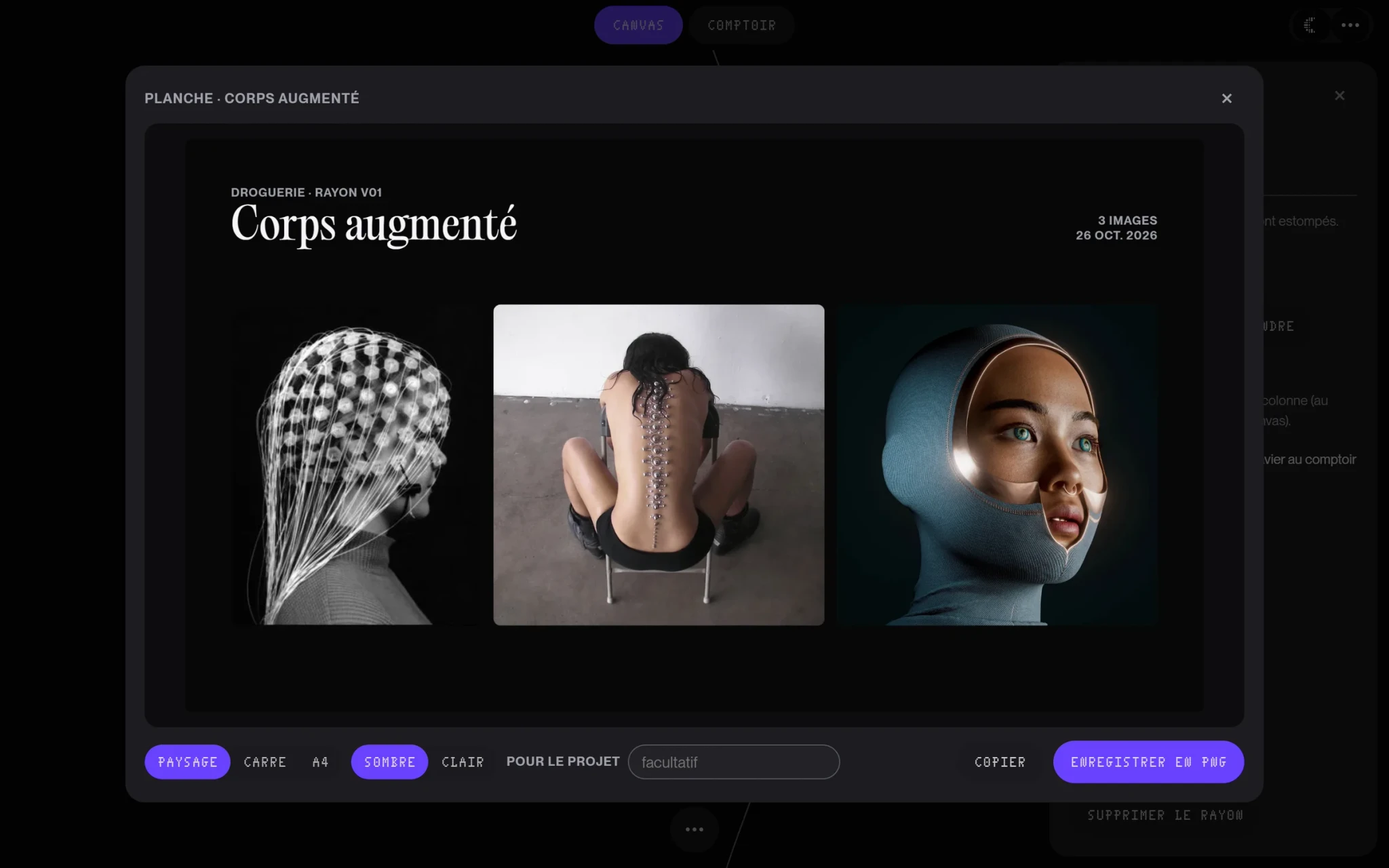 The boardThe images of an idea laid out as a wall, saved as an image or copied to paste into a presentation; each image remembers the project it fed.
Paring backOne button, and movement
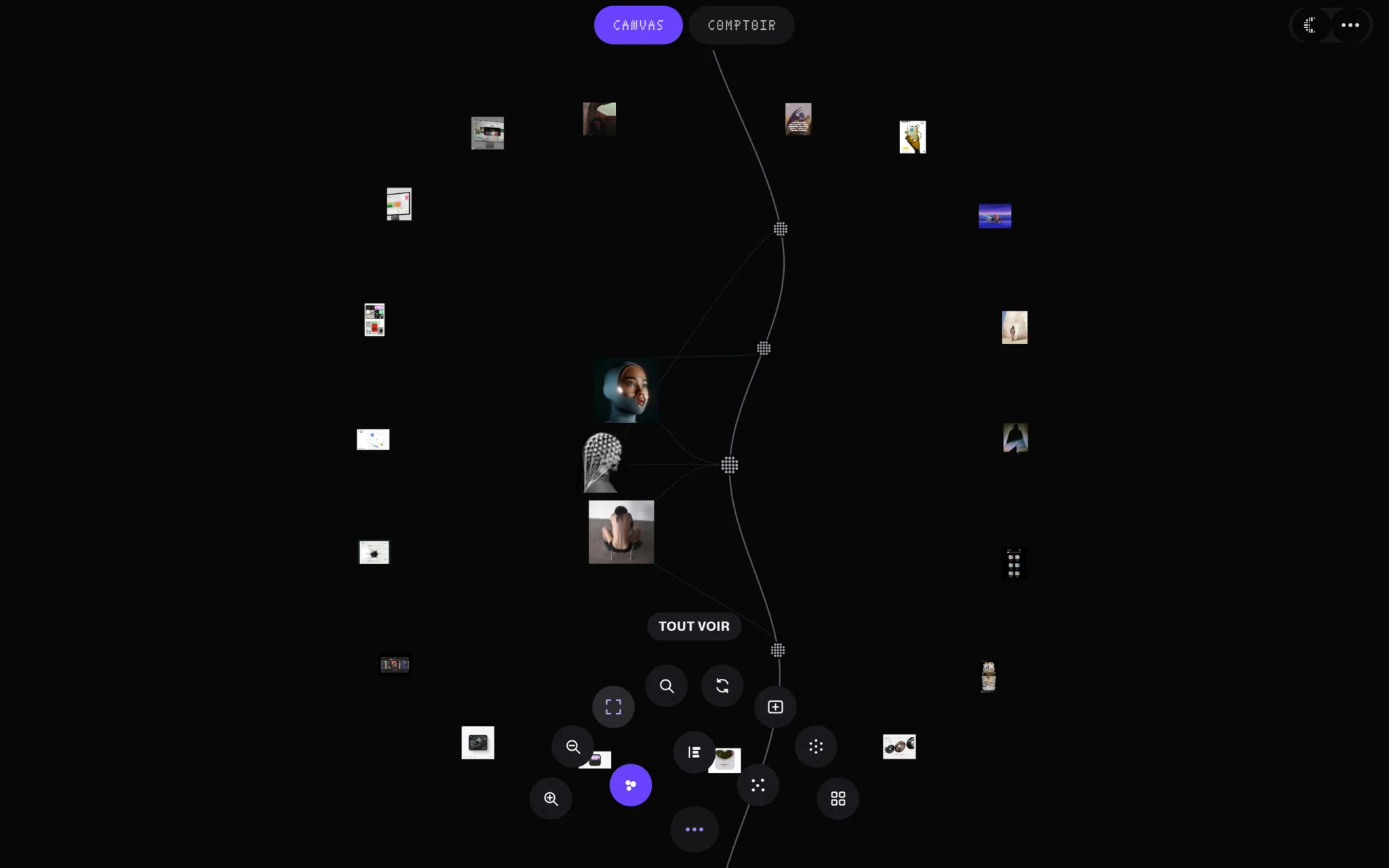 The arc menuA single button; it spreads its icons in an arc, like the circle of dots of my design system. Each one's name appears on hover or by keyboard.
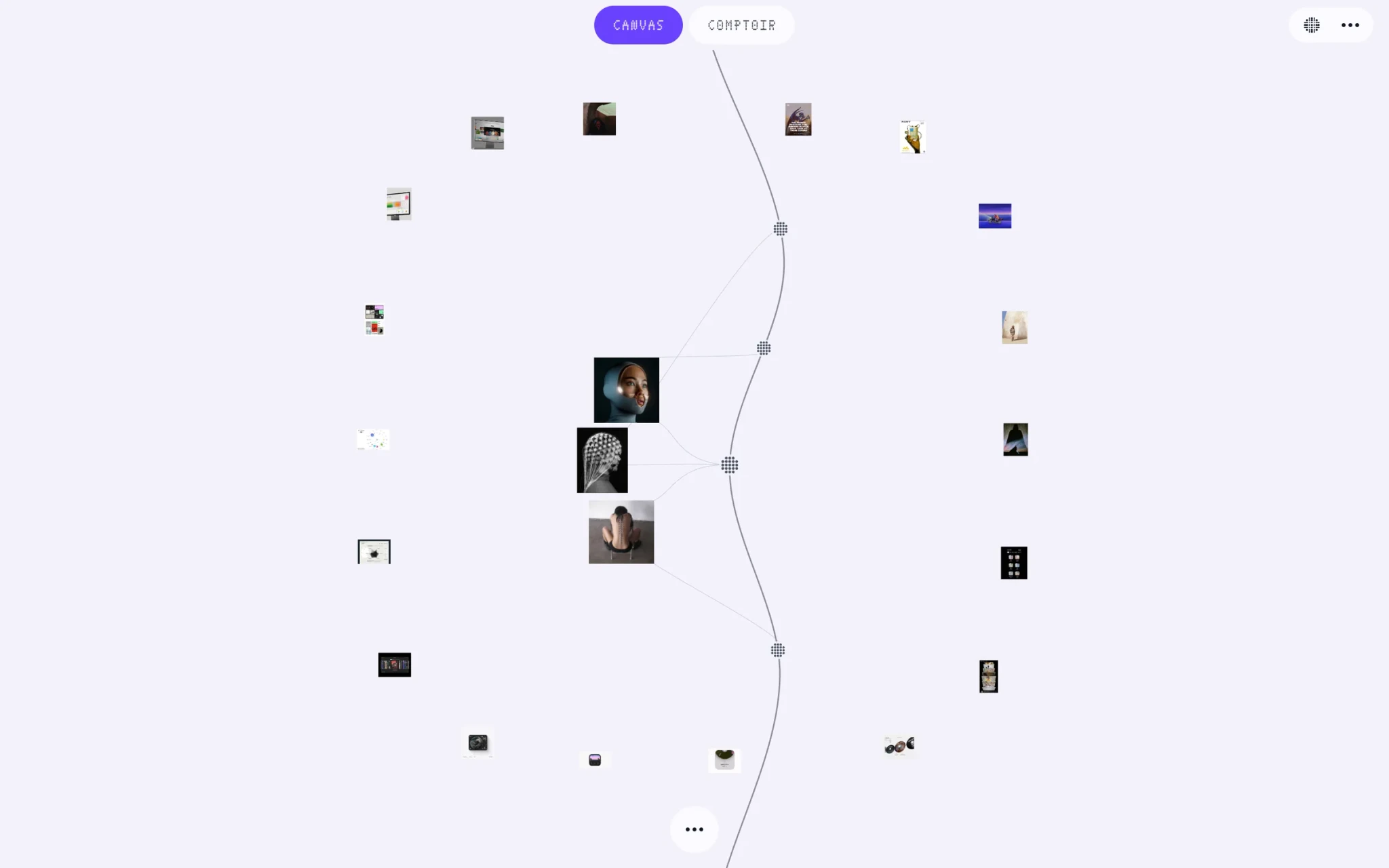 Light and darkThe images are the only colours; the interface stays black, white and a single purple, for what is selected.
The project in numbers
- 17Days, from brief to toolFrom 9 to 26 October 2026
- 20Motion choicesKept from 83 animated proposals: opening a photo, changing page, sorting, choosing an idea…
- 12Details removed from the canvasIn a single critique: mini-map, ruler, coordinates, crosshair, counter…
- 0Paid servicesThe small AI that suggests ideas runs on the computer
Tests
Every annoyance I felt while sorting became a choice page, often the same day.
The first user is me
Droguerie organises my inspirations every day. It has not yet been tested by other people.
Checked in real use
- Every change looked at on screen before being kept, on my real collection
- A demo database of 2,000 images for smoothness
- iPhone size and computer size, light theme and dark theme
- The whole journey by keyboard, and with “reduce animations”
Fixed through use
- A passcode every time it openedFor a personal tool, it was unbearable: Droguerie now opens directly, on my PC.
- Too much text on the canvasThe idea names are gone: you recognise an idea by its position and its threads, and its name stays in its info panel.
- Labels to read everywhere“Aisles”, “Similar to”, the date, the colour: an image's info panel now keeps only the image and what you do with it.
- Squashed chips on iPhoneIn their scrolling row, they only showed their number: each one now keeps its width.
Retrospective
A personal tool earns its place through what you do with it, not what it shows.
From a collection to material
Doing it differently
I built a whole online ecosystem before knowing where I would use it.
Accounts, sharing from the iPhone, imports, notifications: it all worked, but I organise my inspirations on my computer. I should have started from how I actually use it, then added the rest when I needed it.
- A week of use with no new features, to keep only what is useful
- A test with three designers who collect images
- Bringing back the quickest way in, from the browser: an “Add to Droguerie” button